Validate integrity
There are many ways to validate the integrity. In the following, a method using the Windows Command Line Interface (CLI) is presented.
Example Task
A file test.txt is downloaded from a website and additionally the hash value 024348b5fe28136bbe798f095be5d121edea86dfea2067e1ab0a1c7b8fe79abf is specified on the website. In addition, there is a note that the hash procedure SHA256 was used.
Example Solution
The file test.txt is saved to the hard disk in "c:\temp\". The command line is called with the command "cmd". It is changed with "cd c:\temp\" to the desired directory. With the command "dir" the directory content can be displayed and the file "test.txt" appears. With the following syntax the integrity value can be calculated:
certutil -hashfile <file> {MD5 | SHA1 | SHA256 | SHA512}
In this example, the command line as follows:
certutil -hashfile test.txt SHA256
And the output looks like this:
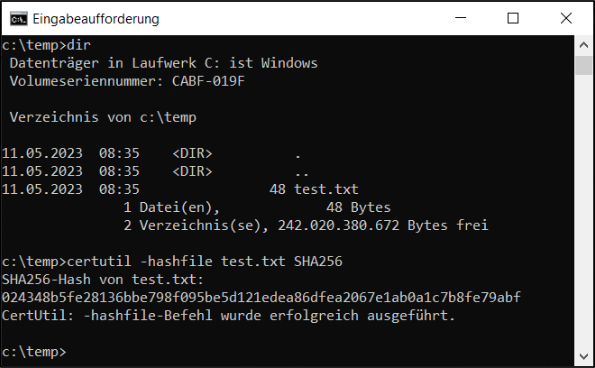
Check hashvalue with certutil