x5x0.OPCUAClient.Authentication
The x5x0 has an OPC UA client, which can be parameterized via a cloud configuration.
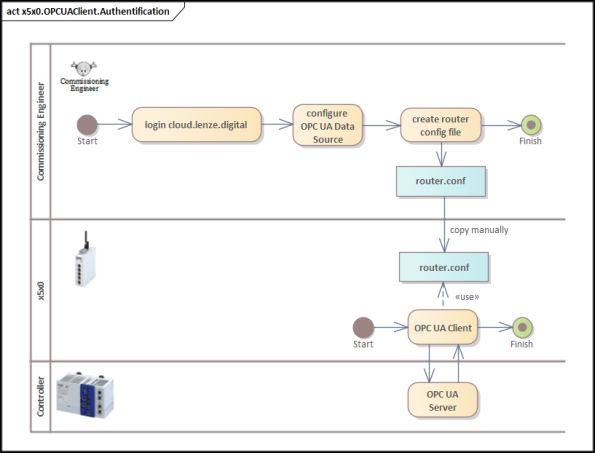
Activity Diagram
To connect the x5x0 to an OPC Server with activated user management, the following steps have to be carried out:
-
Start the platform https://lenze.digital/x4-remote/
-
Open the project
-
Start the Fleet Manager
-
Open the device via click on the name
-
Click on "+" and add a data source "OPC UA"
-
Type the OPC UA server data and select the
authentication type = username and password -
Enter the username and password
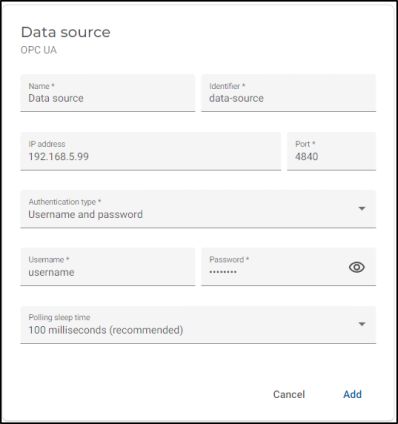
Data Sources