Introduction
The Lenze OPC UA Server can be configured to make the device's file system accessible by an OPC UA Client. The file system is represented in its own namespace in the server address space and is defined by -OPC 10000-20 - UA Specification Part 20 - File Transfer-.
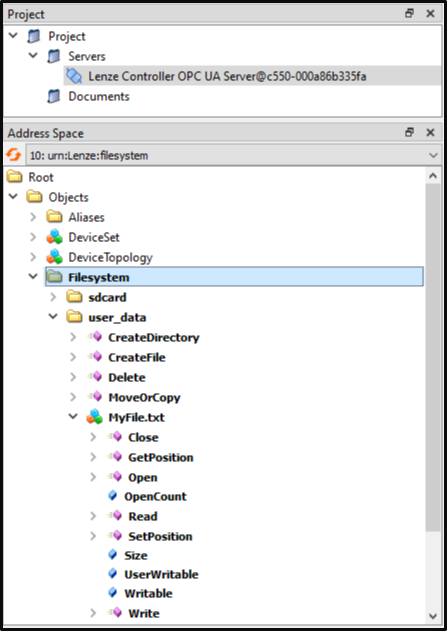
With FW >= V2.0, the entry point to the file system is under "Objects.Server.Resources.Filesystem". It-s also referenced by the DI device node under the "Objects.DeviceSet".
Configuration
The file system can be activated via the device parameter 0x2471:55-Public File system- = 1:Enabled. To activate the setting, the server must be restarted via parameter 0x2470:001 -Server restart-.
If the file system is generally activated, the access rights for certain user groups can be restricted. The access rights configuration for the -File system Interface- can be done with the PLC Designer and activated device user management. In this case, the access rights apply to the entire file system. There is no configuration option for specific folders and files.
With the published file system, the content of the -SD card- and the -user_data- folder is accessible. The file system can also be accessed via sfpt or the PLC Designer-s -Files--dialog.