A visualization crash can have different causes. In the following section, you will learn how you can detect the causes of a visualization crash and which actions make sense to prevent a crash.
The Stop Execution on Handled Exceptions command helps you when error checking. Run the command before the application is started. By default, the Stop Execution on Handled Exceptions command is not available in any menu, but it can be configured in . For the procedure to add the command, see the chapter "Customizing Menus".
As an alternative to the Stop Execution on Handled Exceptions command, you could set the compiler definition VISU_NO_EXCEPTION_HANDLING for the application. As a result, the exception is not caught by the visualization and the programming system shows the location where the system has crashed.
Possible causes for the crash of a running visualization
-
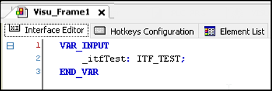
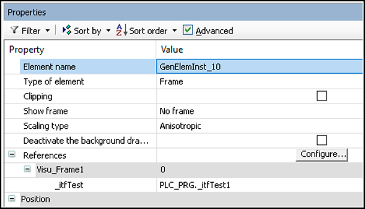
In the visualization, a frame element with an interface variable with scope
VAR_INPUTis used, and this interface variable (in the example:PLC_PRG._itfTest1,_itfTest1 : ITF_TEST;) has not been assigned in the application yet.
-
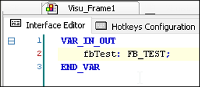
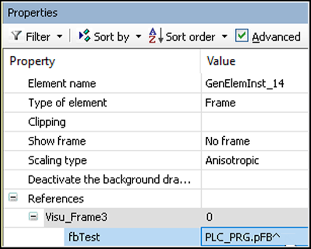
In the visualization, a frame element with an interface variable (in the example:
fbTest) with scopeVAR_IN_OUTis used, and this interface variable has a function block as data type. However, the transferred variable does not point to this function block.
-
Division by
0: In an expression with division, the divisor (in the example:PLC_PRG.rVal2)must not be0.

-
Use of
VAR_IN_OUTvariables of a function block in the visualization:If variables with scope
VAR_IN_OUTare declared in a function block, then a visualization may access these variables only after the program has called the function block and theVAR_IN_OUTvariables have been assigned in a function block. -
Use of zero pointers and zero references: A pointer variable must not be zero (example:
PLC_PRG.pValue^). -
Error in the internal code; this is visible in the call stack only.