FirmwareLoader.Authentication
This function has been available since »EASY Firmware Loader« version 01.24.00.
This chapter describes the authentification from the »EASY Firmware Loader« while connecting the controller. An overview is shown in the following figure.
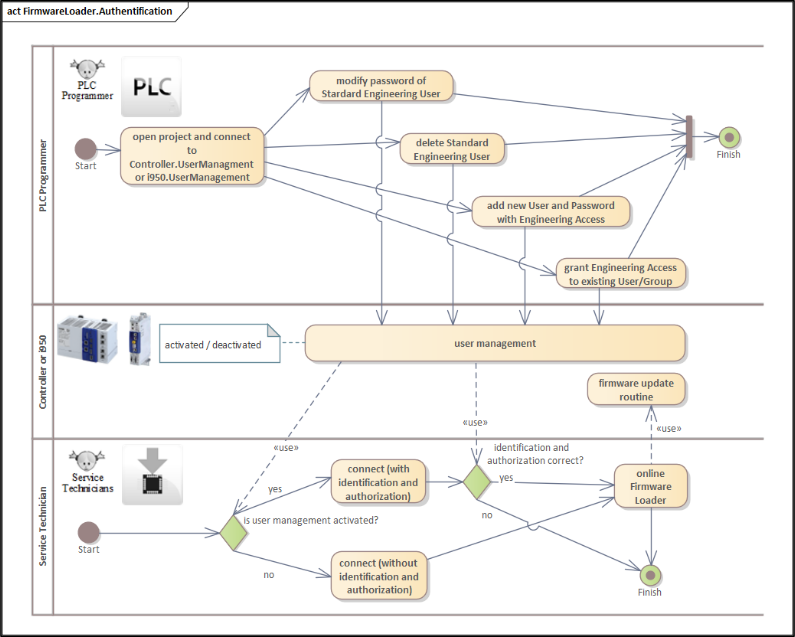
Activity Diagram
Connect (with deactivated user management)
If the Controller.UserManagement is deactivated, the Fimware Loader can connect without prior identification and authentification.
Connect (with activated user management)
If the Controller.UserManagement is activated, the user must first identify and authenticate himself via the Firmware Loader. This is done via username and password. This occurs when establishing a connection to the controller, but also when the controller establishes a connection to subordinate devices.
Using the firmware-loader in batchmode
The firmware loader has a batch mode. This can be used to automatically update several devices with a new firmware. In this batch file, the authentification features, i.e. username and password, can be specified for establishing the connection. This file must be organizationally protected, as the passwords are contained here in plain text.