Prepare the UaGds from Unified Automation
1. Open UaGds Configuration file
C:\ProgramData\UnifiedAutomation\UaGDS\uagds_settings.conf
2.Go to to endpoints settings and enter the GDS host-s IP address of the ethernet-interface which is connected to the Controller.

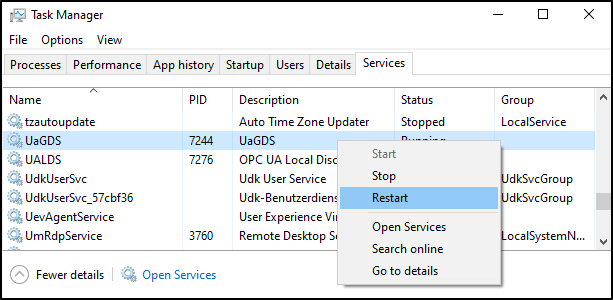
Just replace [hostname] with the IP address of the GDS host. This ensures that the UaGds will get an IP based Endpoint-Description. Restart the UaGds service either by restarting via Task Manager with admin rights or by restarting the host.
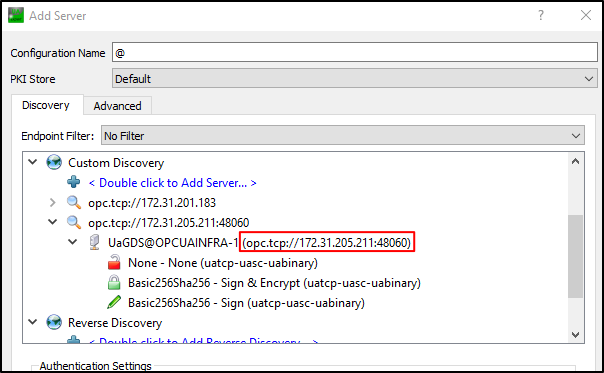
3. Optional: Check with UA Expert if the UaGds has an IP based Endpoint URL like the Controller.