Symbol sets
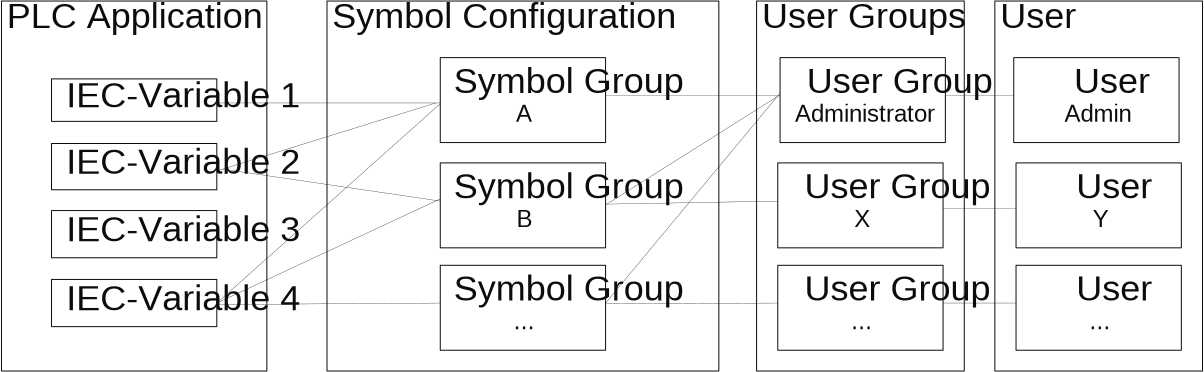
The variable household that is to be published via OPC UA can be divided into sets (groups), which in turn can be assigned to user groups. Thus, a certain user has access only to the IEC variables intended for him.
A schematic representation of this relationship can be found in the following figure as an example.
The activation of the device user management with users and user groups is a prerequisite for the use of symbol sets. The configuration of the device user management is explained under the following link:
The creation of symbol set with IEC variables as well as the assignment of rights with regard to device user management is explained under the following link:
When changing existing symbol groups and assignments to user groups, make sure that this is also properly transferred to the controller and activated. This is at least the case after an "online change" or project download.
-
The following is an example of how to configure the user administration and symbol sets:
-
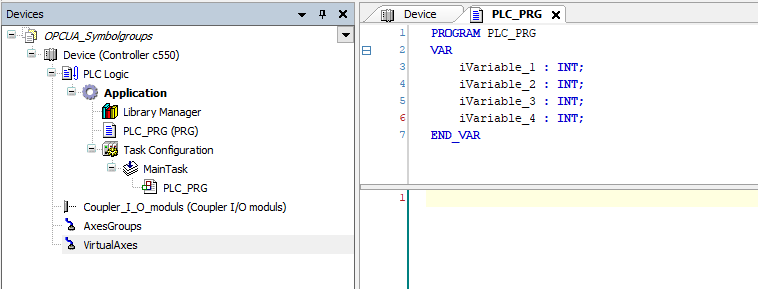
Create a PLC application on a c550 with various variables that are to be published via symbol sets.
-
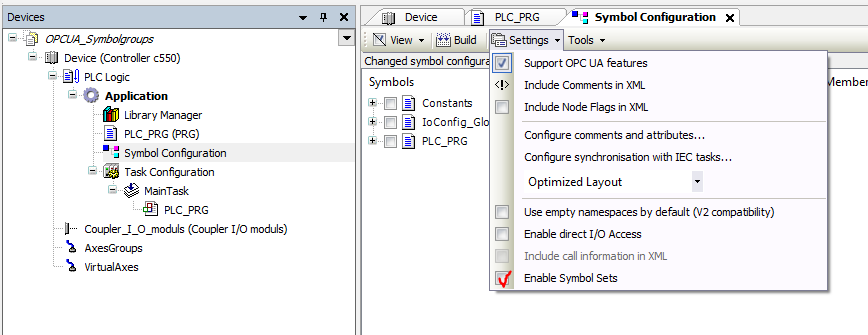
Add a symbol configuration and activate "Support OPC UA Features" and "Enable Symbol Sets".
-
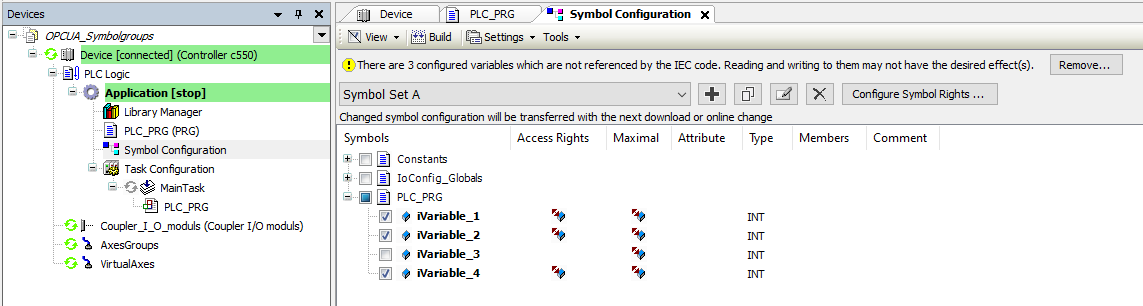
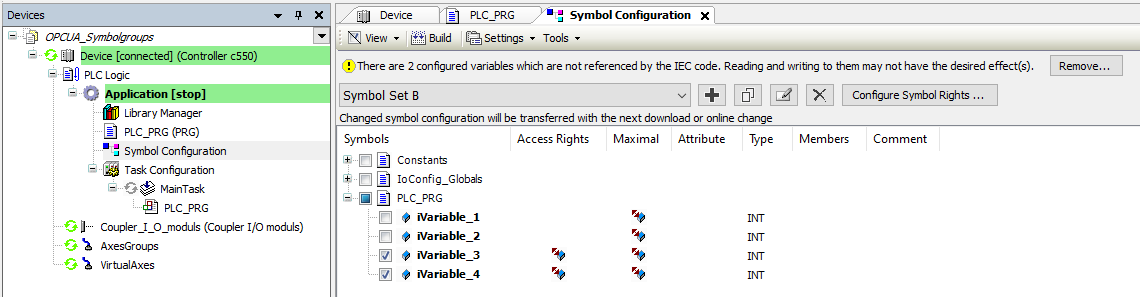
Create symbol groups and assign different variables to them.
-
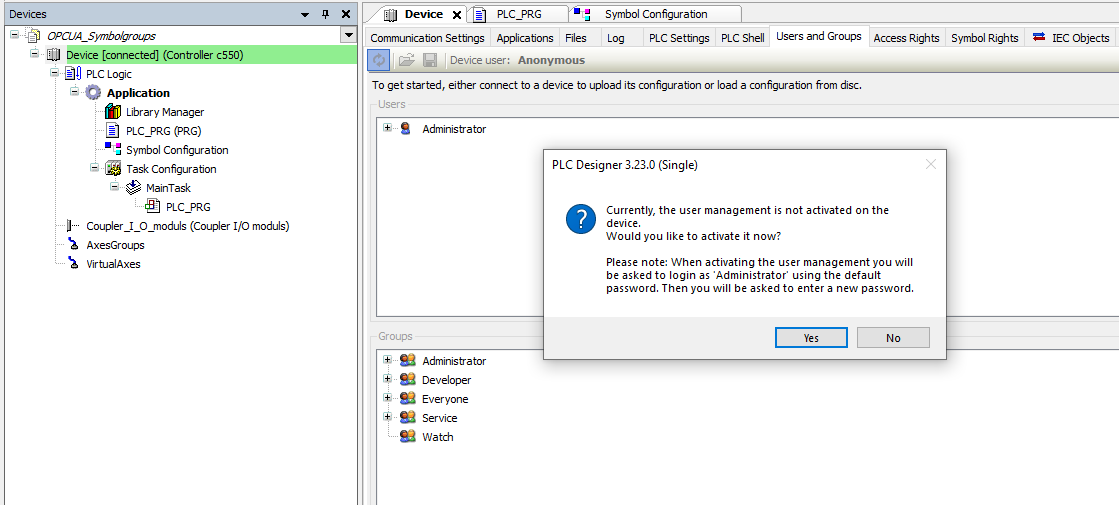
Activate the device user management.
-
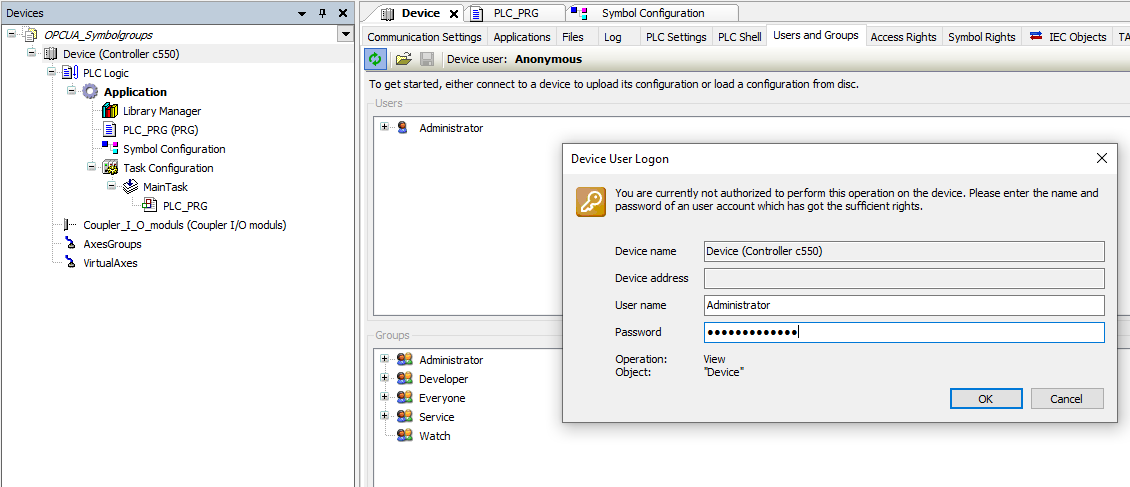
Log in as User = Administrator.
Note: You will be prompted to change the password after the first login.
-
Create user groups.
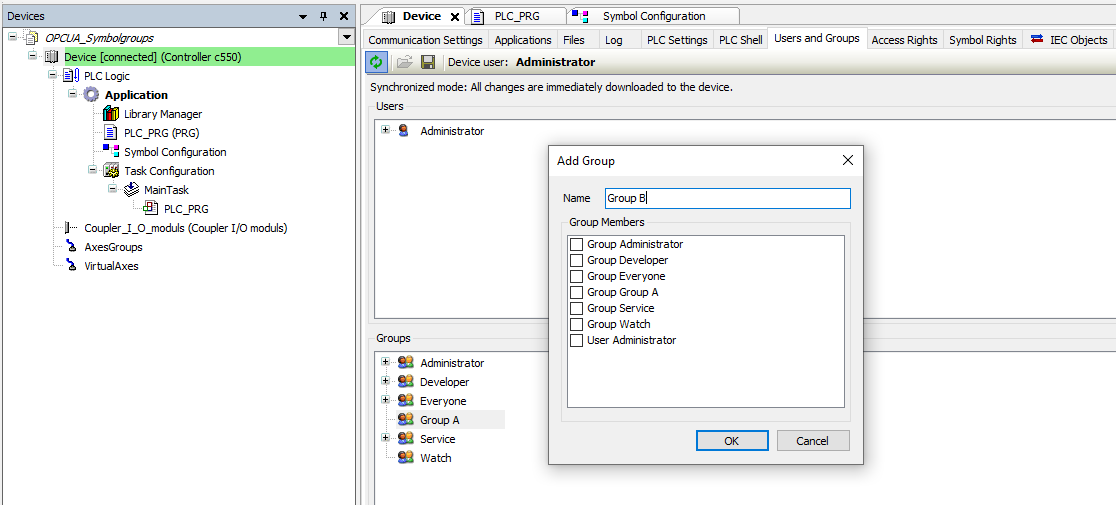
-
Create users and assign them to user groups.
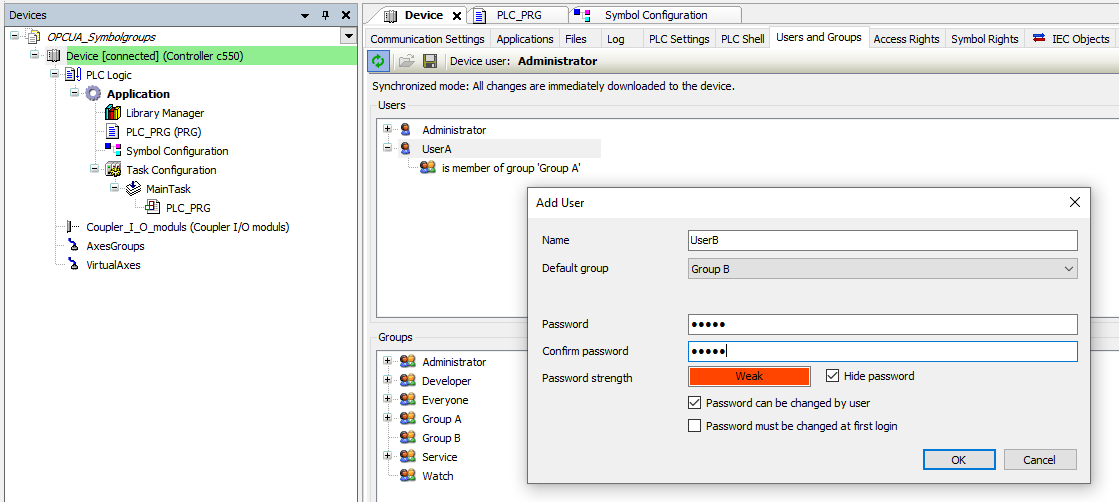
-
Load the project onto the controller.
-
Assign the access rights to the symbol sets.
The rights can be changed with a double click on the -, + symbol.
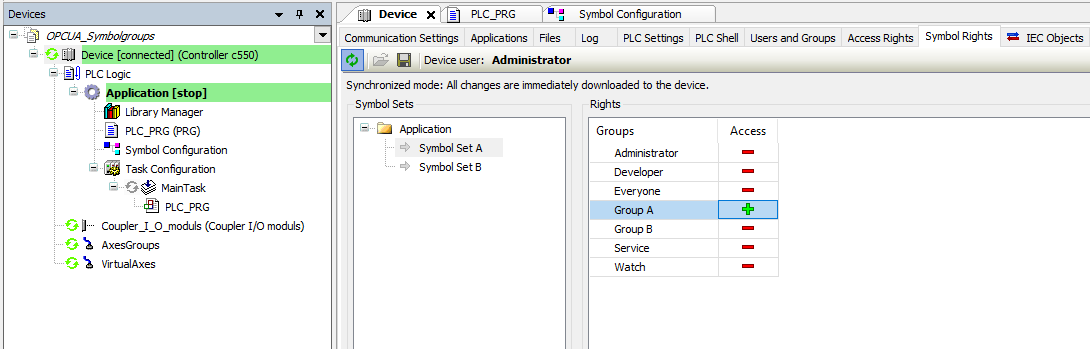
You have configured the device user management and the symbol groups on your controller.
For further offline engineering, e.g. with regard to the FAST UI Runtime, a separate and an all-encompassing .xml file with the assigned symbols is available for each symbol group. These are located in the project folder on your engineering PC.

Access to symbol sets with the UaExpert client
The OPC client "UaExpert" is with an evaluation license a freely available software of the company Unified Automation, which you can download from the Internet.
With this client you can connect to the Lenze OPC UA server. The following description refers to this program. Other OPC UA clients work similarly.
-
How to connect the client to the Lenze OPC UA server:
-
Start the UaExpert program.
-
Select the command "Server -> Add...".
-
The "Add Server" dialog opens.
-
-
Add a new OPC-Server by double-clicking on it.
-
Enter the endpoint URL: opc.tcp://<IP address of the controller>:4840.
-
So e.g. opc.tcp://10.10.10.10:4840.
-
-
Select the Security Settings "None-None" and enter an appropriate user name and password. Close the dialog with OK.
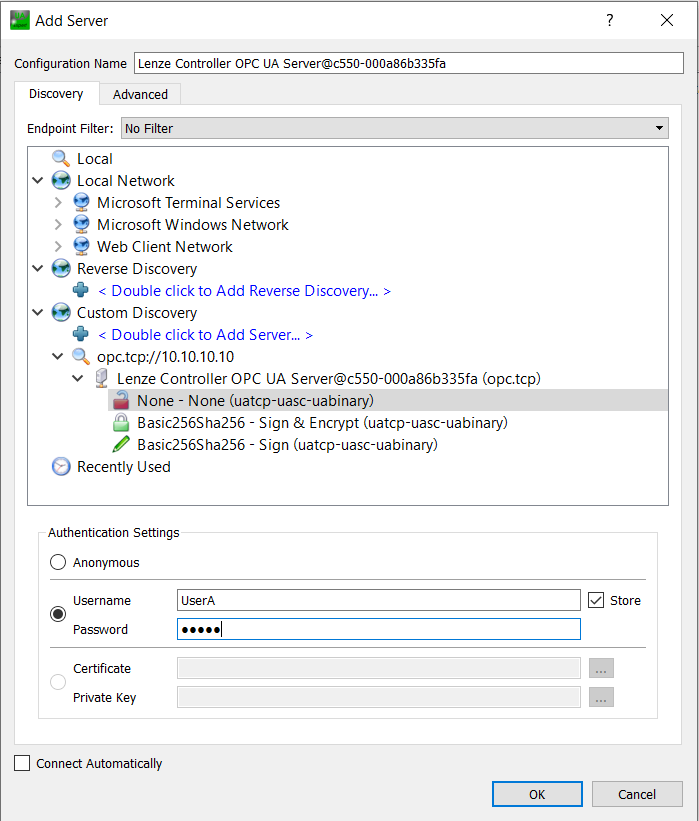
-
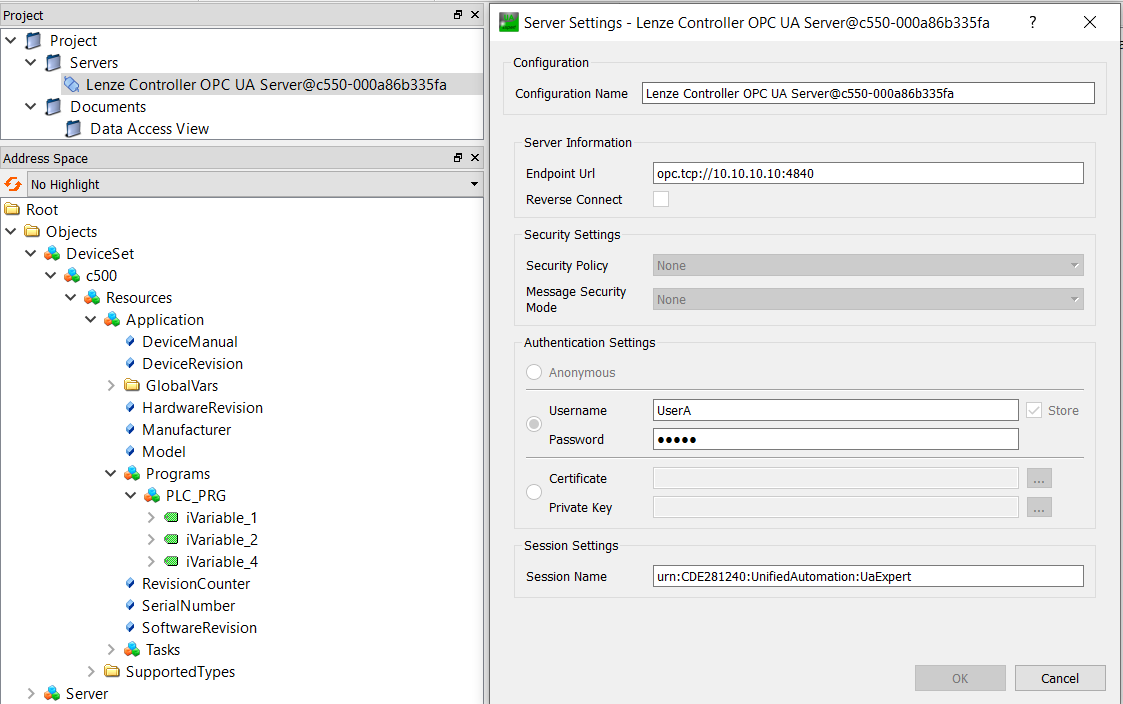
Only the symbols of the symbol set assigned to the user or user group can be reached.