User interface
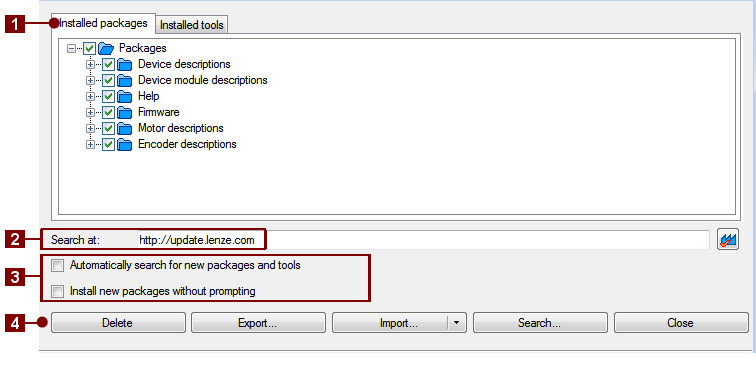
If the has been installed correctly, the notification area of the Windows taskbar contains the corresponding programme icon for the . Double-click on the icon to open the programme's user interface:
|
|
Tabs |
|
|
|
Server address |
|
|
|
Options |
|
|
|
Buttons |
Search ... |


The Delete, Import and Search buttons can only be selected if none of the engineering tools »EASY Starter«, »PLC Designer« or »Engineer« is active.
The is installed together with the »EASY Starter«. We recommend the following path for installing the »EASY Starter«:
-
http://www.Lenze.com➔Download➔Software Download
-
If there is no Internet connection during installation, no automatic software updates can be carried out via the . Alternatively, the required package files can be installed via the AKB article "Offline packages for Lenze Engineering Tools".