Change window position
You can change the layout of the development environment by changing the position of individual windows such as the project explorer.
To change the position of a window, carry out the following steps.
-
Press and hold the left mouse button on the title bar of the window and drag it in the desired direction.
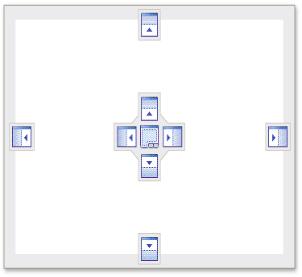
The diamond guide symbol appears. The individual symbols of the diamond guide symbol represent the positions at which the window can be docked.