Project explorer
The project explorer provides access to the files and data of the project.
The project explorer is located on the left-hand side of »EASY UI Designer«. The project explorer provides access to all areas of the project in the form of a folder structure. The folders can be expanded and collapsed to show or hide their contents.
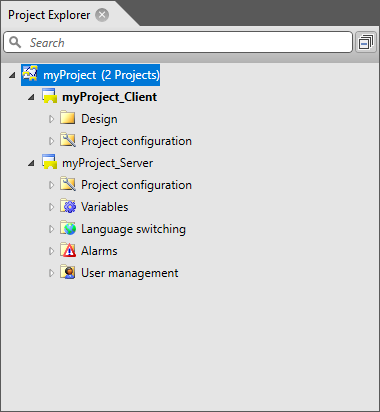
The standard structure of a project consists of a client project and a server project.
-
Client project
The client project contains all the content components of the visualisation (graphics, dialogues, pages and views) in the "Design" folder.
In the "Project Configuration" folder, you will find the settings for the target device and the client project.
-
Server project
The server project contains all information on the server-side functions variables, language switching, alarms and user administration.
You will find the settings for the server project in the "Project Configuration" folder.