Delete project from target system
You can delete projects from target systems using the Server Manager.
-
Open the Target Device Manager in the IDE by selecting Project > Target Device Manager in the ribbon.
-
Type the IP address in the Host field and press Enter to connect to the target device.
-
If connecting to the target device is successful, open the Server Manager by clicking the blue symbol next to the settings.

-
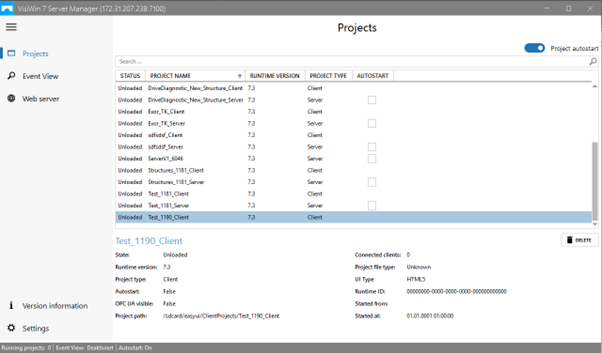
A new window appears, in which all client and server projects residing on the target device are listed.
-
Select the corresponding entry and delete the project by clicking the DELETE button located at the bottom right of the project overview.
-
In the dialog that opens, confirm the action by clicking DELETE.
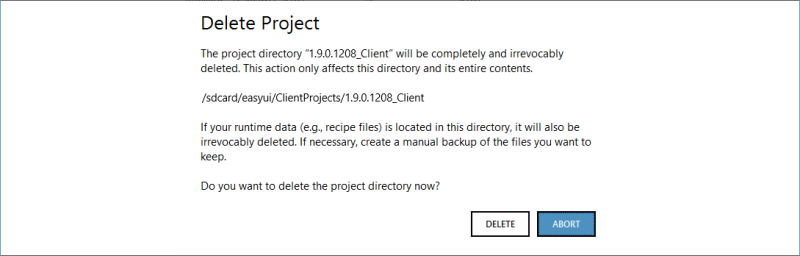 If you want to remove the entire project from the target system, delete both the client and the server project.