Sort recipe elements (dialogue)
Dialogue for convenient sorting of recipe elements.
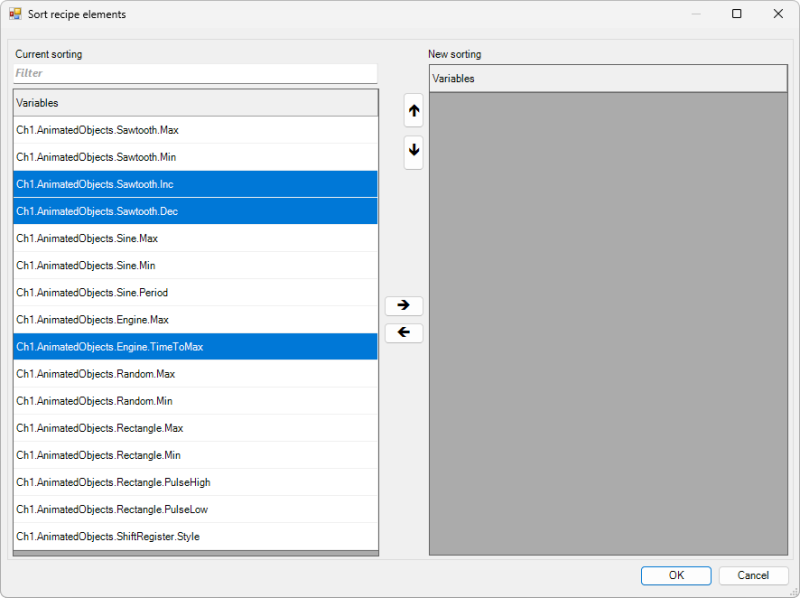
- Current sorting
- The list shows the current sorting of the recipe elements.
- New sorting
- The list shows the desired new sorting of the variables. This sorting is accepted by clicking OK.
-


- These buttons can be used to move selected variables from one list to the other.
-


- These buttons can be used to move selected variables up or down within the right-hand list.
- Select
- Clicking on an element changes the selection status. If the Ctrl key is pressed at the same time, a multiple selection can be achieved. Dragging a rectangle with the mouse selects the elements.
- Filters
- The Filter text field can be used to filter the list on the left by sub-terms in order to find specific variables more quickly.