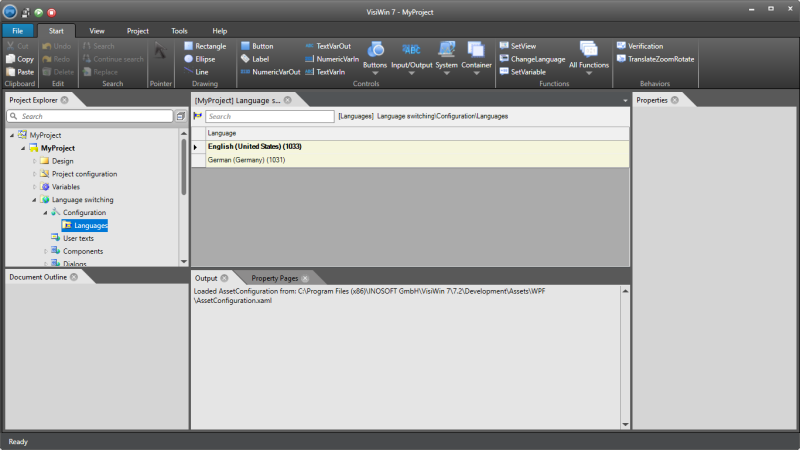
Definition: Language
A definition set as the project language allows you to switch to the specified language at runtime. In the development environment, adding a language causes a new column to be added to the text and font class tables. The column header contains, among other things, the language identifier (LCID). The fields in the column allow a text to be assigned to the text definitions of the project. In the font class definition, a font must be specified in each of the fields.
Language definitions contain a customisable keyboard layout for the text column in the text editor. However, this information is not used at runtime.
|
Parameter name |
Description of the |
|---|---|
|
The language defines the name and identifier (LCID) for a project language. |
A project language is addressed in VisiWin via the LCID (Locale Identifier). The LCID is a numerical value. Each language supported by the operating system is permanently assigned an LCID.
The LCID is listed in the language configuration in the language switch editor, for example. If you double-click the node LanguageswitchingWConfigurationWLanguages in the project explorer, the table editor opens with the languages contained in the project. The LCID is shown here in brackets for each language.