Reset parameters to default
With the "Load default settings" device command, all parameters can be reset to the default setting.

By executing this device command, all parameter settings made by the user are lost!
Details
–
All current parameters in the RAM memory of the device are overwritten by the default parameters stored in the firmware. The persistent parameters in the memory module remain unaffected by this measure.
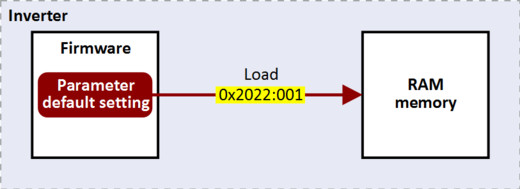
–
Afterwards, the device can be parameterized again on the basis of this initial state.
–
Typical application: Incorrect or unknown parameter settings.
–
The device command only has an effect on the RAM. For a permanent acceptance of the changes made, the data must subsequently be saved in memory.  Saving/loading the parameter settings
Saving/loading the parameter settings Parameter