Create OPC UA information model
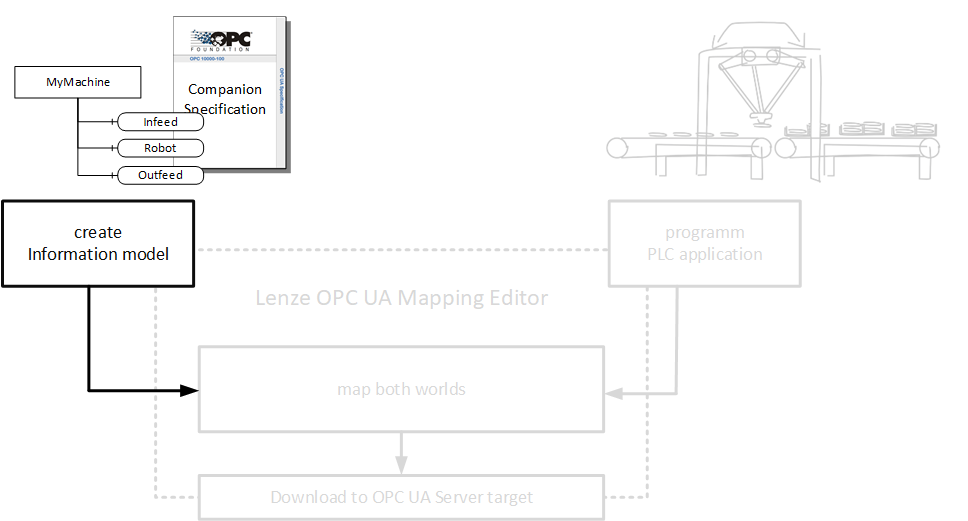
An OPC UA information model is to provide data in a structured, standardized and semantic, also human understandable way.
With the Lenze Mapping Editor it is possible to create own user specific information models based on companion specifications. It is also possible to import and edit an existing information model created by another tool, e. g. the UA Modeler from Unified Automation.
Due to a standardized description of these information models in form of an OPC UA nodeset (.xml) it is possible to exchange them between engineering tools.
The OPC UA information model is a mesh of nodes and references.
-
Node instances can be added under the "Object" folder in the information model.
-
Node types are listed under the "Type" folder in the information model. To create types is currently not supported.
-
References are divided into hierarchical and non-hierarchical references. They are used to expose different semantics on how the nodes are connected.
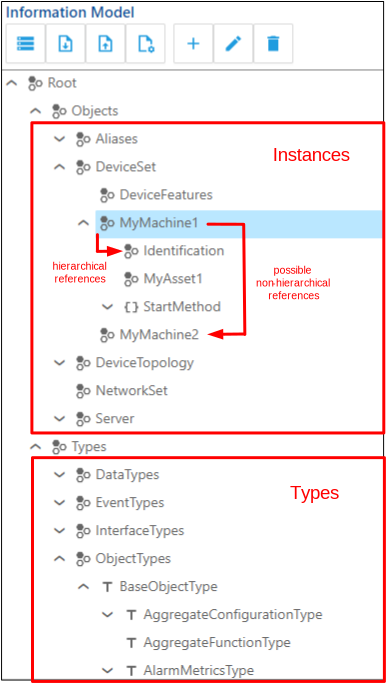
The OPC UA information model is a mesh of nodes and references. Even if a single node has two hierarchical references and is seeming twice in the information model, the node exists only once.
Commands
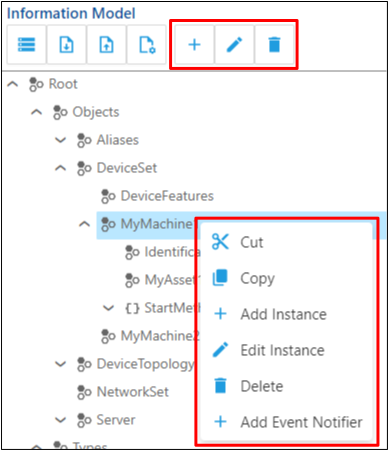
The Mapping Editor provides commands to create the user specific OPC UA information model via the menu bar of the information model section and the context menu of an individual node.
Commands of the menu bar:
-
Add Instance
Adds a new child node under the selected parent node
-
Edit Instance
Edits the parameter of a selected node
-
Delete Node
Deletes the selected node
Commands of the context menu of a selected node:
-
Cut
Copies the selected node and all child nodes and deletes those
-
Copy
Copies the selected node and all child nodes
-
Paste
Pastes the copied node and child nodes
If the previously selected node is cut, the pasted node(s) has the same name(s) and NodeId(s) from this.
If the previously selected node is copied, the pasted node(s) has new NodeId(s) and the parent node has an enhanced name e. g. "_1".
-
+ the commands of the menu bar
The Mapping Editor provides specific commands for the modeling of OPC UA methods. For further information how to model OPC UA methods with the Lenze Mapping Editor refer to chapter Usage of OPC UA Methods.
If a method node is selected, the context menu provides additional commands to create Input and OutputArguments property nodes.
-
Add InputArguments
-
Add OutputArguments
-
+ the above mentioned general commands.
If an InputArguments or OutputArguments node is selected, the context menu provides commands to define the arguments.
-
Add Argument
-
Delete Arguments
If an Argument is selected, the context menu provides commands to edit an individual argument.
-
Edit Argument
-
Delete Argument
On nodes from base models only the Add Node command is usable. nodes from base models are fix and not editable.
The first hierarchy of the OPC UA information model is standardized. Thus, no commands are useable on the root node.
-
Instances of Objects and Variables are addable and editable in the user specific information model under the Objects folder.
-
Adding types is currently not supported.
-
Views are currently not supported.