Method example
Add a new POU for the method
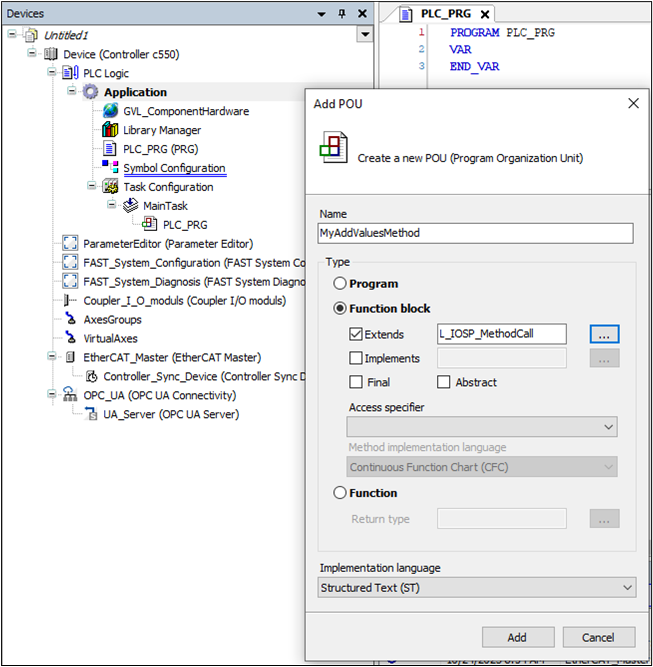
Add a new POU for the Method operation which extends the L_IOSP_MethodCall.
Define local variables for the Method arguments
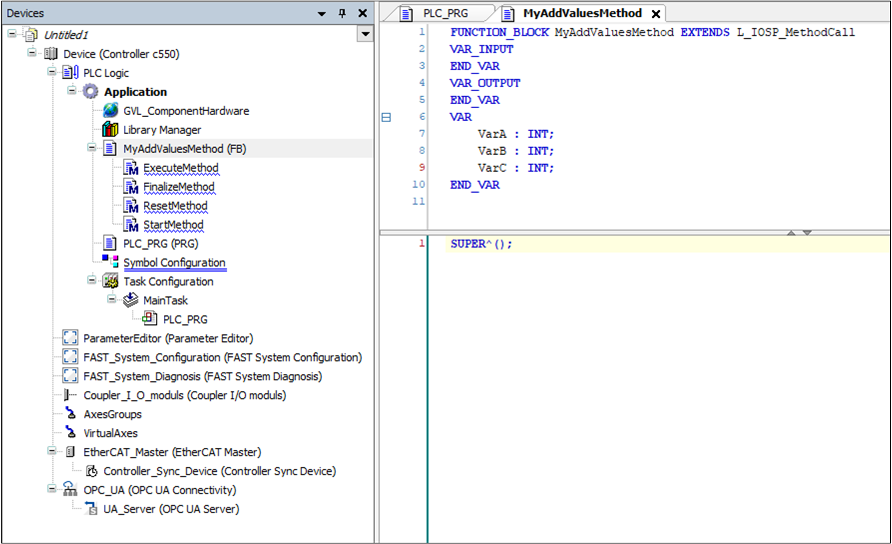
Define local variables for the Method arguments. The individual variable Name and Daty Type must fit to the argument.
Add super^(); to the implementation to invoke the base function block during operation.
Delete optional operation methods
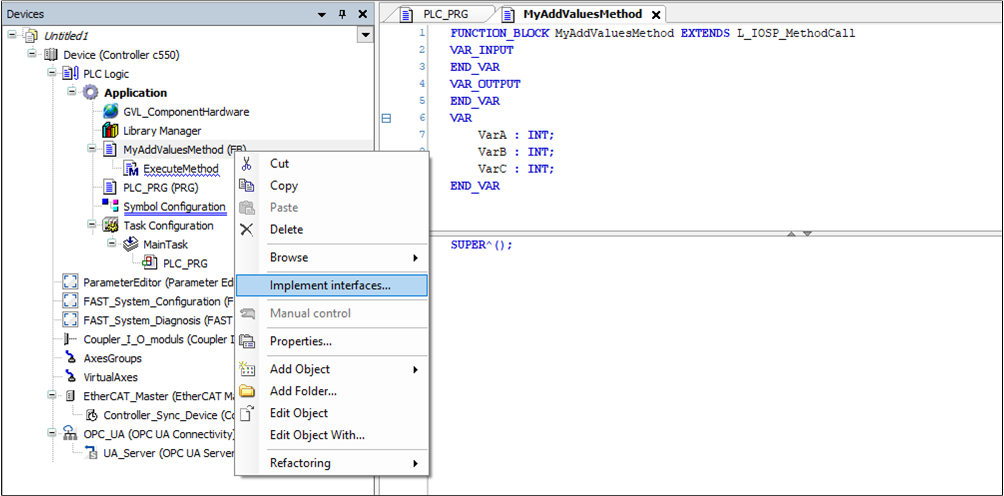
The Start-, Finalize- and ResetMethod() are optional. They can be deleted if they are not needed. They can be added again with the command "Implements interfaces...".
Implement the method operation
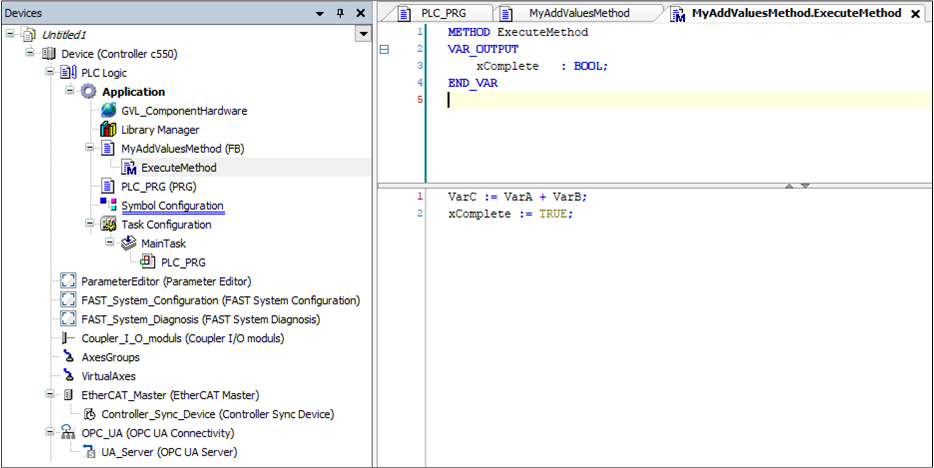
Implement the method operation in the ExecuteMethod() and other optional operation methods.
Finalize the cyclically called methods with xComplete := TRUE;
Instantiate and call method function block in a task.
The created method function block must be instantiated and called in an IEC task suitable for the PLC application.
Publish method for OPC UA access via symbol configuration
The created instance of the method function block must be published for OPC UA access via the symbol configuration. After the selection of the instance a "generate code" of the PLC application is necessary.
Create and map an OPC UA Method with the Mapping Editor
Add an OPC UA user information model below the OPC UA Server device. Create an OPC UA Method with matching Arguments in the user information model with the Mapping Editor. Map the previously created method function block (published via the symbol configuration) to the OPC UA Method.
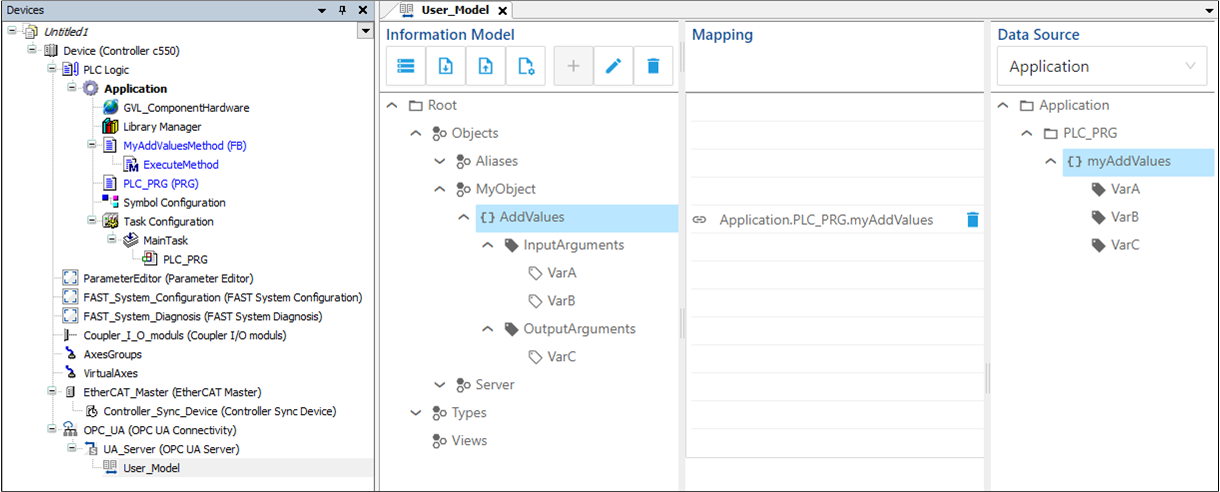
For further information how to use the Mapping Editor see the corresponding documentation. Mapping Editor
Go online and call the OPC UA Method
Download the PLC application (including the OPC UA user information model and the mapping to the PLC) on the controller device.
Start the PLC application.
Afterwards the user information model is accessible by an OPC UA Client (e. g. UA Expert) and it is possible to call the OPC UA Method.