Configuration with PubSub Editor
This configuration can be done with »PLC Designer« V4.3 and Controller V2.0 or higher.
This is a simple example to setup one Lenze controller as an OPC UA publisher and subscriber. It´s just a demo how to configure it in general. In real use cases the publishers and subscribers are on different devices.
Preconditions
-
Make sure to be able to login to the controller with sufficient credentials, e.g. "Administrator" / "Admin123" with default user management.
-
Allow OPC UA PubSub (UADP) communication in the firewall settings with parameter 0x5912:153 and activate this setting for the engineering port with parameter 0x5912:151 bit 0.
-
PubSub is subject of licence. Check the Application Credit for the OPC UA Extended Package (c5xx = 150 AC) in the FAST_System_Configuration node of the device tree in the »PLC Designer« (OPC UA licenses).
-
General PubSub settings can be done on the UA_PubSub Node in the device tree of the »PLC Designer« (Configuration and Diagnosis).
Enable the PubSub communication with parameter 0x247B:001 = Enabled [1]
Set the PubSub Config mode to static with parameter 0x247C:001 = Static [0]
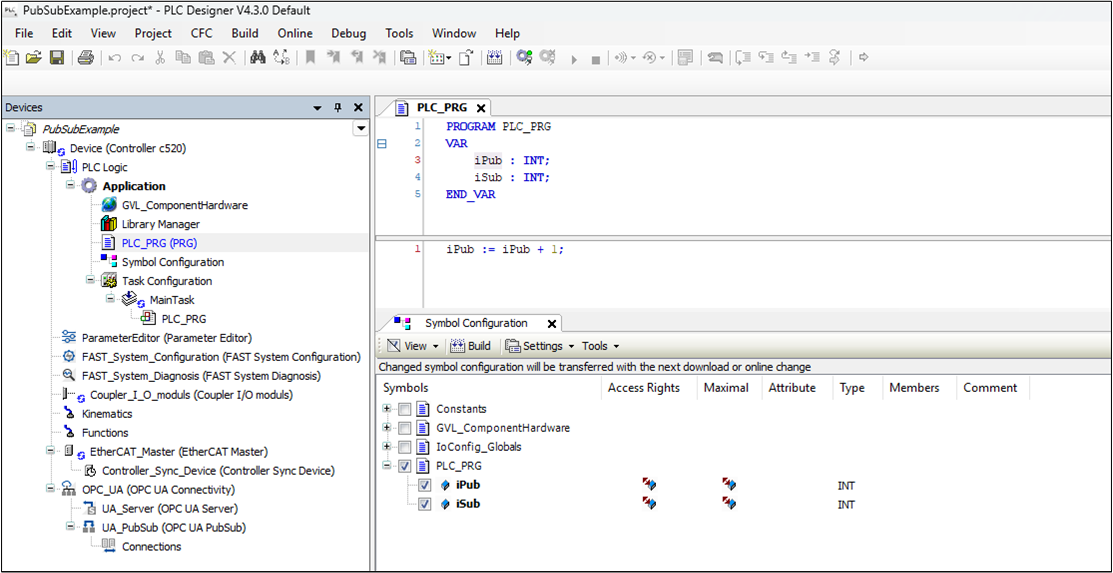
For this example the PLC application for thePubSub communication is presented in the following figure. The publisher and subscriber IEC variables are enabled for OPC UA communication via the symbol configuration.
-
The following configuration steps are necessary for the PubSub example with the PubSub Editor
-
Add a PubSub Editor node under the UA_PubSub general settings node in the device tree of the »PLC Designer«.
-
In the editor add a new Connection (UDP/UADP) under the Device.
-
Add a new Publisher under the Connection.
-
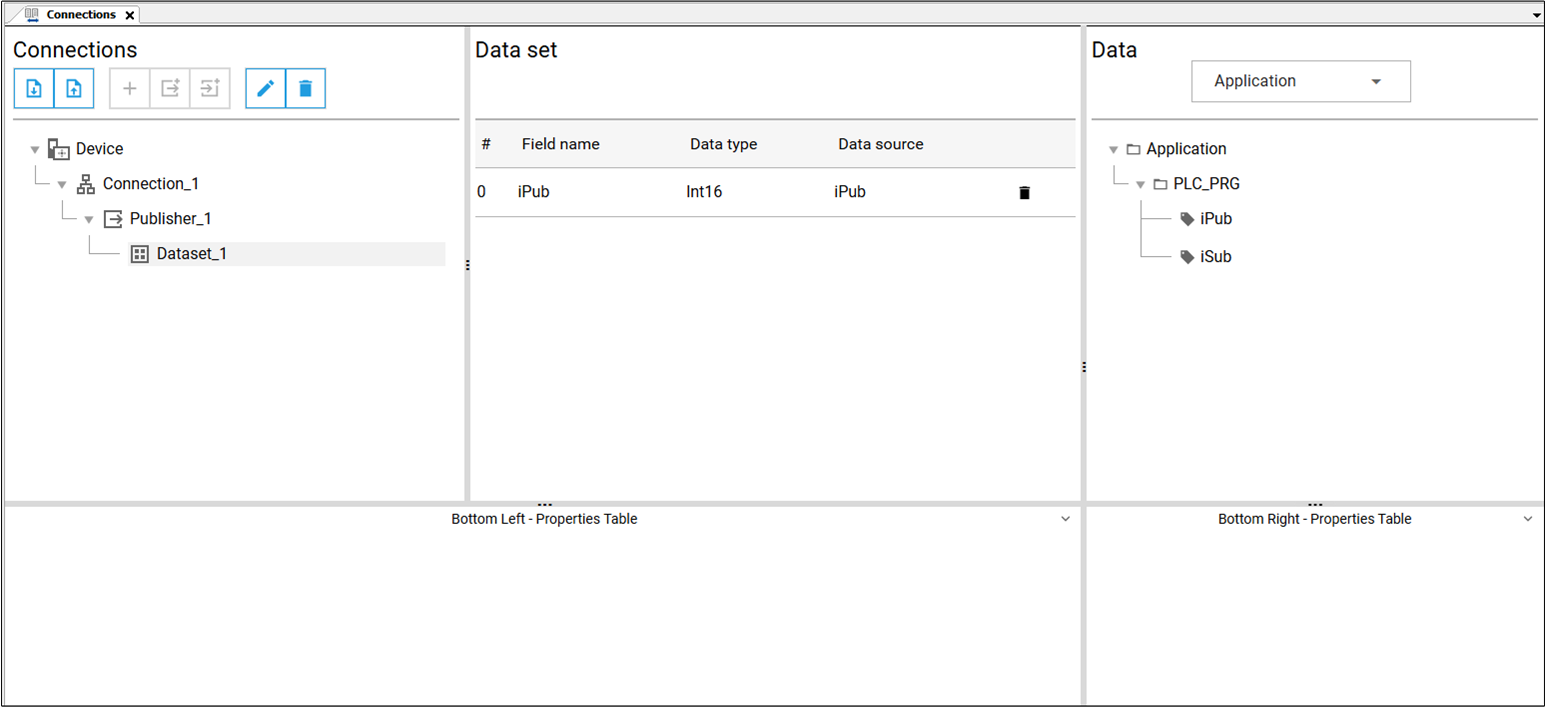
Add some variables to be published to the default Dataset by drag and drop.
-
Add a new Subscriber under the Connection.
-
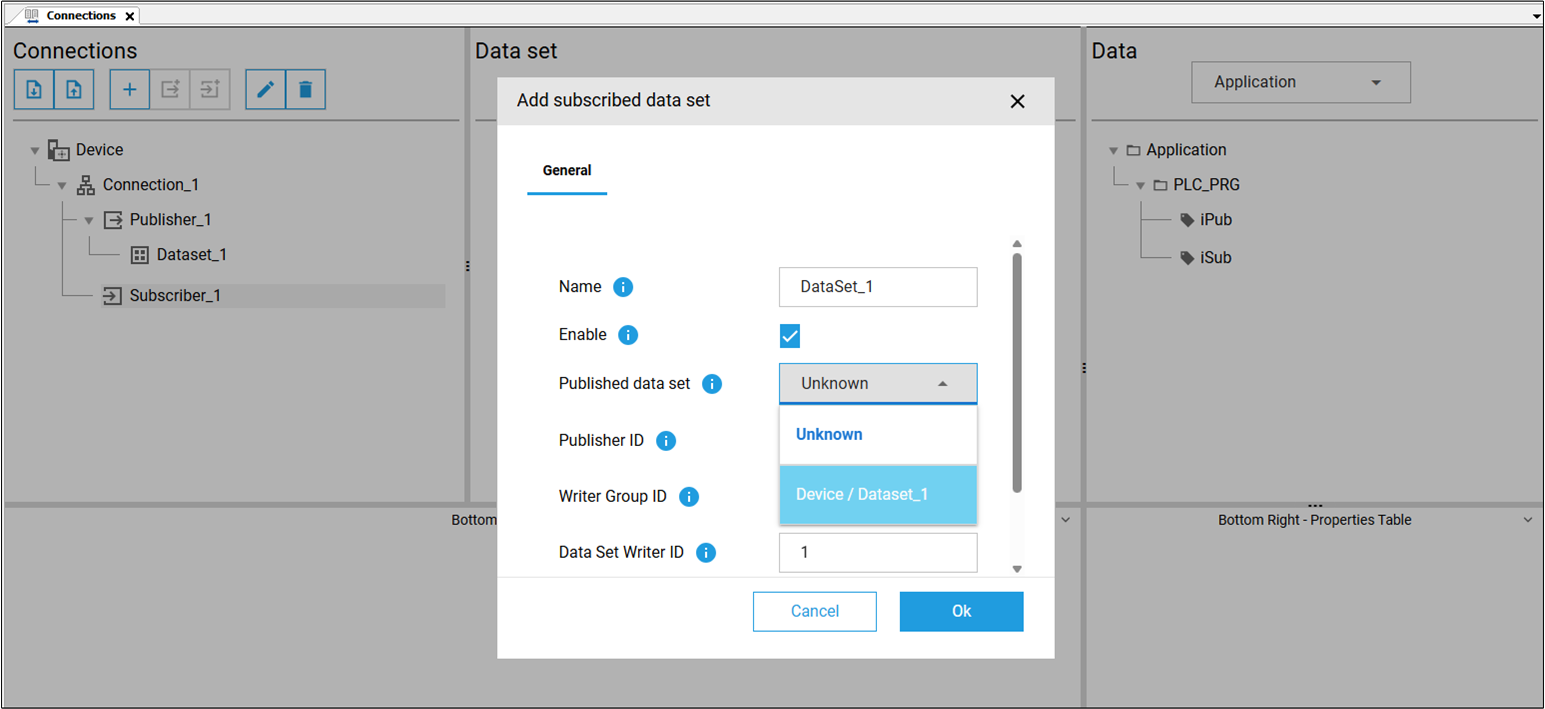
Add a new Dataset under the Publisher. Select in the Published data set setting the data set from the Publisher to get a template.
-
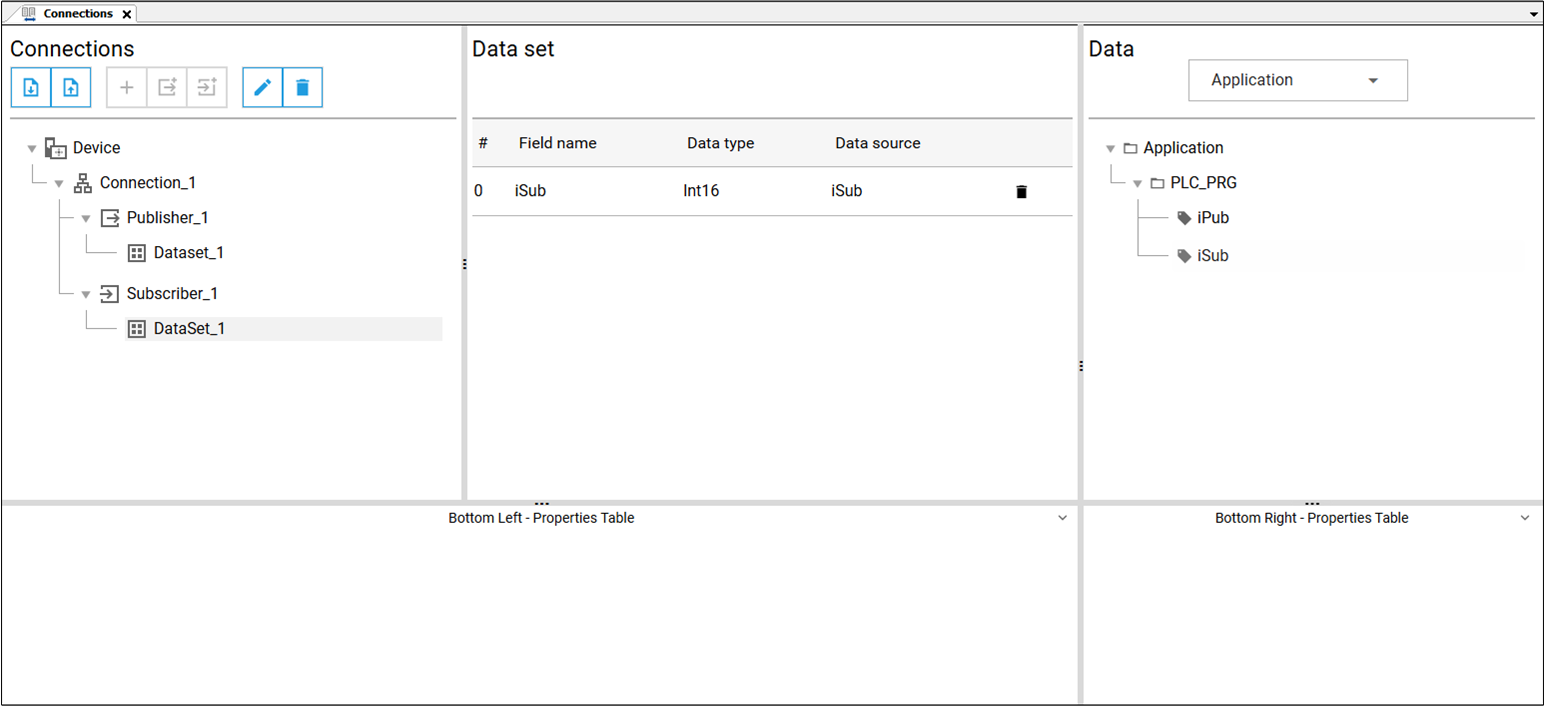
Add some variables as a data sink to the subscribed variables of the data set by drag and drop.
-
Download the application to the device.
-
PubSub should be running and the variable values are sent by the publisher and received by the subscriber.