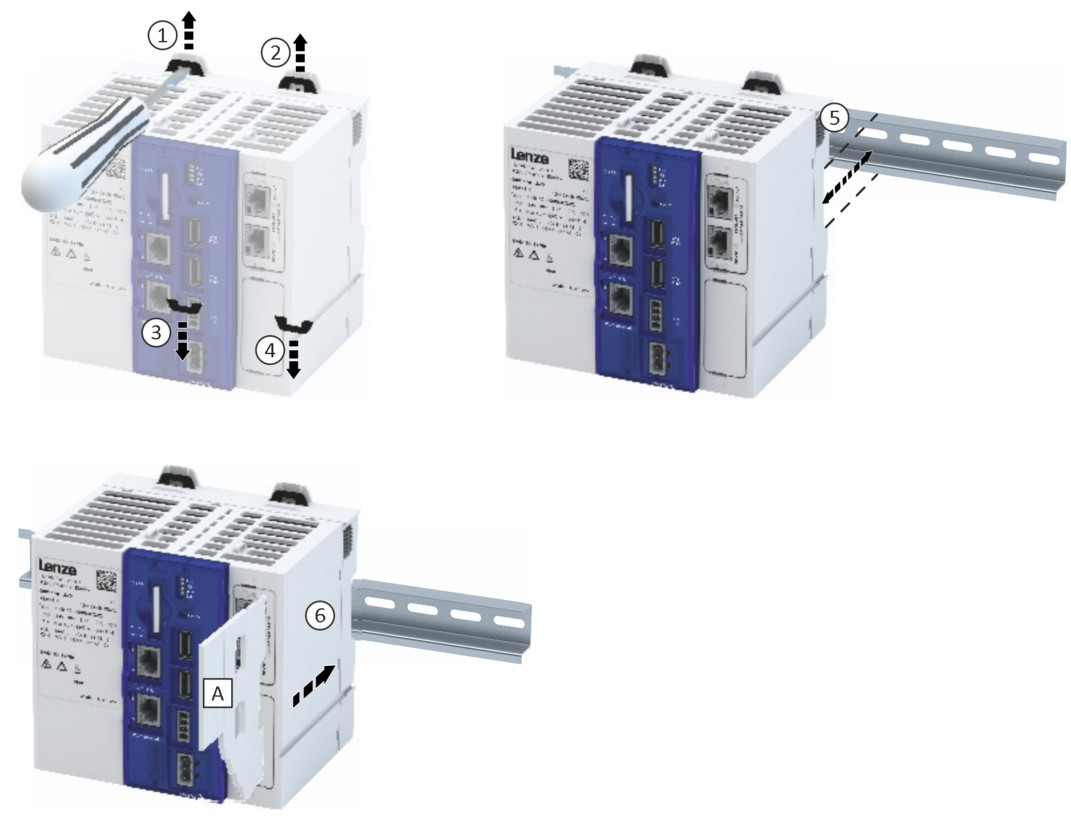
Dismount controller
More information
For certain tasks, more information is available in additional documents.
|
Document
|
Contents/topics
|
|
Configuration document
|
Basic information for ordering the product
|
|
Mounting instructions
|
Fundamental information on mounting the product
|
How to dismount the connected controller:
Precondition
✓
The voltage supply of the entire system and the controller is switched off.
✓
Supply connections, bus connections and all other connections have been removed from the controller.
✓
The first electronic module of the I/O system has been removed.
1.
Remove the Controller.
2.
Remove the SD card from the card slot.
The controller has been dismantled.
Mounting and dismounting of the controller