PackageManager.Package.Integrity
This functionality has been integrated since version 01.24.00.
This chapter describes the integrity procedure of the firmware packages. A sequence can be found in the following picture.
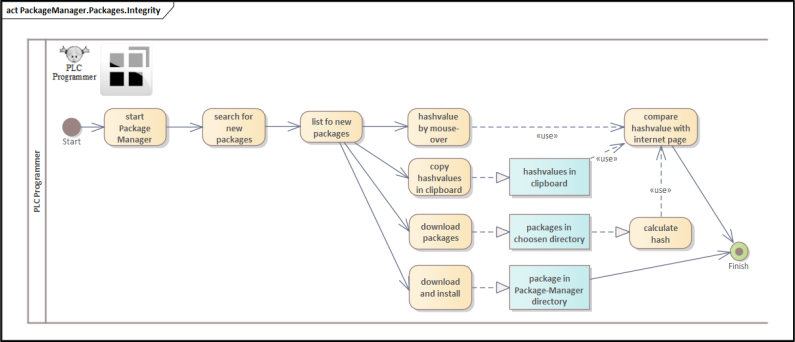
Activity Diagram
After starting the Package Manager, you can search for new packages. The result is a list of all new packages that have not yet been installed. The following functions can be performed on this list.
A list of the hash values associated with the packages can be found on the website via the link
https://www.lenze.com/en-de/services/cyber-security
Hash value by mouse-over
On the list of packages, the hash value can be displayed with a mouse-over. This value can then be manually compared with the published hash values.
Copy hash values to clipboard
Via the button "Copy hash values to clipboard" the hash values of the selected packages can be transferred to the clipboard. These values can then be manually compared with the published hash values.
Download packages
With this function, the selected packages are written to a directory to be selected. An installation does not yet take place. These loaded packages can be manually checked for integrity by calculating the hash value and menu. This function installs the packages directly and compares them with the published hash values.
Download and install
This function installs the packages directly.