PLCDesigner.Project.Encryption.WithPassword
This functionality encrypts and decrypts the PLC project with a password.
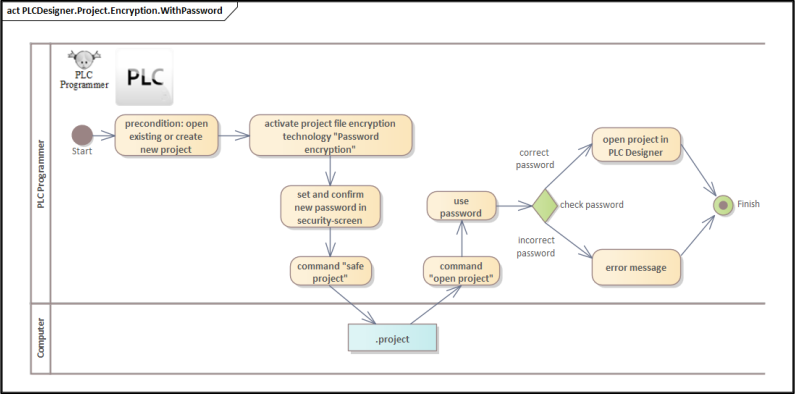
Activity Diagram
This function can be accessed via the »PLC Designer« menu "\View\Security Screen". If the Project File Encryption Technology is set to "Encryption" in the Project tab and the radio-button "Password" is chosen, the function is activated. At this point, a new password must be assigned and confirmed.
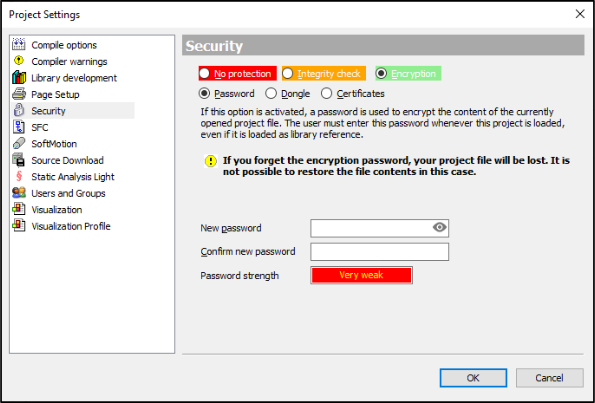
Project Settings
If this dialog is called up again for a project saved with password, the assigned password can be updated and confirmed.
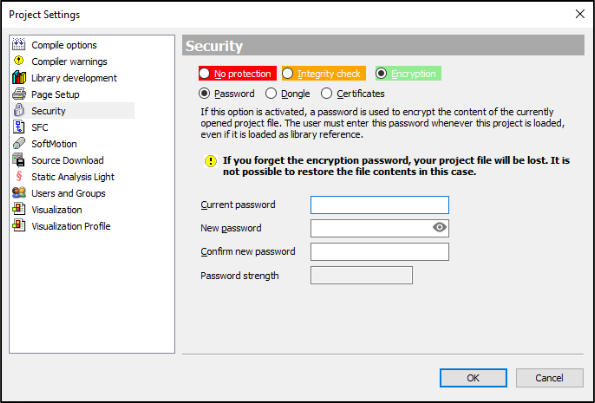
Project Settings for New Password
To enforce encryption of the project file, please activate the checkbox "Enforce encryption of project files" in the Security screen in the User tab.
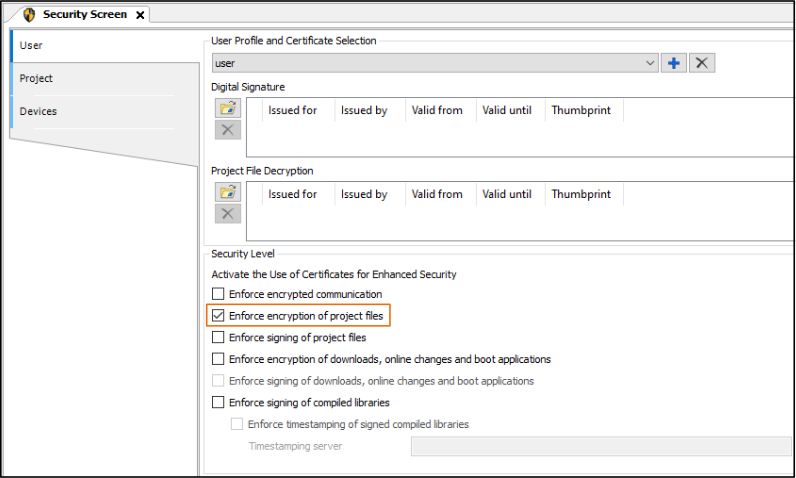
Enforce encryption of project files
When opening a PLC project, the user must enter a password.
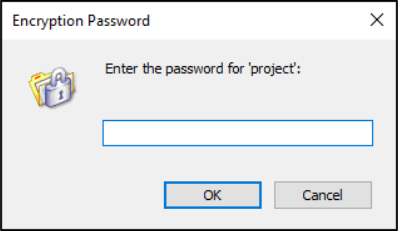
Enter Encryption Password
If the password is correct, the project opens without a message. If the password is incorrect, an error message is displayed and the project does not open.
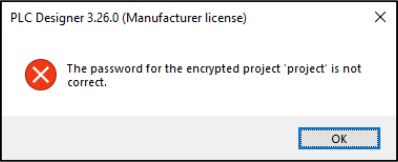
Password not correct
-
This function only applies to the base project file "*.project". When saving the PLC project, additional data is stored. For example are xml files for node sets for the OPC-UA model. This function does not encrypt these additional files, so users must protect them organizationally if necessary.