Rights-orientated user mangement
To configure the user server, navigate to the UsermanagementWConfiguration node in the project explorer. You make the settings on the properties pages.
The application controls are linked to rights from the project database. A right can be named as "may edit recipe", for example.
User groups are also linked to rights. While a control element can only ever have one reference to a right, a user group can contain any number of rights.
Rights-orientated user management is useful for user groups that have a common set of rights, but also have rights that other user groups do not have.
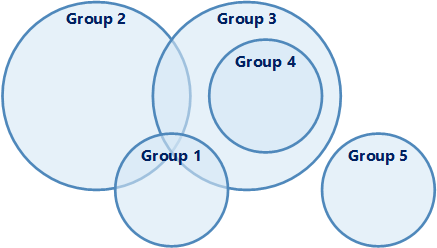
Rights-based administration is particularly useful in a client-server system if several employee policies (groups of employees who are divided into authorisation levels independently of each other) are working in the network. A decision on authorisation is made by comparing the rights of users and control elements.
Example
This example illustrates the use of rights-orientated user administration.
The following example shows a simple case that excludes level-orientated user administration. This case can only be realised using rights-based user administration.
A visualisation should be operated by two independent departments. Each department has a private area in the application that is intended exclusively for them. However, there are also control elements that can be operated by both departments.
Level-orientated user management is excluded in this case because:
-
A user always has more rights than all users who have a lower authorisation.
-
A user always has all the rights of users who have a lower authorisation.
Rights-orientated user management is the right choice in this example, because:
-
Each department has a private area in the application that is exclusively for them.
-
However, there are also controls that can be operated by both departments.
-
You realise rights-oriented user management in three steps:
-
Create the following three rights for the two departments Dept. A and Dept. B:
Law
Description of the
A
Inputs only Dept. A
B
Inputs only section B
Common
Inputs all
-
Create user groups and link each user group with its rights:
-
Create a user group for each department.
-
Define references to their rights for each user group.
Department
Reference to law
Dept. A
A, Common
Dept. B
B, Common
-
-
Link controls with the defined rights:
Assign the corresponding right (A or B) to control elements that should only allow access by one department. Assign the "Common" permission to control elements that can be operated by both departments.
At runtime, a control element is informed which rights the currently logged in user has. The control element compares these rights with its authorisation. If the rights of the control element are not included in the rights of the logged-in user, the control element is blocked for the user.
Related topics: