WLAN access point mode
By default, the WLAN module is configured as a WLAN access point because this is the most frequent application. In this operating mode, the WLAN module creates its own WLAN network for a direct connection to other WLAN devices.
The supported WLAN devices are:
–
Android smartphone with Lenze Smart Keypad App.
–
Engineering PC (with WLAN functionality) and the »EASY Starter« engineering tool.
Details
–
By default, every inverter with WLAN functionality comes with an individual network name, called "SSID".
–
The preset network name consists of the device name (iXXX) and the first 10 digits of the serial number (example: "i550_0123456789").
–
By default, the password for the WLAN network is "password" and can be changed in 0x2441:008.

If the WLAN module is to be plugged onto the inverter for a longer period of time, it is important to select a safe password. Otherwise, a potential attacker might connect to the WLAN access point and attack the device and other connected devices or networks. Currently (status: 2016), a WLAN is considered as safe if the password consists of more than 20 characters, contains capital and small letters, numbers and special characters and cannot be found in any dictionary.
The following illustration displays the SSIDs as examples only:
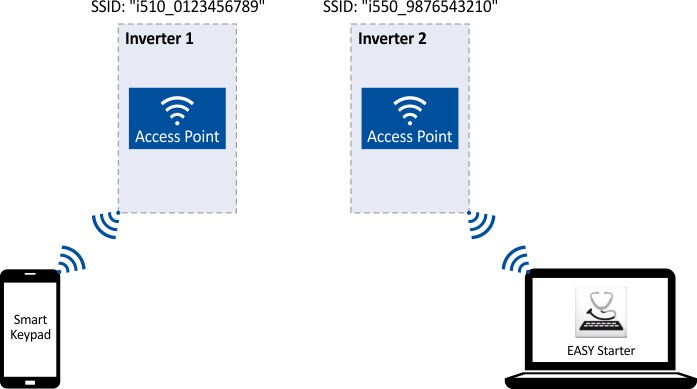
For establishing a WLAN connection, only a few settings are required. The respective setting is described in the following subchapters:
–
–
–