Visualisations
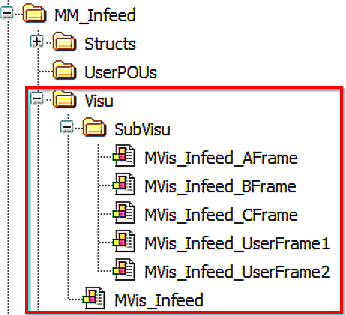
The Visu folder contains the main visualisation MVis_Infeed and the sub-visualisations MVis_Infeed_AFrame, MVis_Infeed_BFrame, MVis_Infeed_CFrame, MVis_Infeed_UserFrame1 and MVis_Infeed_UserFrame2.
The visualisations MVis_Infeed_UserFrame1can be used to insert your own content (e.g. the visualisation of a technology module).
The main visualisation MVis_Infeed is prepared in such a way that it can be switched to "User Frames".
-
How to insert the visualisation of a technology module:
-
Open the main visualisation MVis_[ModuleName] with a double-click.
-
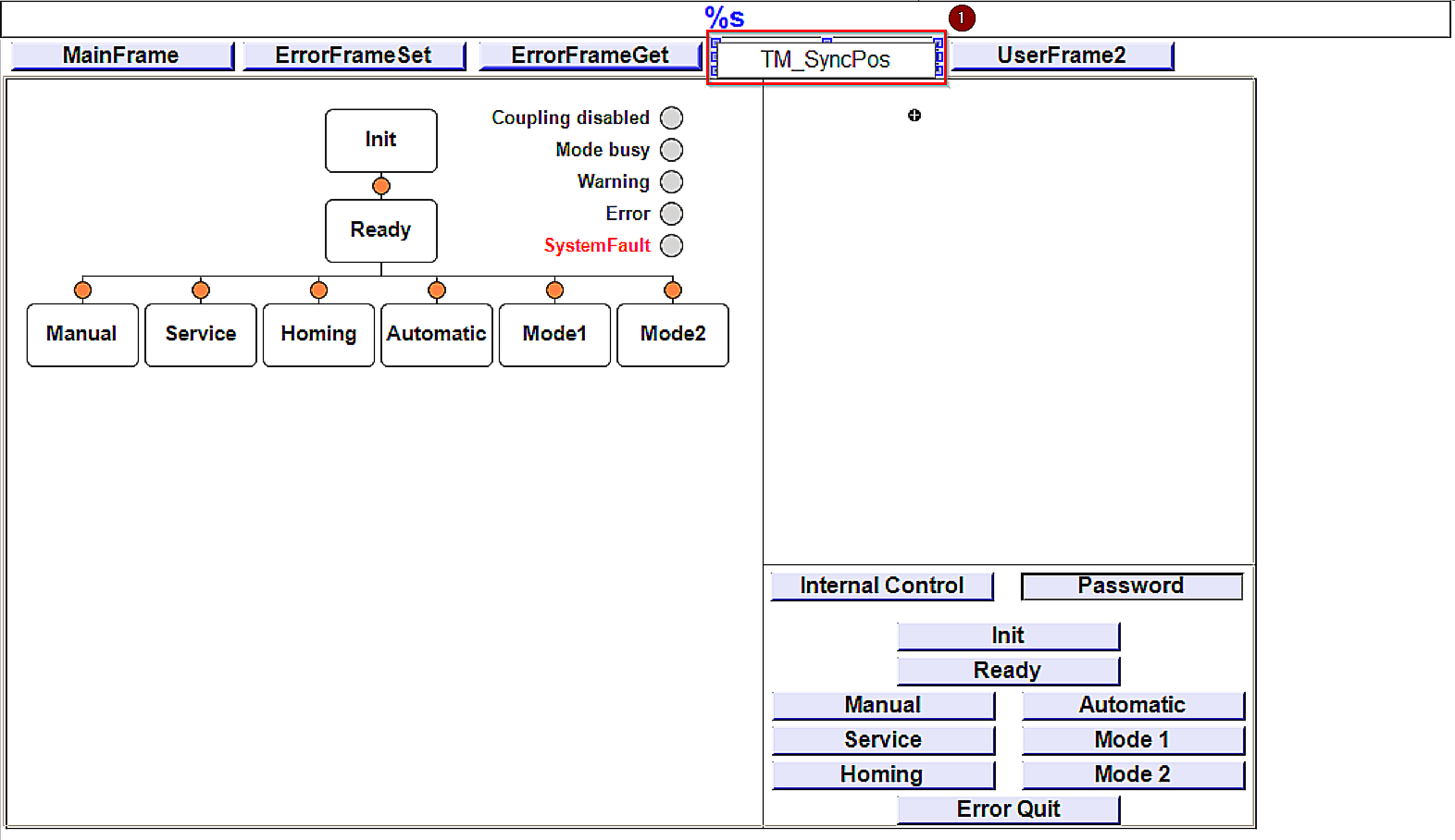
Rename the button "UserFrame1" .
Here "TM_SyncPos" for the "Basic Motion" technology module:
-
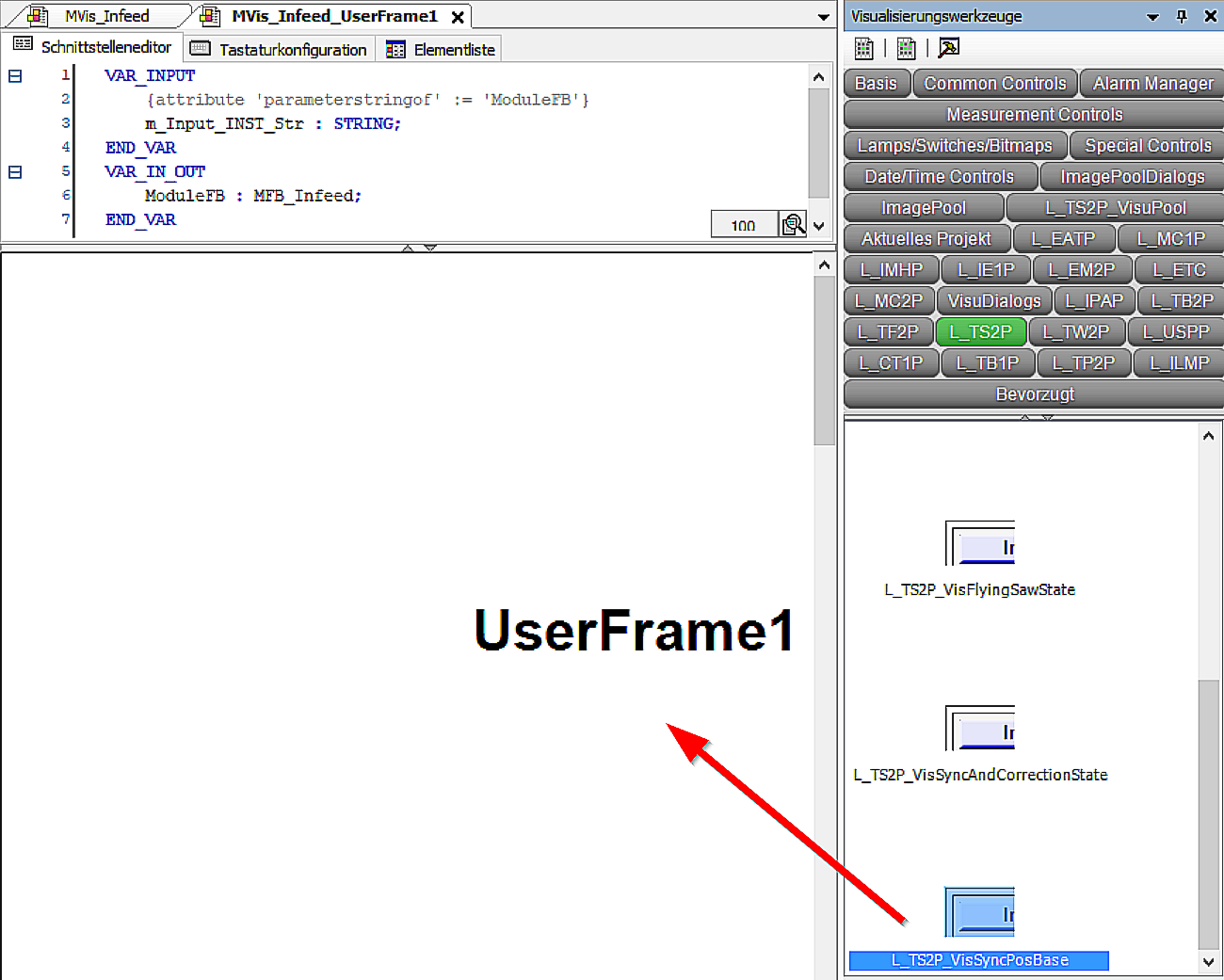
Open the visualisation MVis_[ModuleName]_UserFrame1 with a double-click.
-
In the tools under L_TS2P , move the visualisation of the technology module to "UserFrame1".
-
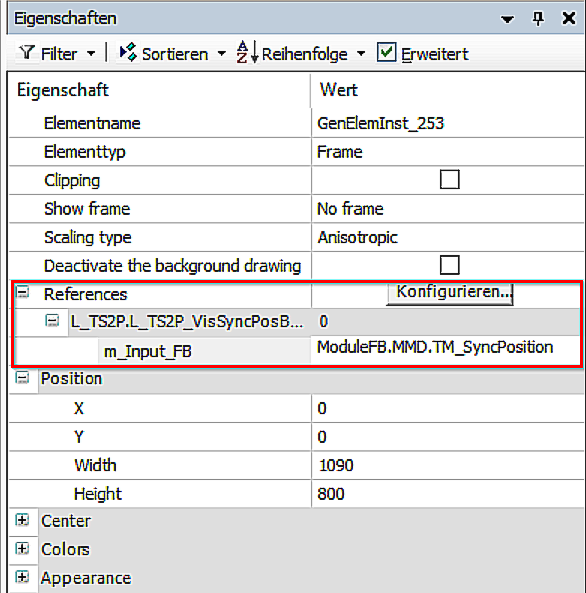
Finally, specify the reference of the instance of the technology module under the properties of the visualisation.
Here "ModuleFB.MMD.TM_SyncPosition" for the "Sync Position" technology module: