Connecting the velocity offset
Setting a velocity offset is only possible when the clutch is engaged. The state is displayed in the parameter Status signals bit 16.  0x5040:110
There are two ways to consider the velocity offset:
1.
In the parameter Internal velocity offset. 0x5041:054
0x5041:0542.
Via the External velocity offset control word. 0x5040:013
0x5040:013Switching between the sources is done via bit 23 of the parameter Control signals. 0x5040:010 Bit 23
The selected offset value is displayed in the parameter Active velocity offset. 0x5042:023
0x5042:023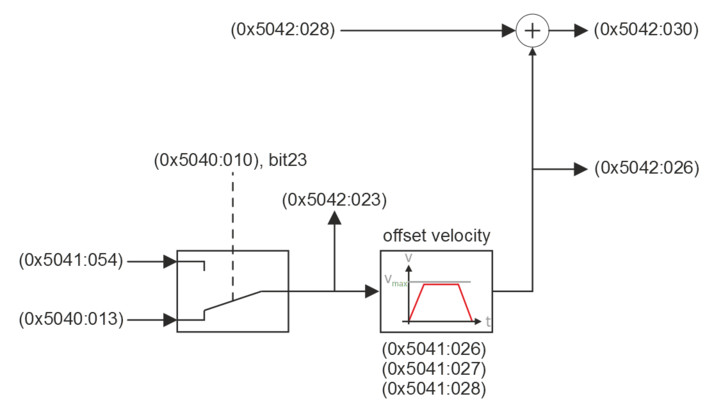
Fig. 1: Signal flow of velocity offset
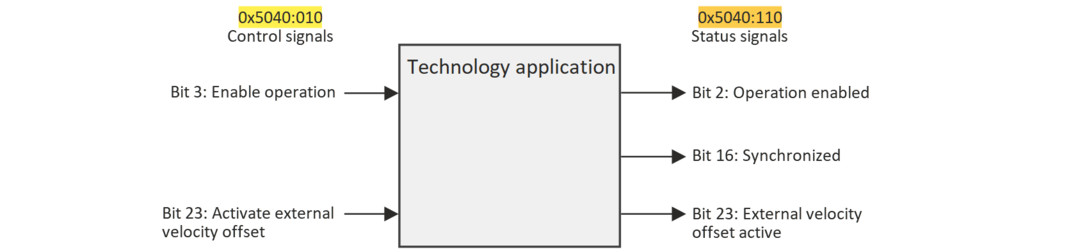
Fig. 2: Control bits and status bits used
Parameter
Example
The offset value is specified in the unit [units/s]. The offset value is resolved with 4 decimal places.
If an offset value of 75 [units/s] is configured, the value 75,0000 must be configured in the External velocity compensation control word.
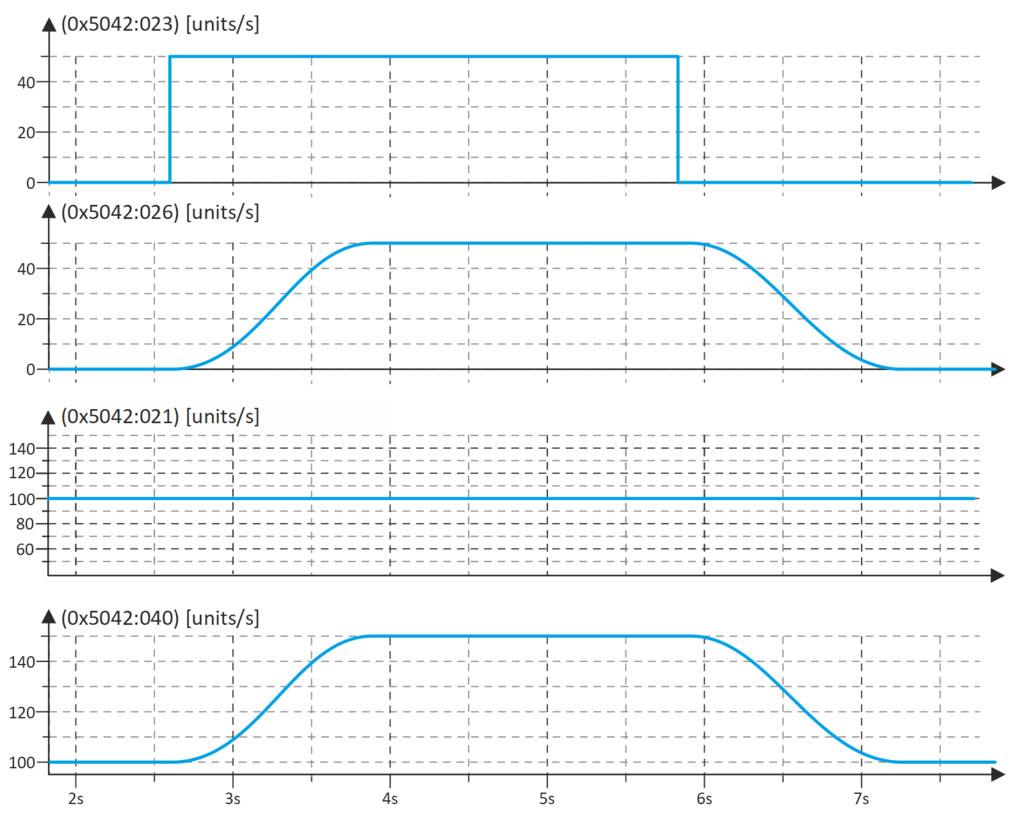
Fig. 3: Velocity offset 50 [units/s] via reduced jerk 100 [units/s³]