UIDesigner.SystemUseNotification
The front end of the machine is visible via a web panel, e.g. the v4x0 web panel. The System Use Notification can be set using the EASY UI Designer.
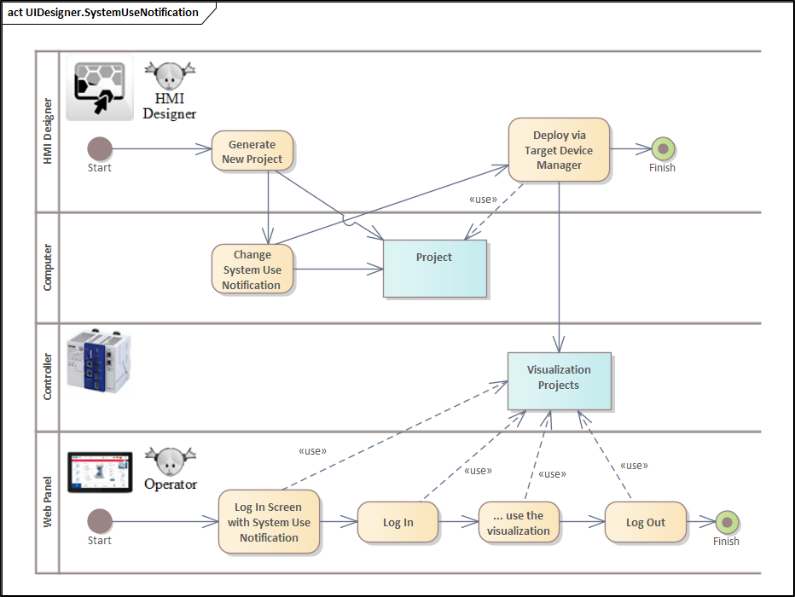
Activity Diagram
Before the user logs into the visualization, the System Use Notification is visible on the log in screen. By default, the text reads:
If the programmer or the HMI-designer wants to change the text, the following steps must be completed:
-
Generate a new project with the EASY UI Designer and safe the project.
-
Right-Mouse-Clock on the Client Project in the Project Explorer and choose "Open in Windows Explorer".
-
In the Client Project the User will find in ./resources/languageresources directory different directory for each languare, e.g. "en-US".
-
In diesen jeweiligen Verzeichnissen befindet sich eine json Datei.
-
Look for the name "Comment.Dialogs.UserManagement.SystemUseNotificateion" and change the value as intended.
-
After deploying the Client Project to the Controller, the changes System Use Notification will be available on the Web Panel.