v4x0.Logging
The v4x0 Web Panel has integrated Logging functions.
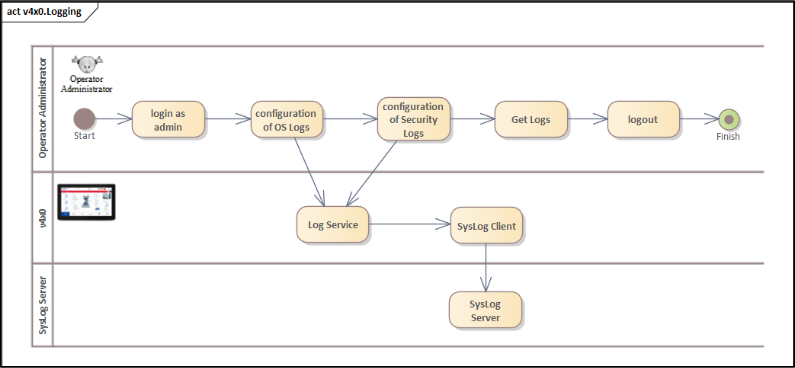
Activity Diagram
OS Logs
In System Settings > Logs > OS Logs [EDIT] the admin user can set the following two parameters for the OS Logging:
| Object | Description |
|---|---|
| Persistent (debug) | The OS Logs will be saved persistent, so the log files are available after shutdown and rebooting the v4x0. |
| Size (MB) | Maximum size of Logfile. |
Security Logs
In System Settings > Logs > Security Logs [EDIT] the admin user can set the following parameters of the RFC 5424 compliant Security Log:
| Object | Description |
|---|---|
| Persistent | The Security Logs will be saved persistent, so the log files are available after shutdown and rebooting the v4x0. |
| Size (MB) | Maximum size of Logfile. Info: The internal logging routine will generate three rotating files of this size. |
| Remote Logging | Activation of the SysLog Client. |
| Server | IP address of the SysLog Server. |
| Port | Port of the SysLog Server. Info: The typical port is udp/514 and tcp/514. |