Transfer process variables to the project
You have defined a communication channel in your project and specified the communication component. You can now transfer the process variables from the communication component to your project.
How to transfer process variables to your project:
-
Select the node of the newly added channel in the project explorer.
-
Right-click and select Browse variables... from the context menu.
The dialogue for selecting the controller is displayed.
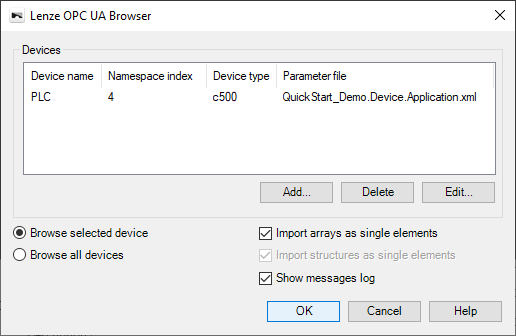
Make sure that the parameter file for your PLC Designer project (<PLC project name>.Device.Application.xml) is configured and click OK button.
-
The Retrieve variables for channel '<channel name>'dialogue appears.
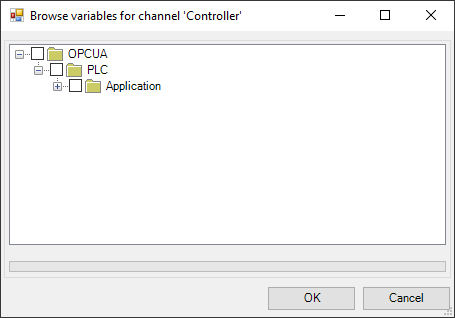
The dialogue shows the variables of the communication component as a tree structure.The individual branches represent so-called "namespaces" and the leaves represent the specific variables to be selected..
-
Select the checkboxes for the variables that you require in your visualisation..
-
Confirm with OK.
-
If the parameter file contains variables with unsupported data types, another dialog box opens listing these variables.For an overview of supported data types and additional information on restrictions, see the article Supported data types.
The variable definitions were transferred to the project. The namespace structure of the variables was inserted under the channel node in the project explorer.