Open old project with project environment (set all to “latest”)
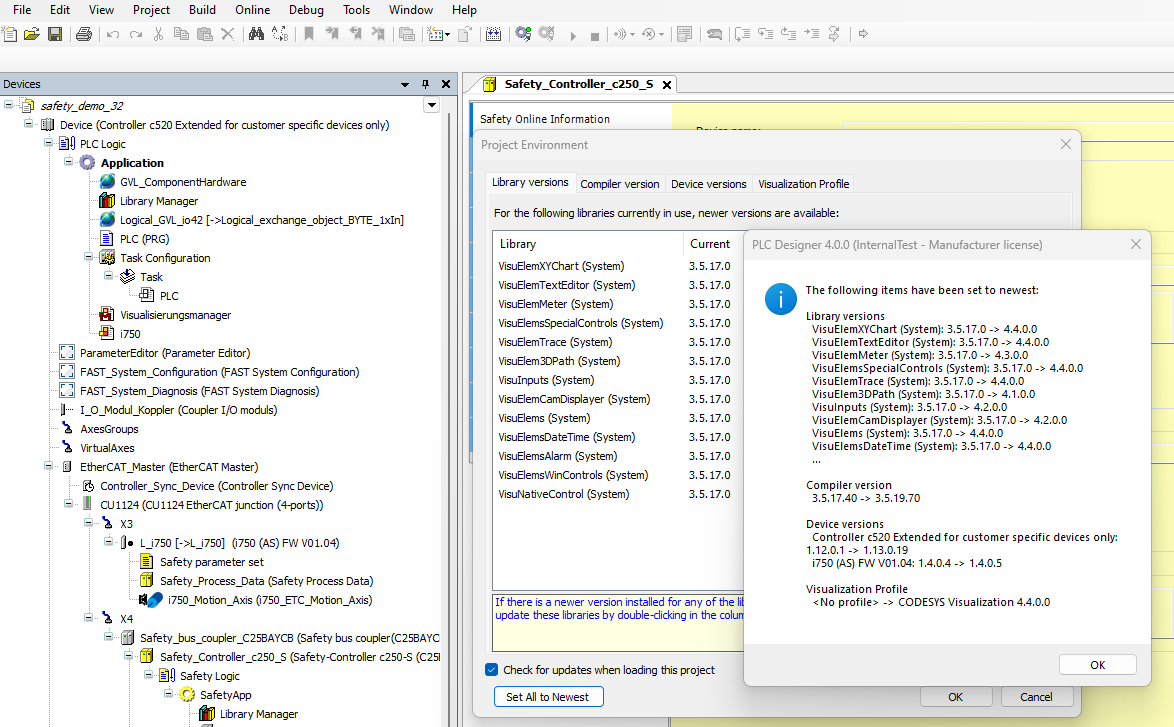
Project after migration to newest libraries
Step 1: Update controller again once more (before download)
-
Select controller and update device via context menu. Expected Result: Dialog with device versions available.
-
Select and confirm the latest version. Expected Result: Update is carried out.
-
Recompile project.
-
Establish connection with the controller. Expected Result: Application is downloaded.
-
Create connection to the safety controller. Result: Safety is running.
Step 2: Compile and download project