User management
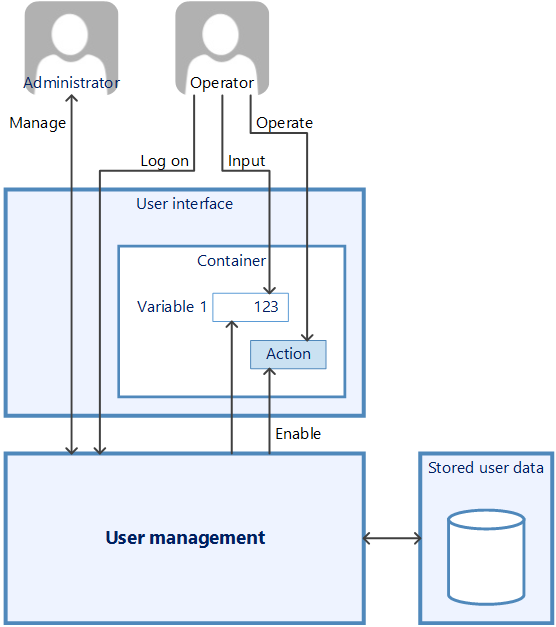
The user administration system module is used to assign personal authorisations within the visualisation application. Input control elements can be blocked and access to information about output control elements can be denied.
»EASY UI Designer« supports two management systems for users:
-
Level-orientated user management
User groups and controls can be assigned to one of 999 authorisation levels. If the level of a control element is higher than that of the user currently logged in at runtime, the control element is deactivated for the user.
-
The level-based system is a simple way of setting up a user administration system in which user groups with a higher authorisation level always have more rights than user groups with a lower authorisation level.
-
Rights-orientated user management
The control elements in the application are assigned a right that the user must have in order to be able to operate the control element (e.g. "may edit recipe"). Users are assigned the rights they are authorised to execute via their respective user group.
The rights-orientated system requires more effort in planning, but allows users to be divided into several independent hierarchies.
The decision as to which of the two user administration systems should be used must be made during project planning. The right-orientated system is set by default. To change this setting, select the UsermanagementWConfiguration node in the project explorer and change the "System" setting on the properties pages.