Configuring the "Table Positioning" TA
In addition to the basic settings for kinematics and the motion functions, the technology application offers the following functions for the set-up or continuous movement of an axis:
The technology application can also be used for the status display, error message, or to reset an error.
Settings in »EASY Starter«:
–
Settings tab - Parameters dialog Technology application
–
Application selection:  0x4000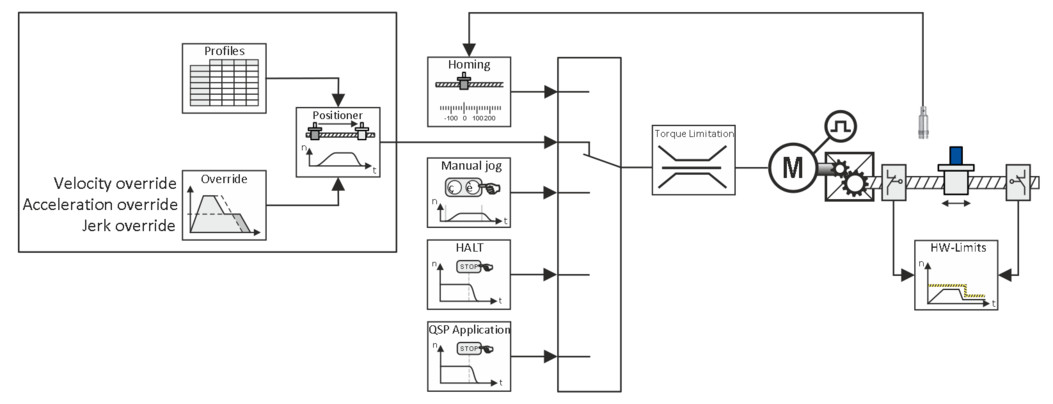
Fig. 1: "Table Positioning" technology application block diagram