Kinematic_Ref (Kin_Ref)
Single-axis kinematics are already available as device description files for the PLC Designer. These are added to the device tree under the "Kinematics" node via "Add device" (see illustration below).
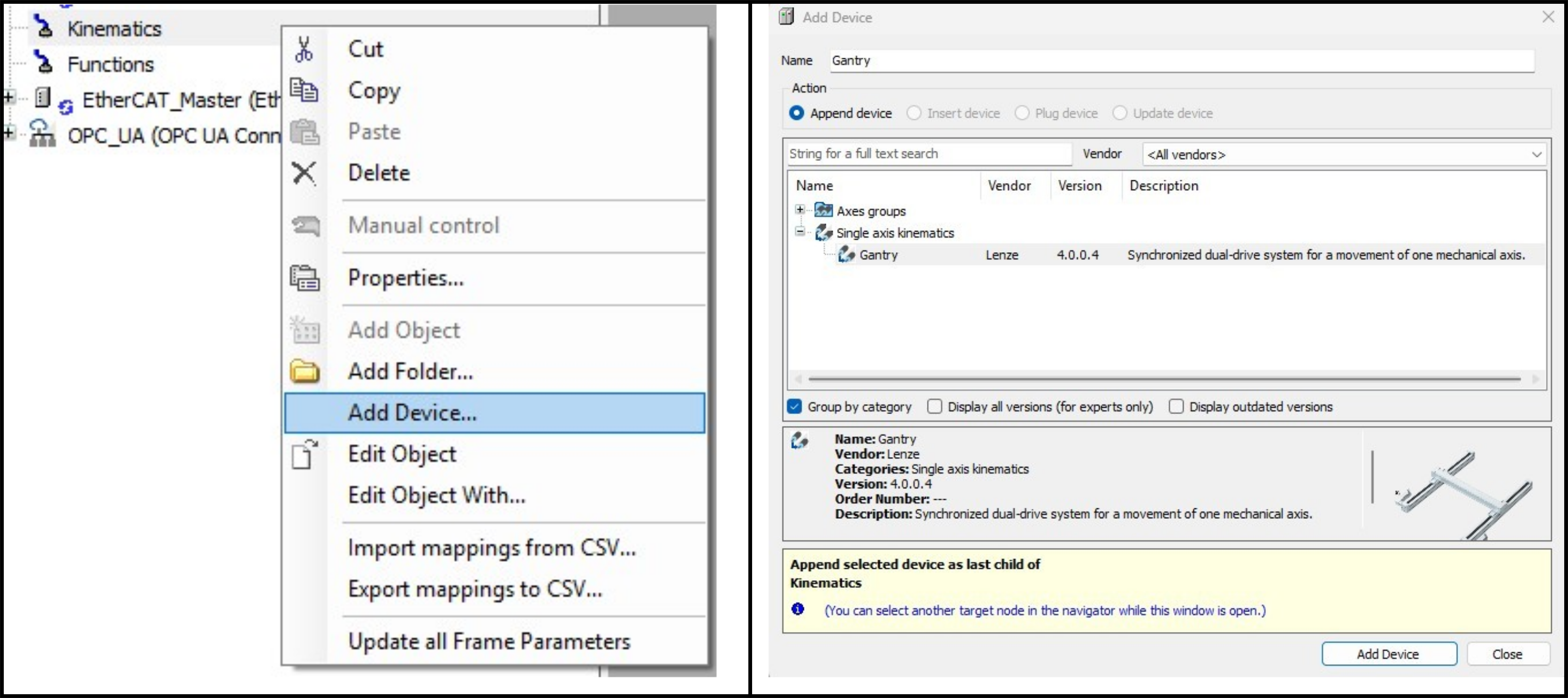
The motion axes that are to be coupled with each other must be linked to the single-axis kinematic (gantry node) via subindex 30 (coupled main axis) and 31 (coupled following axis).
After linking the motion axes and setting the coupling mode (subindex 35), the main and following axes can be enabled, referenced and moved together by assigning motion commands to the main axes.