Radius correction of the coil formers
Function
Some coilformers have a radius at the transition from the bottom to the side wall. For this, a radius correction can be activated with the parameter eCornerCorrMode = 1 in the traversing modes "Position" and "CoilData" (parameter eMode).
The intervention of the radius correction can be observed via the signal flow points MP_lrLowerPosProfile and MP_lrUpperPosProfile.
Radius correction in "Position" traversing mode
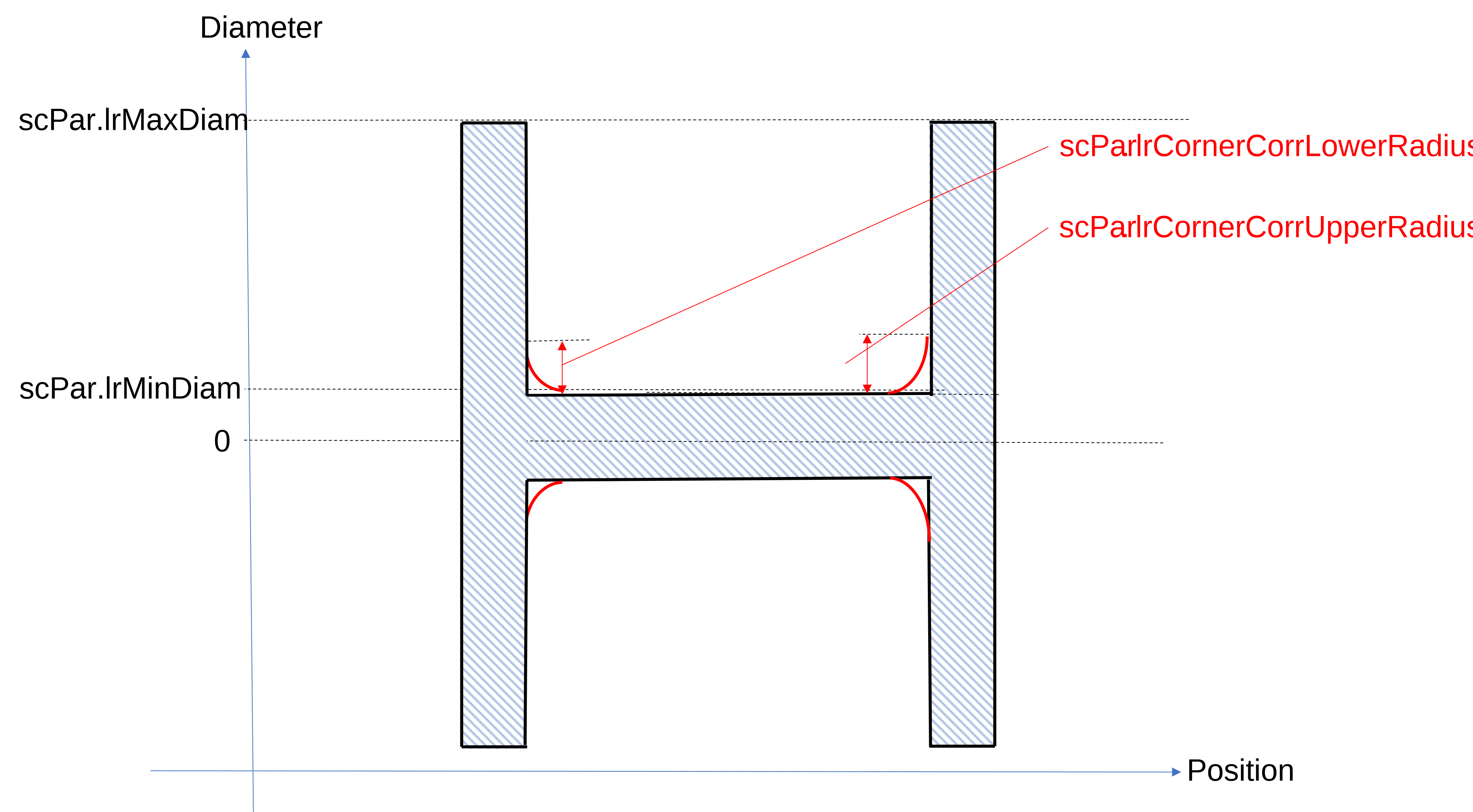
Radius correction in "Position" traversing mode
If the radius correction is activated with the parameter eCornerCorrMode = 1, the technology module automatically considers the resulting correction value for the reversal position (lrCornerCorrLowerRadius or lrCornerCorrUpperRadius), depending on the current diameter (lrSetDiam) and the reference diameter (scpar.lrMinDiam).
Radius correction in "CoilData" traversing mode
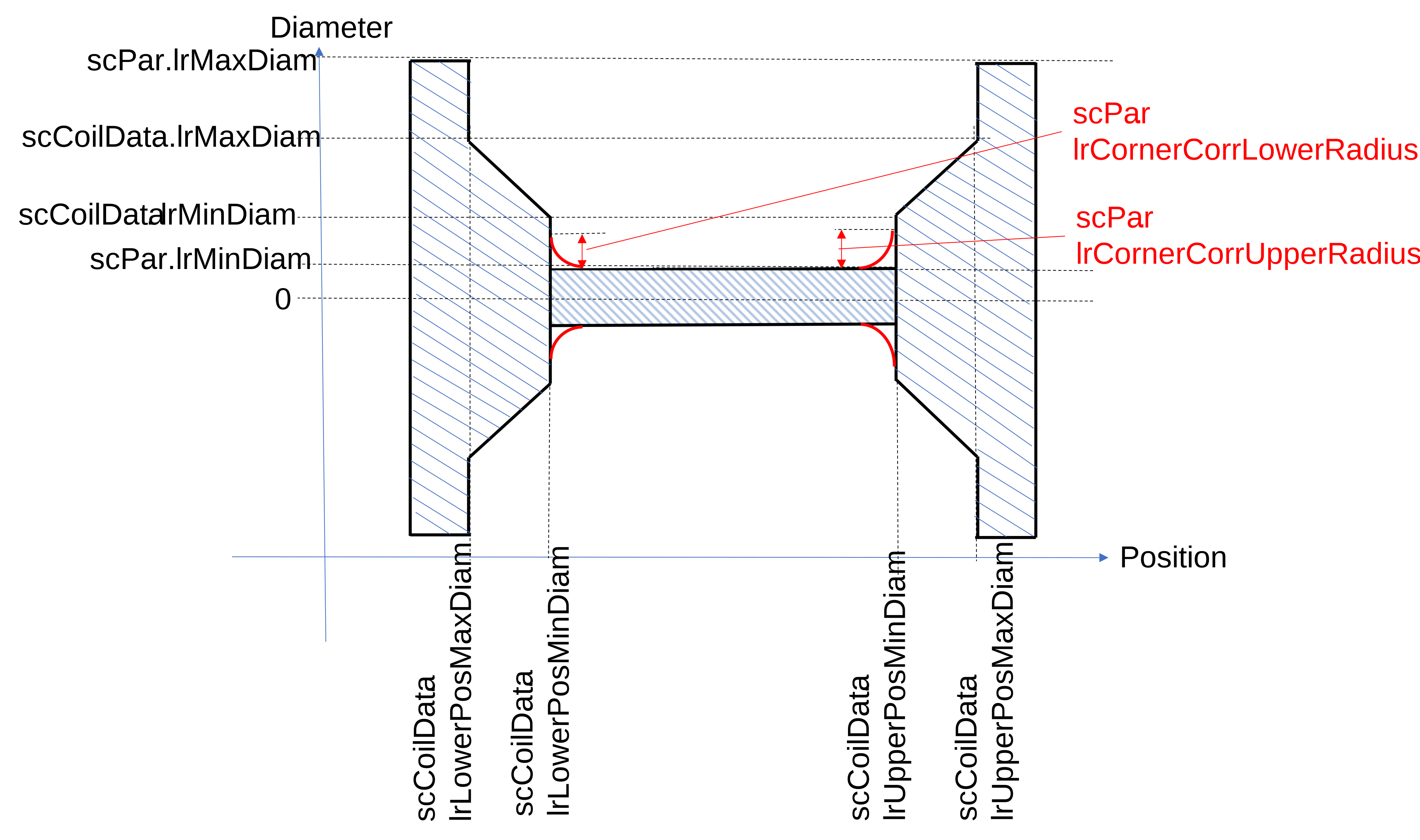
Radius correction in "CoilData" traversing mode
If the radius correction is activated with the parameter eCornerCorrMode = 1, the technology module automatically considers the resulting correction value for the reversal position (lrCornerCorrLowerRadius or lrCornerCorrUpperRadius), depending on the current diameter (lrSetDiam) and the reference diameter (scpar.lrMinDiam).
The current diameter and reference diameter may also be below the minimum coil diameter (scCoilData.lrMinDiam).
Function-relevant parameters
The parameters for the radius correction are in the structure L_TW2P_scPar_Traverser.
-
eOperationMode, L_TW2P_eTraverser_OperationMode, Initial value: 0 (position)
-
eCornerCorrMode, L_TW2P_eTraverser_CornerCorrMode, Initial value: 0 (Disabled)
-
lrCornerCorrRefDiam, LREAL, Initial value: 0.0
-
lrCornerCorrLowerRadius, LREAL, Initial value: 0.0
Functionally relevant inputs
The inputs are located in the Function block L_TW2P_TraverserBase.
-
lrSetDiam