UIDesigner.UserManagement
If user management is required for visualization, it can be created with the »EASY UI Designer« and adapted at runtime of the machine via the web panel (e.g. v450).
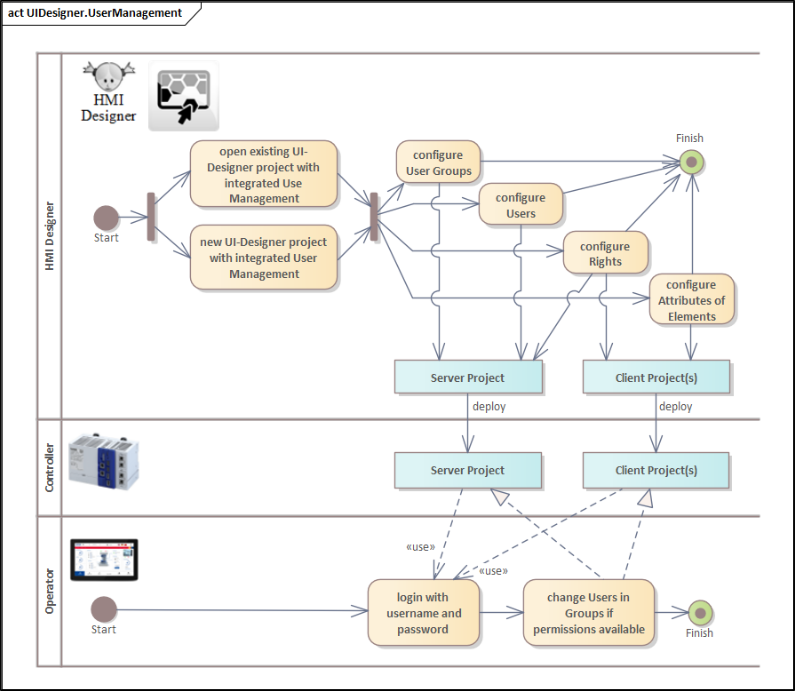
Activity Diagram
In order to be able to use the authorization within an »EASY UI Designer« project, the user management must be selected at the start wizard.
UIDesigner.UserManagement : Configuration
In the server project, the settings can be made under "User management" under "Configuration".
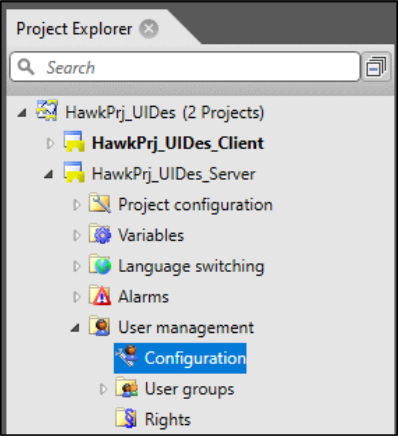
Configuration
These include the following cyber security-relevant features:
-
Minimum and maximum length of user names
-
Minimum and maximum password length
-
Allow password reuse after time
-
Allow password reuse after changes
-
Minimum difference of passwords
-
Maximum subsequent equal characters
-
Minimum difference to prior password in characters
-
Password must contain letters
-
Password must contain digits
-
Password must contain special characters
-
Password must contain lowercase and uppercase letters
-
Password must not be equal to user name
UIDesigner.UserManagement : UserGroups
If the item "User groups" is selected under the "User management" within the server project, the following representations become visible:
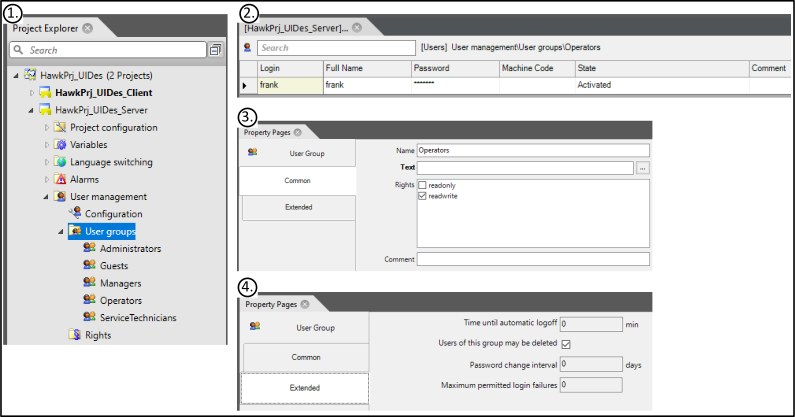
Default "User groups" (depending on the settings previously activated in Wizard commissioning)
The following user groups are available by default:
-
Administrators
-
Guests
-
Managers
-
Operators
-
ServiceTechnicians
Setting Users
To manage individual users in the screen (refer to the previous picture (2.)) a right mouse-click results in some possibilities. A user can be specified with login and full name and receives a password. Furthermore, it can be activated or deactivated at this point.
Rights
In the screen User Groups the rights of the user group are shown. How to set these up, see UIDesigner.UserManagement : Rights.
UIDesigner.UserManagement : Rights
In the server project, the rights management is localized under the item "User management / Rights".
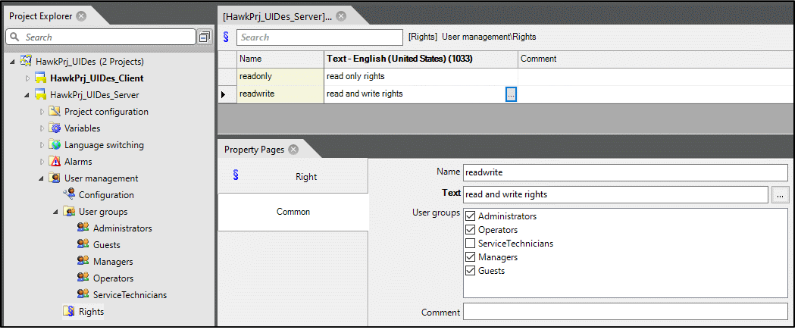
Rights
In the upper right part of the screen, rights can be created with the help of the right mouse click. In the lower right part of the screen, the user groups can be assigned to the respective rights.
UIDesigner.UserManagement : Properties of Elements
In the client project, the actual designs for visualization are defined. For each element, the properties can be set in the "Properties" menu.
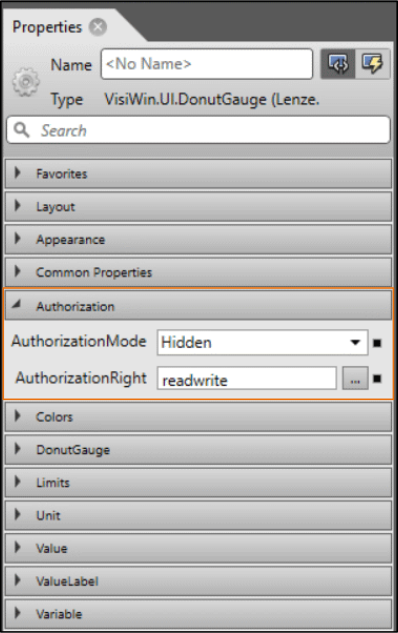
Properties of Elements
The authorization group has the following settings:
-
AuthorizationMode: Disabled / Hidden / Collapse
-
AuthorizationRight: <choose one of the rights of the Server Project> UIDesigner.OPCUAClient.Authentification).