PLCDesigner.Project.ImportFile
An import function is available for transferring project data from the EASY System Designer to the »PLC Designer«. The corresponding procedure is shown in the following picture.
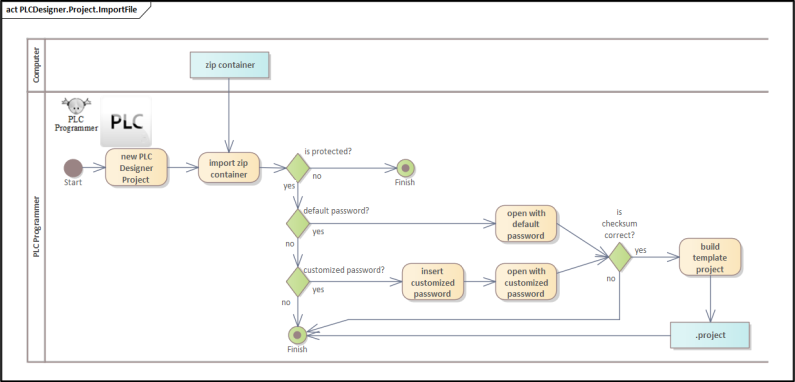
Activity Diagram
After downloading the import file from the »EASY System Designer« (SystemDesigner.DownloadImportFile), it can be integrated into the PLC project. When the »PLC Designer« is started, an ESD container can be selected via the call "PLC DesignerWnew projectWImport ESD container", as shown in the next figure.
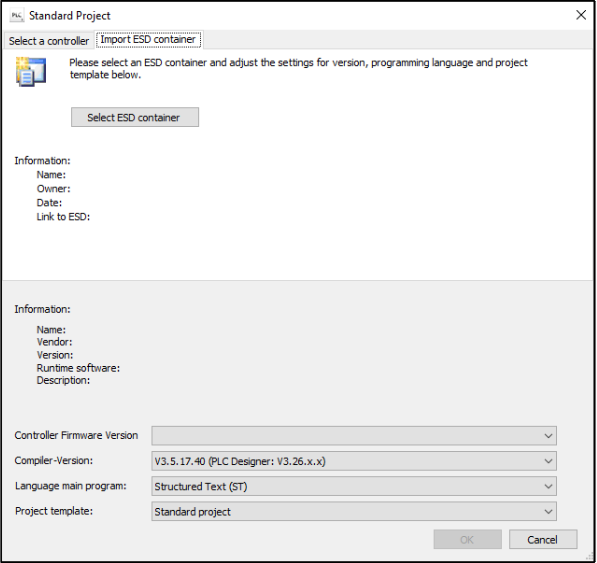
Import ESD container
If the zip container is protected with the default password, it is imported. If it is protected via user-defined password, a dialog opens to enter this password.
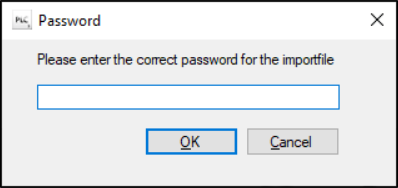
Enter Password Dialog