PLCDesigner.Project.Encryption.WithCertificate
This functionality encrypts and decrypts the PLC project using a key from a certificate.
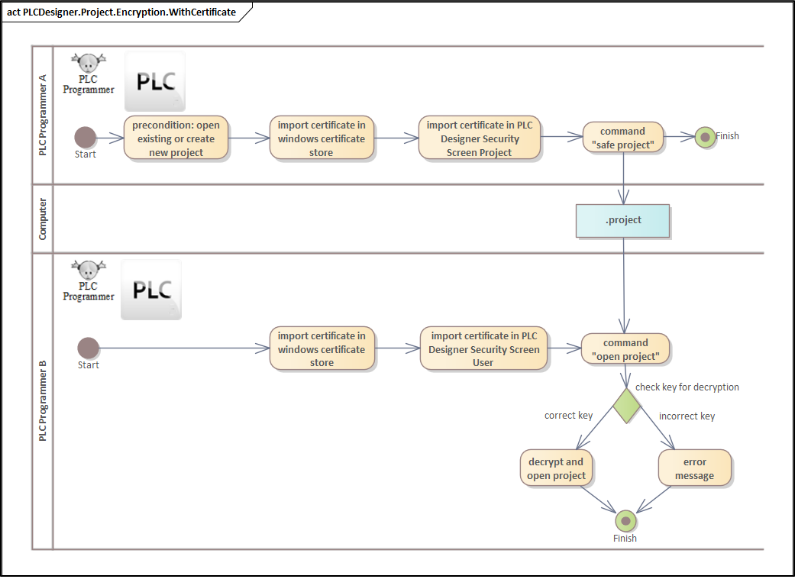
Activity Diagram
This function can be accessed via the »PLC Designer« menu "\View\Security Screen". If the Project File Encryption Technology is set to "Encryption" in the Project tab and the radio-button "Certificate" is chosen, the function is activated. At this point, certificates can be selected from the Windows Certificate Store. It is possible to work with several certificates. It is possible to save a project with several certificates (each with public keys) and to open it with a matching certificate (with private key).
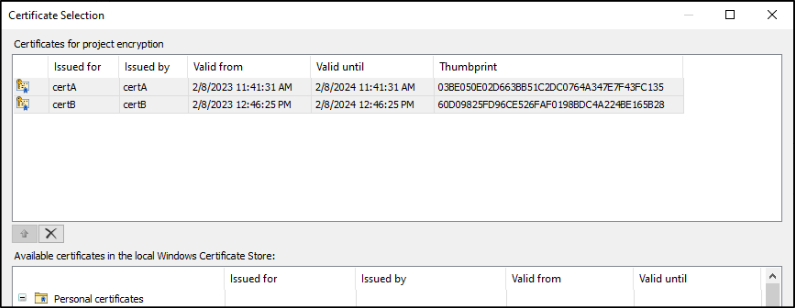
Certificate selection for encryption
-
If a certificate is imported into the »PLC Designer« "\Security Screen\Project\Project File Encryption" that does not contain a private key, the following warning message will appear: "The project will be encrypted but none of the selected certificates has a private key. You will not be able to decrypt this project on this PC! Do you want to save it anyway?". This message appears because the public key is needed for encryption and the private key for decryption.
After selecting the certificates, the project can be safed as an encrypted file.
To encrypt the project file, please activate the checkbox "Enforce encryption of project files" in the Security screen in the User tab.
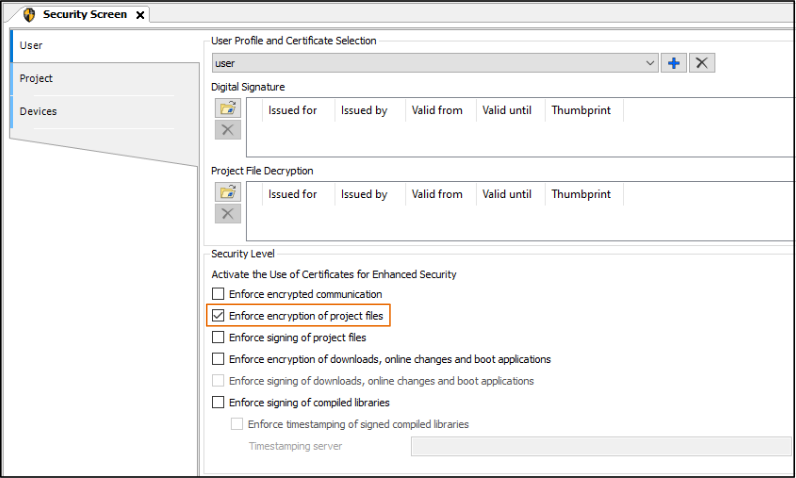
Enforce encryption of project files
Before opening a PLC Project, the user must integrate a correct certificate. For this purpose, the certificate must be selected in the »PLC Designer« "\View\Security Screen" in the "User"selection in the "Project File Decryption" category. Only certificates including a private key can be selected.
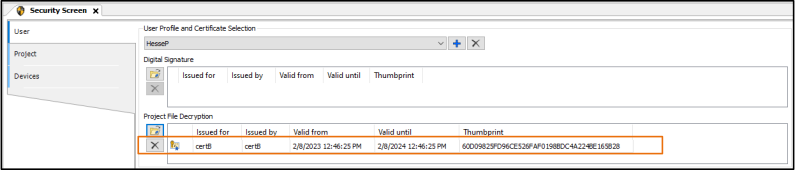
Certificate for Project File decryption
If the private key is correct, the project opens. If not, the following error message appears:
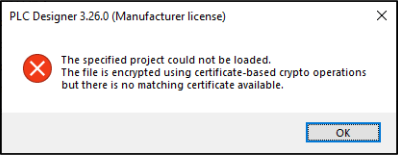
No matching Certificate available
As mentioned above, it is possible to encrypt the project with several public keys and open it with only one private key. There is a special feature to note here if this is done on different computers. For example, if the project is opened with only one private key, the project can be opened, but only that key will be used when saving again.
Example:
The project is encrypted with the public keys CertA and CertB and opened with the private key CertA. After saving the project again, the private key CertB can no longer open.
This circumstance is indicated by a warning message when opening in this configuration..
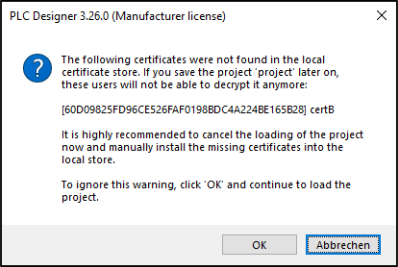
Missing certificates were not found
-
This function only applies to the base project file "*.project". When saving the PLC project, additional data is stored. For example are xml files for nodesets for the OPC-UA model.
This function does not encrypt these additional files, so users must protect them organizationally if necessary.