IP settings
IP basic settings
The basic IP settings are required to let the engineering software access the network nodes (PLC, inverter) directly via Ethernet.
The PC with the engineering software must be in the same network as the devices to be configured.
First, configure the PC so that this condition is fulfilled.
The required steps are described by the example of the operating system Microsoft® Windows® 7.
How to define the IP basic settings:
1.
Call the "Network and sharing center" under "Control panel".
2.
Select "Change adapter settings" (observe administrator rights!).
3.
Select the network to be configured (double-click), e. g.:
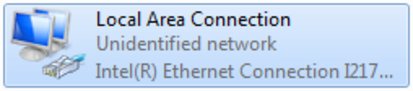
The network nodes (PLC, inverter) must be connected to the network.
The status dialog box of the network is opened.
4.
Click "Properties".
The properties dialog box of the network is opened.
5.
Select "Internet protocol version 4 (TCP/IPv4)" and click "Properties".
The properties dialog box of the "Internet protocol version 4 (TCP/IPv4)" is opened.
6.
Enter the IP address, the subnet mask and, if required, the gateway address under "Use the following addresses".
7.
Click "OK".
The IP basic settings are now completed.
Set IP address
The IP address is set in 0x23B1:001.
–
0x23B2:001 shows the active IP address.
–
A value changed during operation only becomes valid with a network restart.
Time-To-Live (TTL)
The TTL value (8-bit value) limits the number of routers a sent package passes on the way to its target.
The parameters for the IP settings of the inverter are described below.
Parameter