Parameter data transfer
Acyclic data transfer (Explicit Messaging)
Via the acyclic data transfer (Explicit Messaging) the PLC (Scanner) can access any drive parameters or device parameters.
Typical applications:
–
Monitoring
–
Non-timed parameter access with low priority
–
Writing and reading the parameter data of the inverter (Adapter)
–
Writing and reading the assembly data of an EtherNet/IP device
The acyclic data transfer can be monitored:  EtherNet/IP communication monitoring
If the Allen-Bradley control systems »CompactLogix™«, »ControlLogix®« and »SoftLogix™« are used, the "Explicit Message" instruction provides the functionalities described in the following sections.
Further PLC types can be found in the programming documentation of the PLC.
Explizite Meldung
An explicit message is a logic instruction in the PLC program for the message transfer.
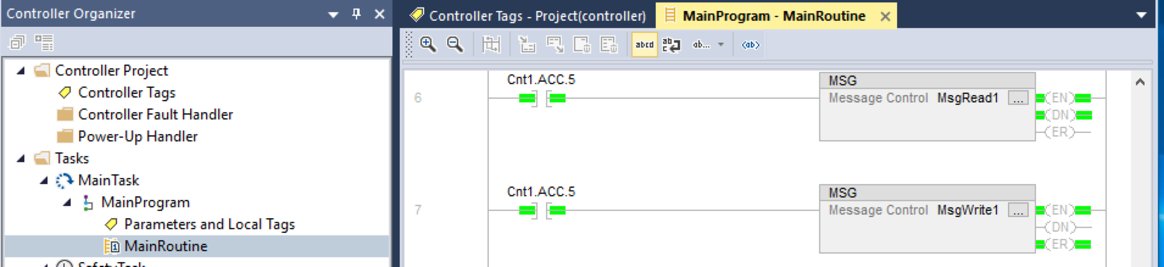
–
General drive variables (parameters and subindices) are contained in class "0x6E".
–
The instance is the index number of the parameter and the attribute is the subindex number.
–
If there is no subindex, the attribute must be set to "0". The attribute value "1" is supported only for those clients that do not support attribute value "0".
–
Possible data types of the variables:
–
SINT (8 bits, 1-byte objects)
–
INT (16 bits, 2-byte objects)
–
DINT (32 bits, 4-byte objects)
–
Device parameters and PLC program variables must have the same data lengths!
Explicit Message Path
For each explicit message, the path must be specified in order to forward the message from the Ethernet port of the PLC (scanner) to the IP address of the inverter (adapter). This path depends on the used PLC. If required, contact the PLC manufacturer to find out how the path is specified.
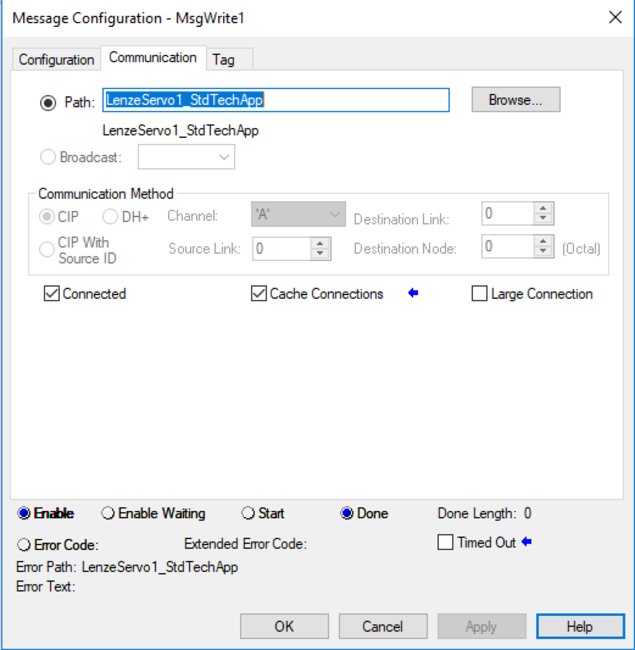
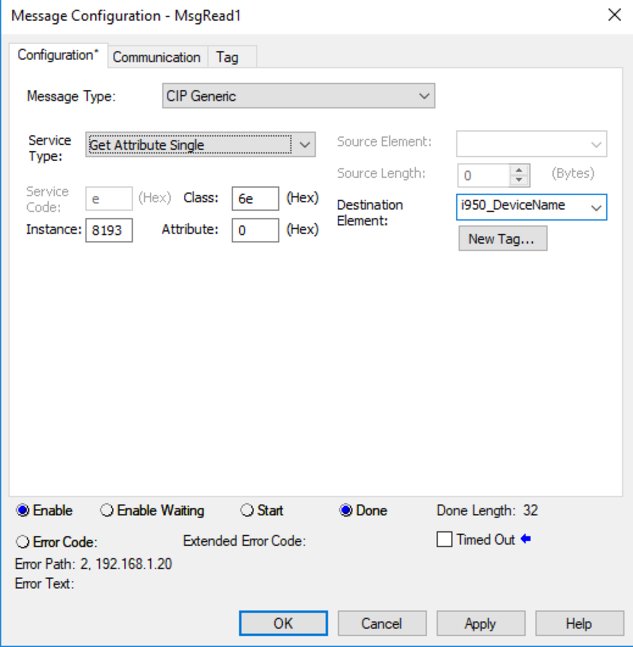
Read parameter value
Definitions to read a parameter value (Adapter
à
Scanner):–
Message Type = CIP Generic
–
Service Code = 0x0E (read parameter, Get_Attribute_Single)
–
Class = 0x6E (hex)
–
Instance = index number of the parameter
–
Attribute = parameter subindex number (or 0x01 in case of no subindex)
–
Destination Element = target variable in the PLC (scanner) for the parameter data to be read.
The variable must have the same format and data length as the parameter!
The variable must have the same format and data length as the parameter!
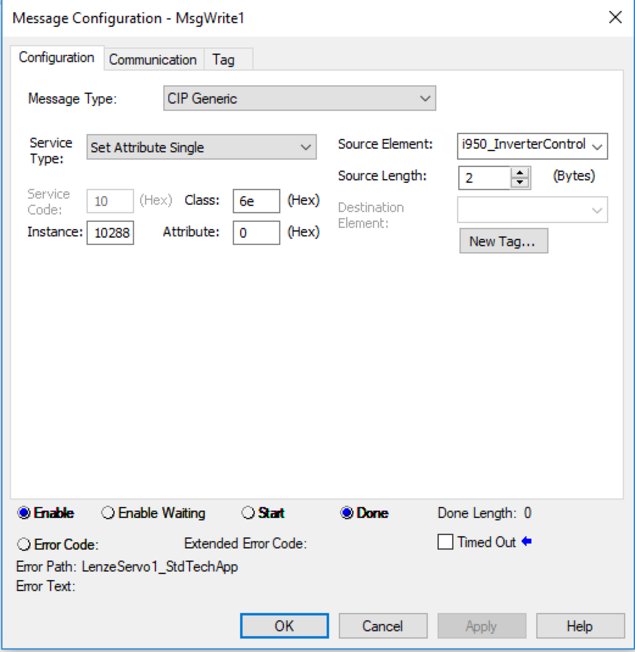
Write parameter value
Definitions to write a parameter value (Scanner
à
Adapter):–
Message Type = CIP Generic
–
Service Code = 0x10 (write parameter, Set_Attribute_Single)
–
Class = 0x6E
–
Instance = index number of the parameter
–
Attribute = parameter subindex number (or 0x01 in case of no subindex)
–
Source Element = variable in the PLC (scanner) which is used as source of the parameter data to be written.
–
Source Length = data length (bytes) of the data to be written
CIP Generic Master (read/write assembly data)
For "CIP Generic Master" that do not support Implicit Messaging (class1), the assembly data can be read or written via Explicit Messaging (class3).
Settings to read assembly data (Adapter
à
Scanner):–
Message Type = CIP Generic
–
Service Code = 0x0E (read assembly data, Get_Attribute_Single)
–
Class = 0x04
–
Instance = assembly number in the desired device (e.g. 73 for assembly "73")
–
Attribute = 0x03
–
Destination Element = target array in the PLC (scanner) for the assembly data to be read.
The array must have the DINT format and the same data length as the desired assembly!
The array must have the DINT format and the same data length as the desired assembly!
Settings to write assembly data (Scanner
à
Adapter–
Message Type = CIP Generic
–
Service Code = 0x10 (write assembly data, Set_Attribute_Single)
–
Class = 0x04
–
Instance = assembly number in the desired device (e.g. 23 for assembly "23")
–
Attribute = 0x03
–
Source Element = DINT array in the PLC (scanner), that is used as source of the assembly data to be written.
–
Source Length = data length (bytes) of the DINT array to be written.