Positioning with an i550
The current count of the i550 position counter (0x2C49:003) can be used for simple position control in the controller.
See also: (This should link to,, “Commissioning devices” – “Inverters” – “i500 frequency inverter” – “i550 cabinet or protex” – “Additional functions” – “Position counter”)
The procedure for using the position counter in the control is described below:
How to connect an additional encoder node for the i550 to the PLC via the EtherCAT system bus in the >>PLC Designer<<:
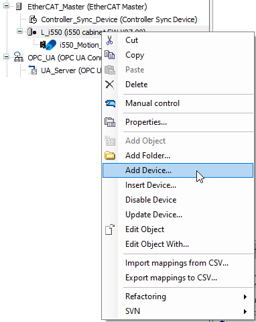
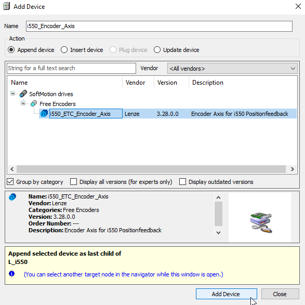
1. Add the encoder node to the i550 node via "add device...".
|
1. add device |
2. select encoder node |
|---|---|
|
|
- The encoder will be displayed below the i550 device.

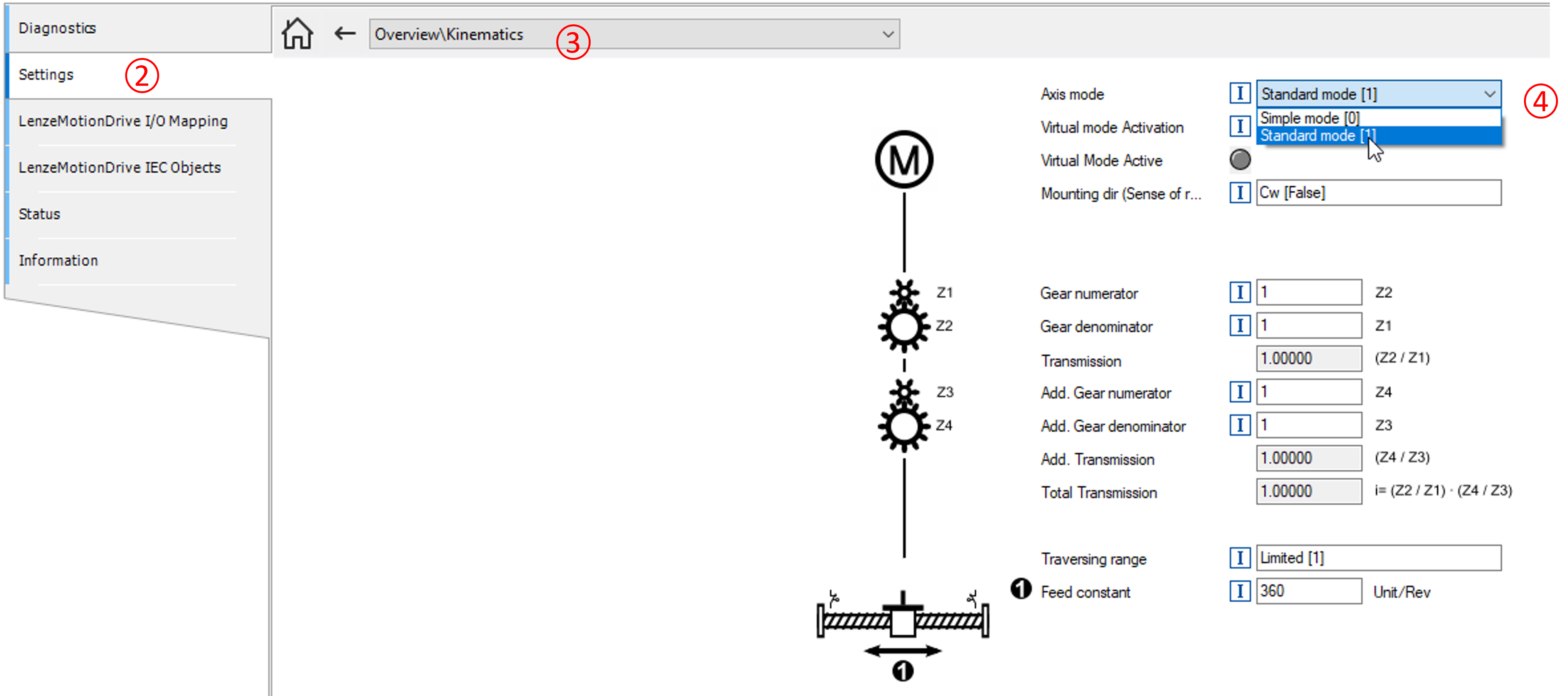
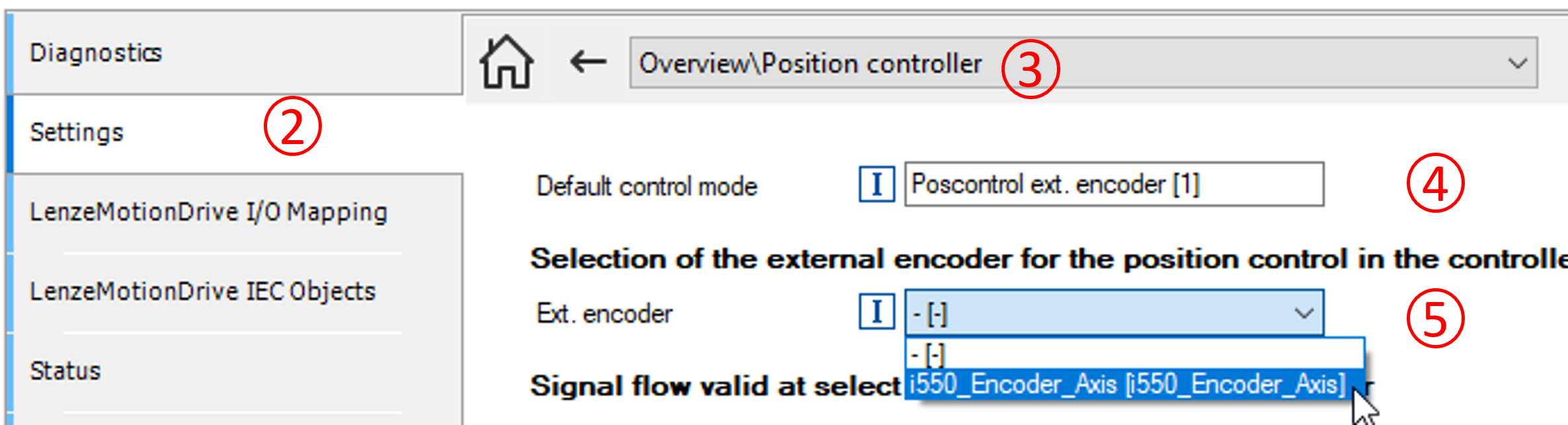
2. for a simple position control, the following settings must be made in the i550_Motion_Axis:
- Switching the axis mode (sub 27) from "Simple mode [0]" to "Standard mode [1]".
|
1. Open the Motion Axis dialogue |
Via 2. “Settings” 3. “Overview/Kinematics” 4. Set the “Axis mode” to “Standard mode [1]” |
|---|---|

|
|
- Set the motion axis to external position control (subindexes 90 and 92)
|
1. Open the Motion Axis dialogue |
2. “Settings” 3. “Overview\Position controller” 4. “Default control mode” = “Poscontrol ext. encoder [1]” 5. “Ext. encoder” = “i500_Encoder_Axis” |
|---|---|
|
|
|
The described procedure is available from the following i550 device description versions:
- I550 cabinet\protec FW07.00 from Version 7.0.1.7
- I550 cabinet\protec FW06.04 from Version 6.4.0.2
- I550 motec FW04.03 from Version 4.3.0.1
For older versions of firmware and device description, include parameter 16#2C49:03 in the PDO mapping of the i550 unit.
As an Encoder-Axis-Node a LM_FreeEncoder-Axis must be used and the mapped position must be assigned to the diEncoder position of the LM_FreeEncoder.
(See the chapter here; a link should be provided to the chapter “PLC Designer (3.x) libraries” – “FAST Motion” – “L_MC1P_MotionControlBasic for single axes” – “Motion axes (Axis_Ref)” – “FreeEncoder application example” – “Use of ‘free encoders’”).