Setting the shifting of the switch-off position
The lrReactTimeOff input serves to shift the switch-off time of the cam in positive or negative moving direction.

 How to calculate the new switch-off position:
- Determine the position difference
- Current speed multiplied with the time that can be preselected via the lrReactTimeOff input.
- New switch-off position: add signed position difference to the "old" switch-off position.
- With a positive tappet and a negative time at the lrReactTimeOff input, the calculated position difference is added to the specified switch-off position, see the following example.
Example of the switch-off position offset
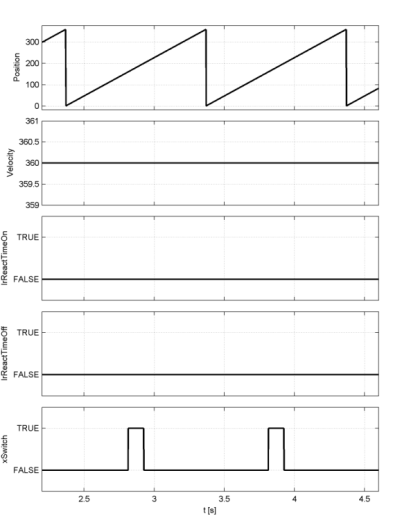
In this example, the switch-off time is in the centre of the cycle, the switch-off time being executed via a cam created with the CAM editor:
|
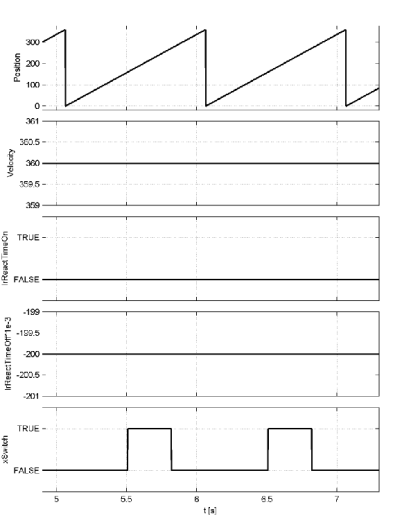
In contrast to the "old" switch-off time, the new switch-off time is now delayed by the switch-off position offset lrReactTimeOff = - 0.2 s. The switch-off position for xSwitch has increased:
|