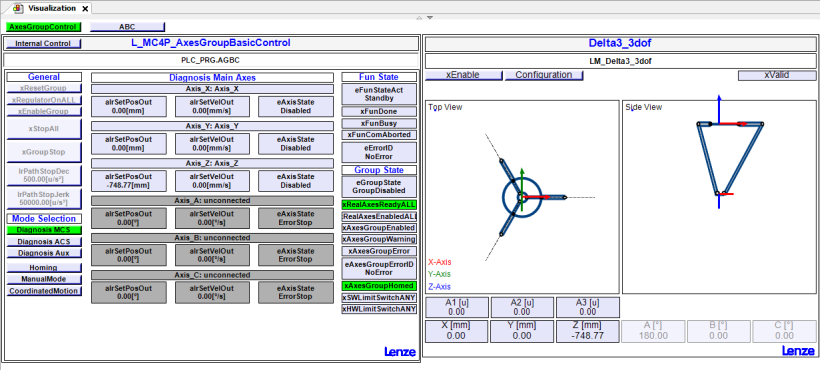
Step 3: Integrating the L_MC4PAxesGroupBasicControl FB and axes group visualisation
-
For integrating the
L_MC4P_AxesGroupBasicControl
FB, follow the steps described in an example for integrating a FB and a block visualisation:
 Step 2: Implement FB L_MC1P_AxisBasicControl into the project
.
- Enable the operation of the FB via the visualisation with the FB input xEnableInternalControl
- Add another frame for the visualisation of the kinematics to the visualisation page of the L_MC4P_AxesGroupBasicControl FB.
- Select the corresponding template (in this example: Visu_LMC4P_Delta3_3dof )
Tip: Filter the selection list by entering the name in field
 .
.
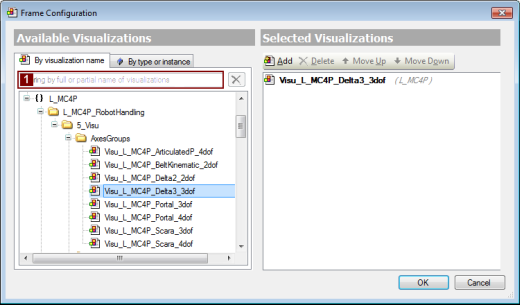
- Connect the visualisation template to the axes group.
- Set the m_Input_AxesGroupRef property to the name of the axes group (here: LM_Delta3_3dof ), e.g. via input assistance:

-
Transfer the project to a control system and start the project.
Please refer to - The complete frame visualization shows the following view:
(View in online mode with application started)