Copy machine module
-
This is how you proceed:
-
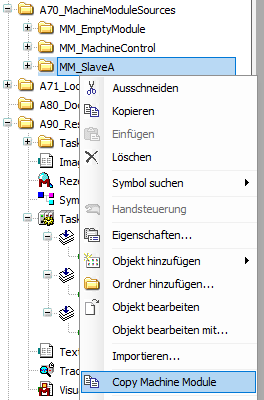
Right-click on the folder of the machine module to be copied (in the example "MM_SlaveA") and use the Copy Machine Module menu command to copy the module to the clipboard as a template.
-
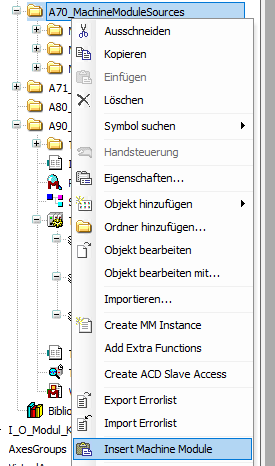
Right-click on the A70_MachineModuleSources folder and execute the Insert Machine Module menu command.
-
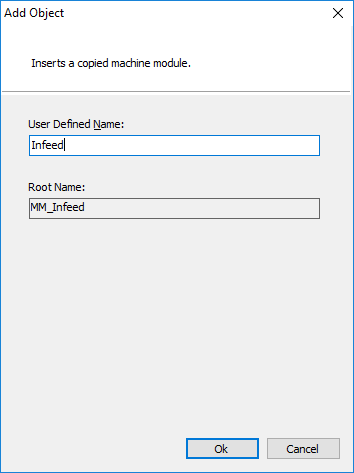
In the "Add Object" dialogue that appears, enter a name for the new module in the "User Defined Name" field, e.g. "Infeed".
-
Finally, close the dialogue with OK .
The new machine module is added to the A70_MachineModuleSources folder.