Create and edit error messages
Each machine module has call blocks for error handling and an ErrorManagement-TextList for defining error messages, shown here as an example on the master module "MachineControl":
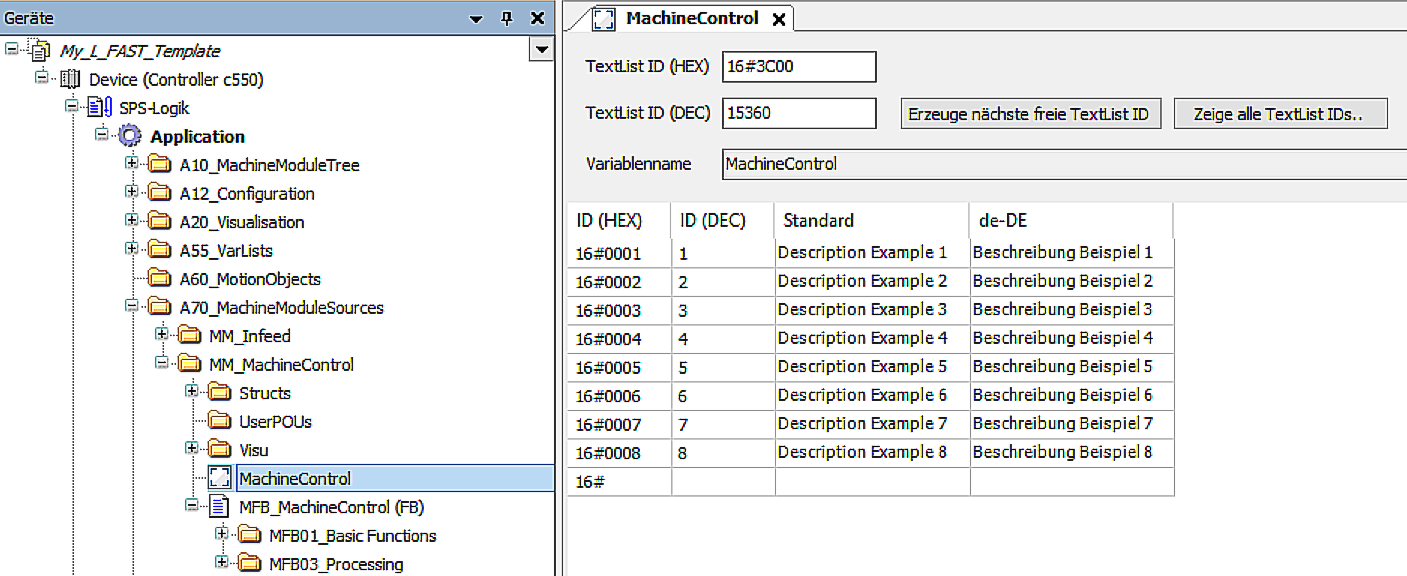
The folder MFB01_BasicFunctions containsthe action BF02_SetErrors, which contains the call blocks for error handling. The project template already contains two calls that enable 8 error messages to be triggered
Double-click on the ErrorManagement_TextList to add, delete and define error messages in a dialogue window.
The triggering error signal is applied to the function block under BF02_SetErrors at the xSetError input.
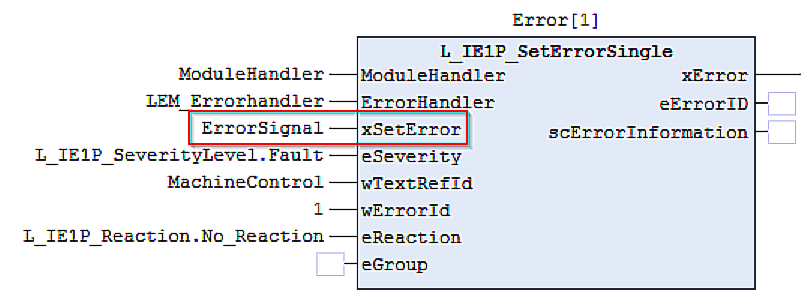
If the error signal is triggered, a reaction occurs. The action P09_Error is executed in parallel to the current operation mode.