Create a new "PLC Designer" project - Open Application Template
-
This is how you proceed:
-
Start the "PLC Designer".
-
Use the menu commandfileWNew projectto create a new project.
A selection menu then opens.
-
Select the "Standard project" template in the "(General)" category.
-
Confirm the selection with OK .
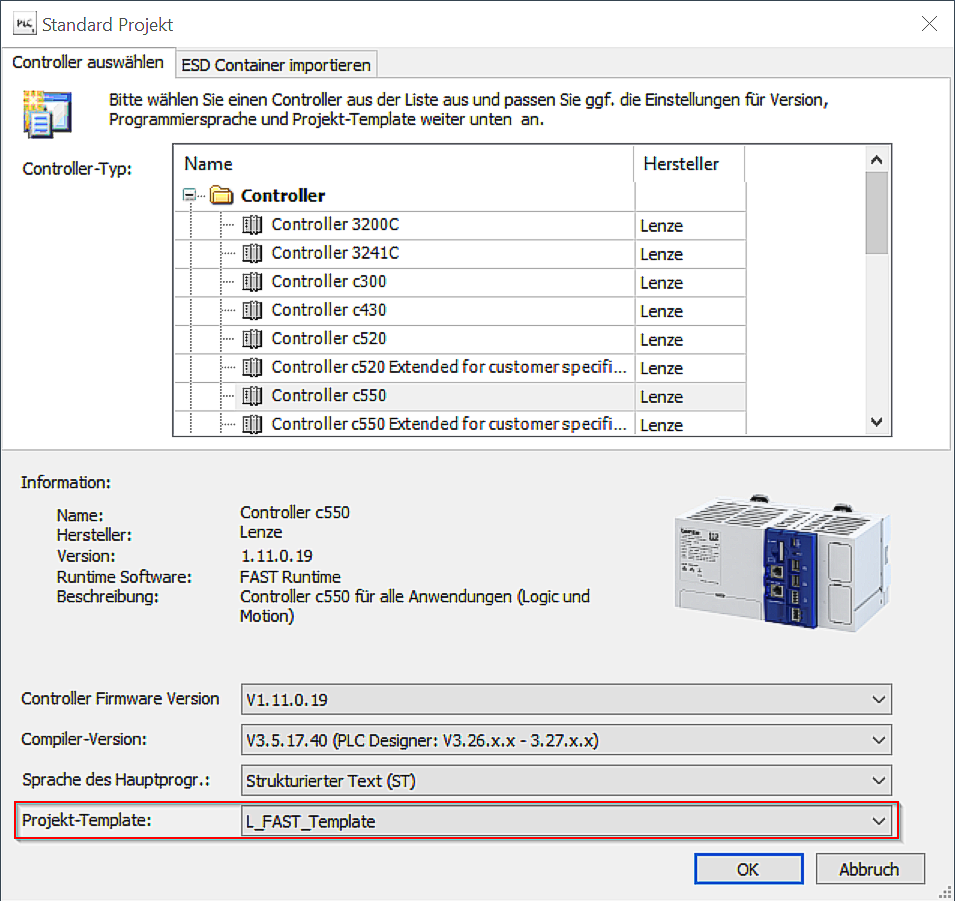
The "Standard project" selection menu then opens.
-
Select the controller type and the project template "L_FAST_Template":
-
Confirm the selection with OK .
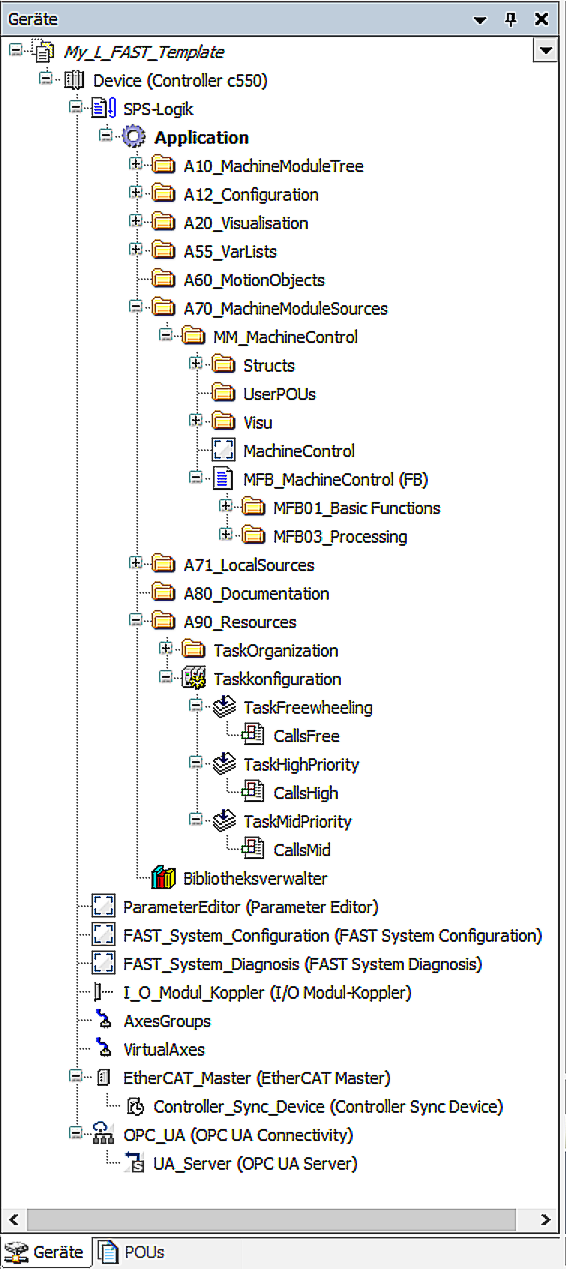
The project then opens with this device tree structure: