Create machine module
-
This is how you proceed:
-
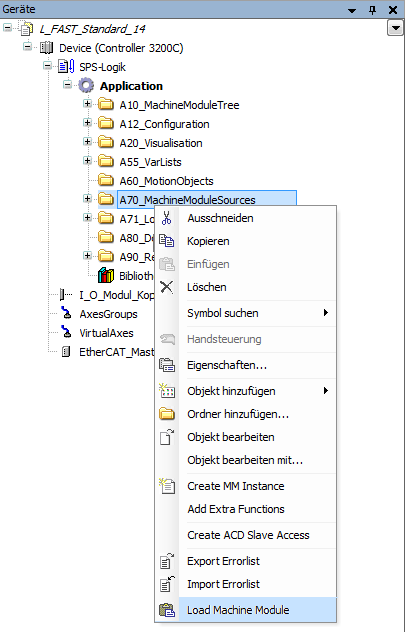
Right-click on the folder A70_MachineModuleSources and select the menu command Load Machine Module .
-
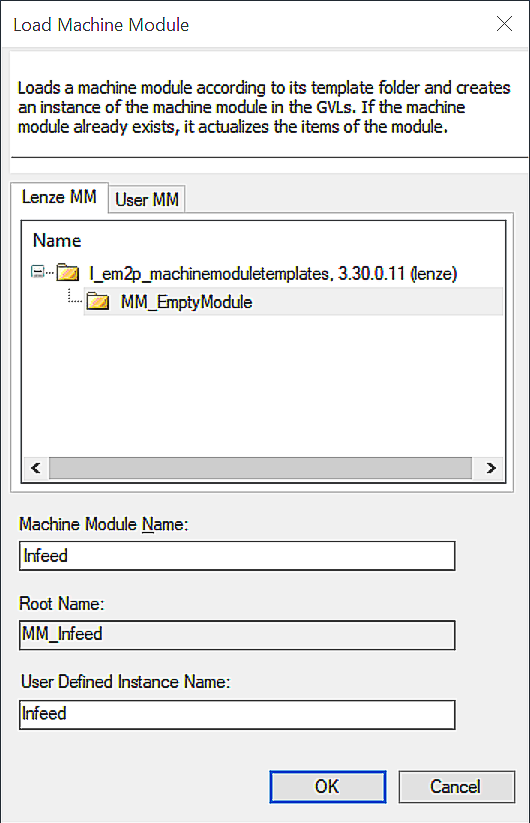
In the "Load Machine Module" dialogue window that appears, select the "Lenze MM" tab, open the l_em1p_machinemoduletemplates group and select the MM_EmptyModule entry.
-
Enter a name for the machine module in the lower part of the dialogue.
The module name must not contain "MM_" or special characters. Only the characters "A...Z", "a...z", "0...9" are permitted.
-
Confirm the entries with OK .
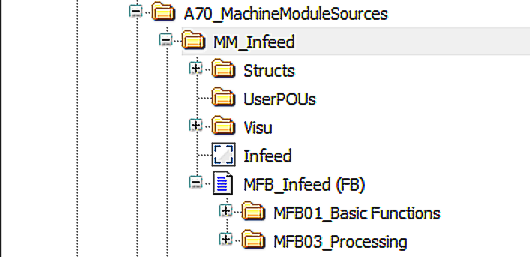
The machine module with the name "MM_Infeed" is inserted under A70_MachineModuleSources .
The contained structures, visualisations and MFBs are instantiated with the previously assigned name.
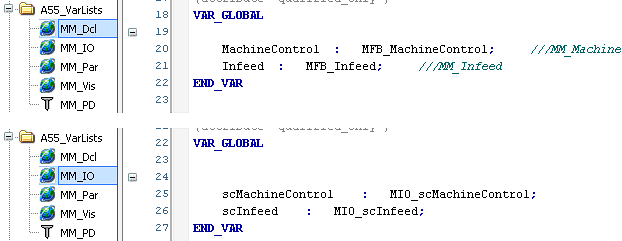
The corresponding instance and the variable structure are also declared in the predefined global variable lists A55_VarLists :