Insert FAST technology modules
-
This is how you proceed:
-
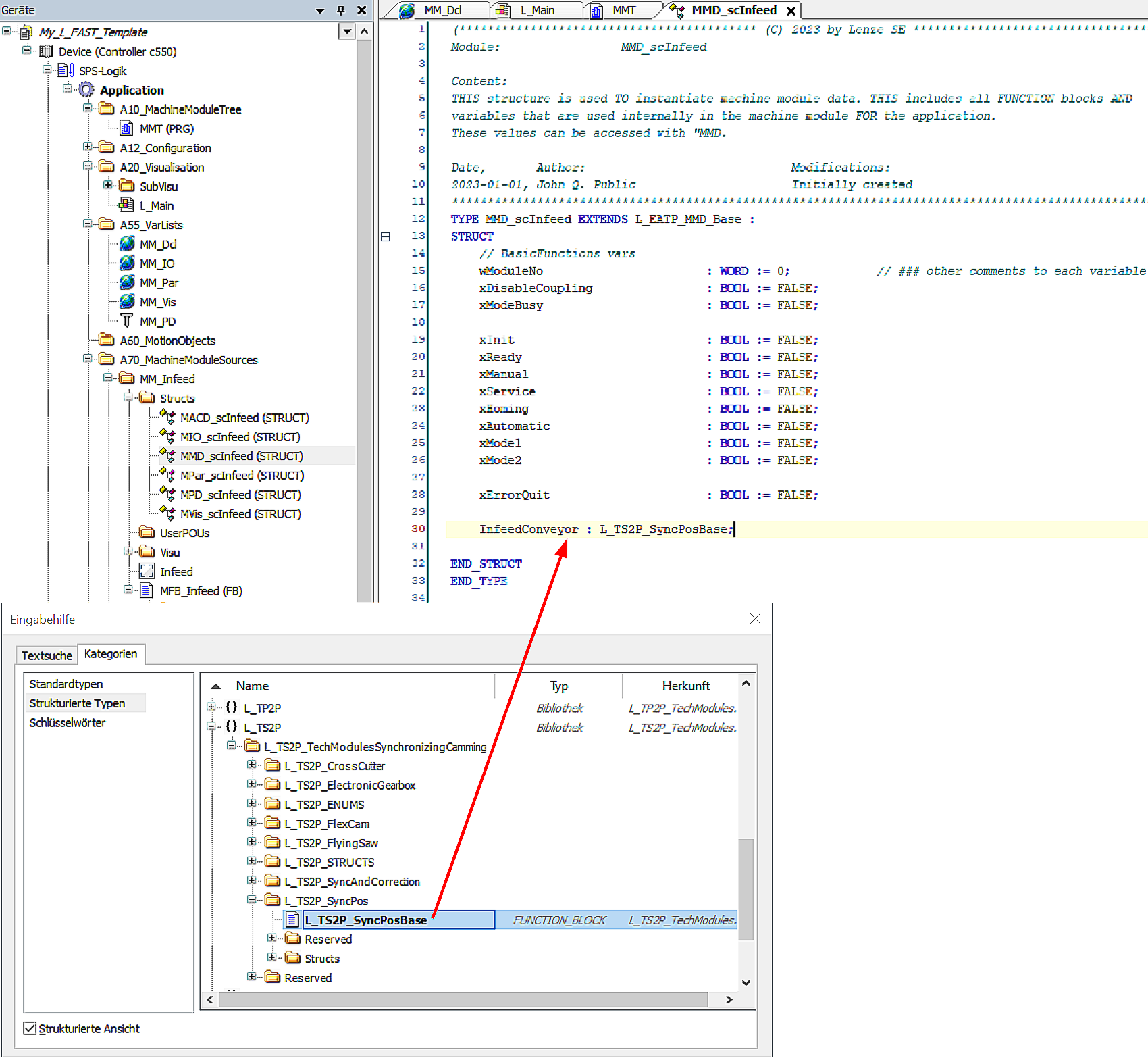
Declare the FAST technology module "Sync Position" to be inserted in the structure MMD_scInfeed .
Input: InfeedConveyor : L_TS2P_SyncPosBase ;
Tip: Right-click in the input area to open the input help via the menu that appears. The FAST technology modules can be found under the category "Structured typesWTS2P.
-
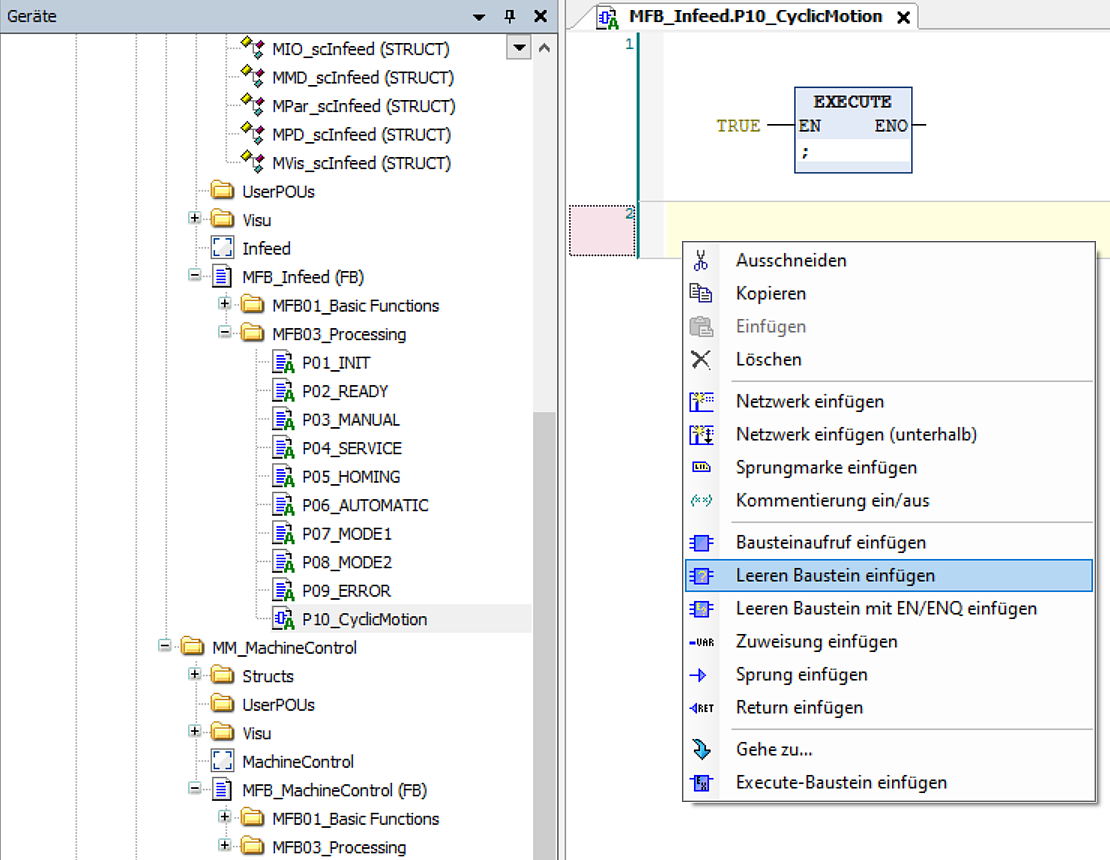
Insert an empty block under MFB03_ProcessingWP10_CyclicMotion.
Right-click in the input area and execute the menu command "Insert empty block" .
-
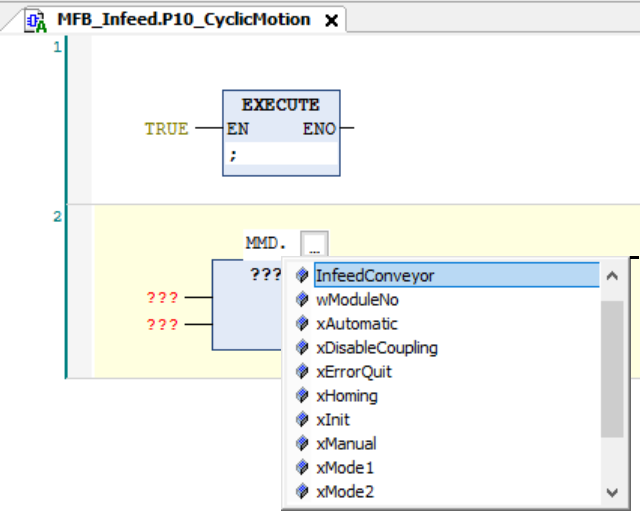
Enter "MMD." at the "???" position above the module and double-click InfeedConveyor in the selection list that appears.
The new InfeedConveyor module now includes the "Sync Position" technology module.
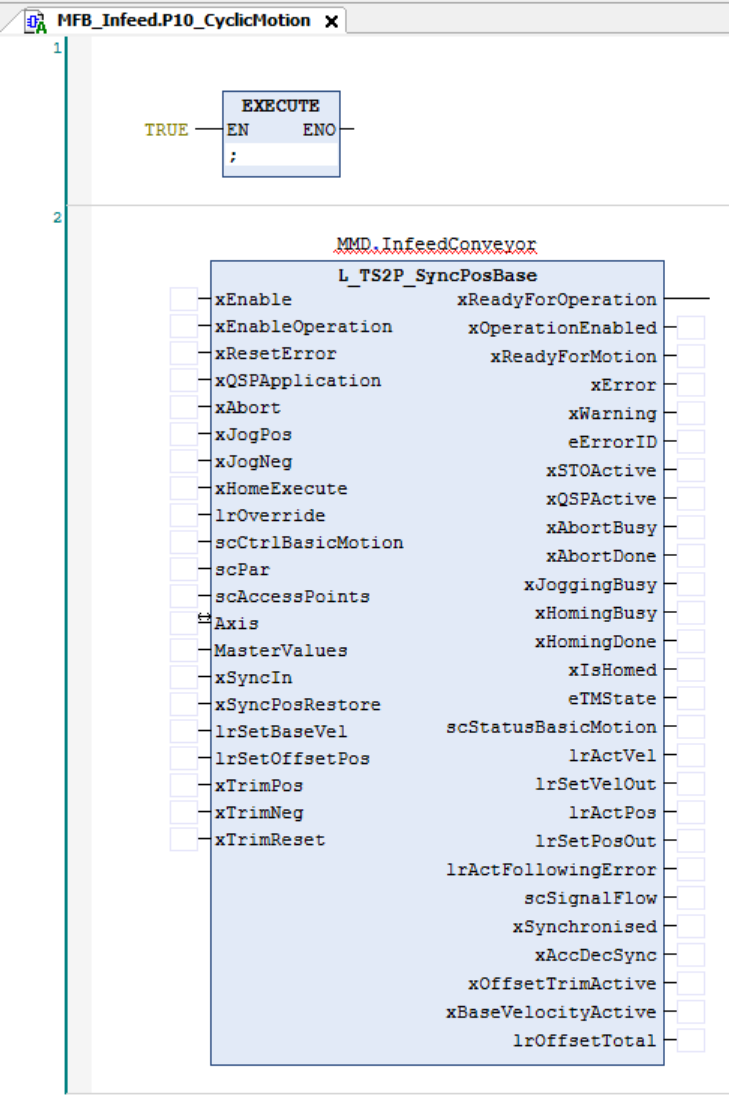
The axes of the technology module are routed to the outside via the interface of the machine module and are only connected to the real axes there, in the machine module tree.
-
To integrate the TMs into the "Lenze Module Handler" (LMH), double-click on the MFB.