Integrate machine module in the Machine Module Tree (MMT)
The prepared instances of the machine modules are called up under A10_MachineModuleTree in the MMT (PRG ) programme. The template already contains the master module "MachineControl", in which higher-level logic functions are programmed.
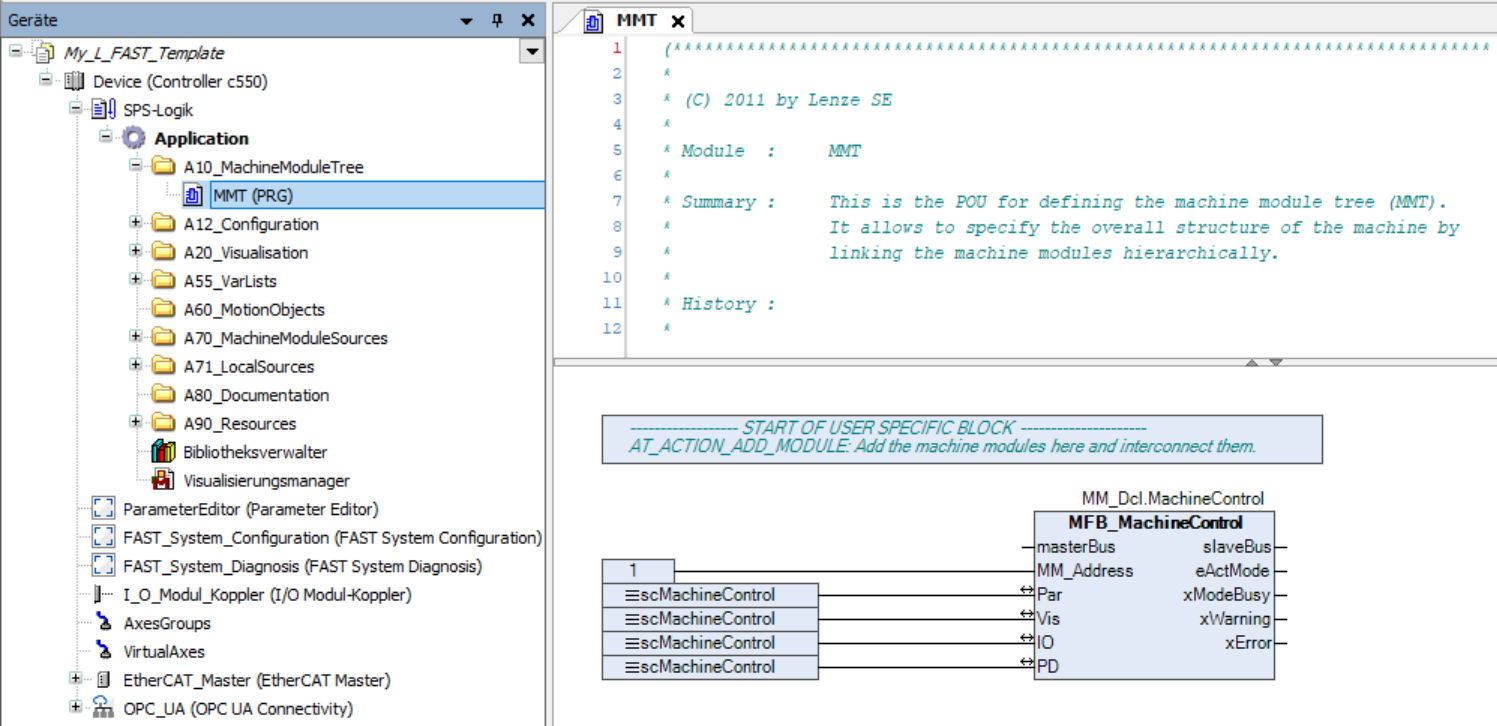
-
This is how you proceed:
-
Under A10_MachineModuleTree , execute the menu command
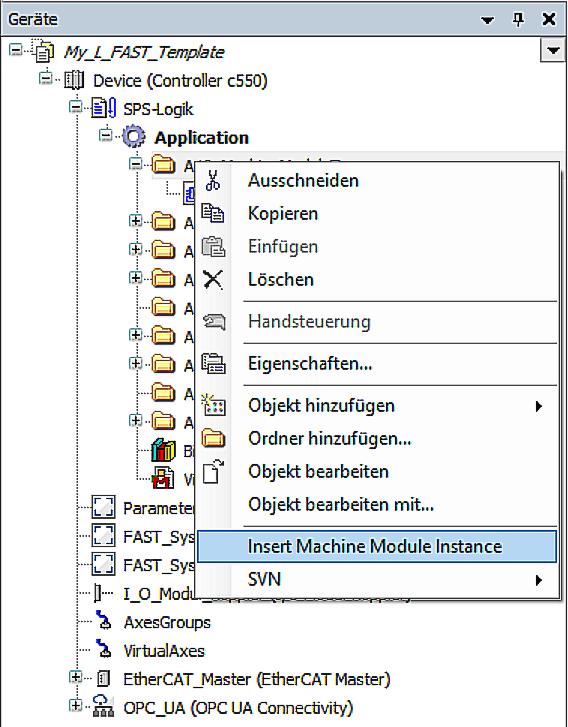
-
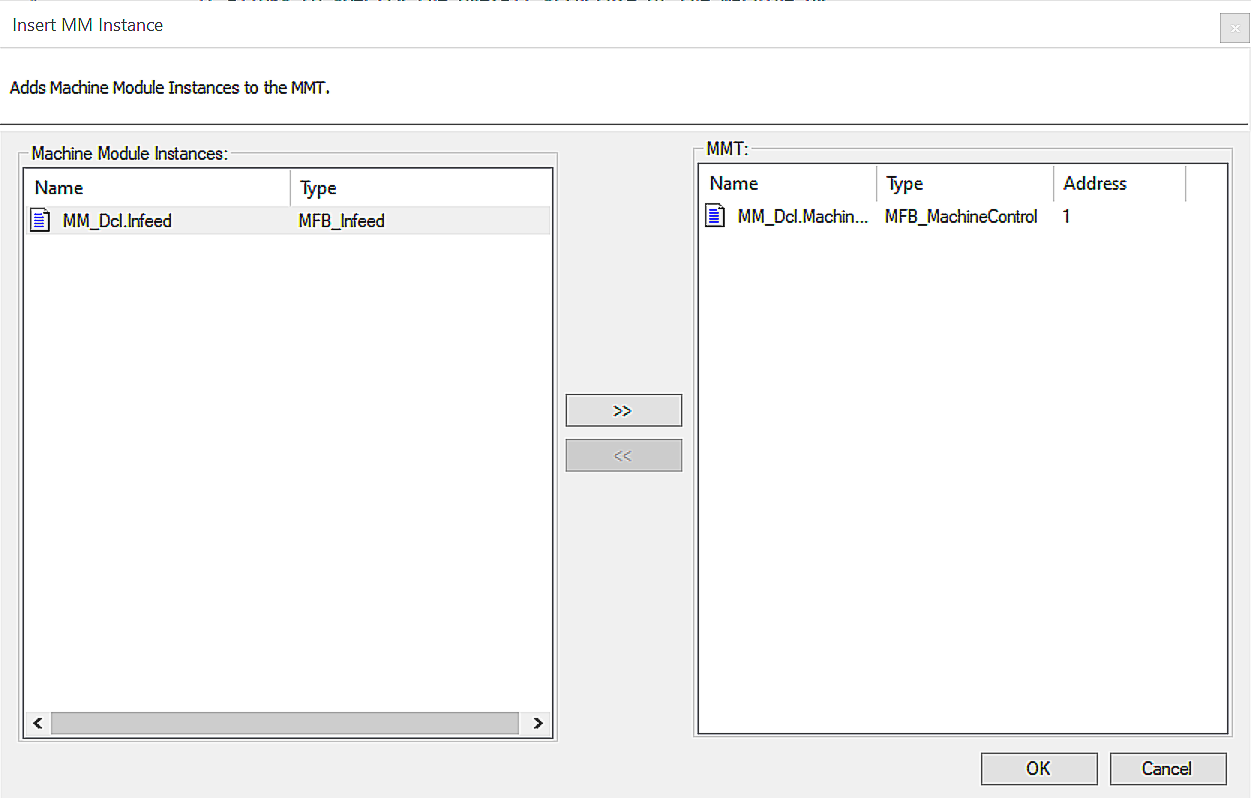
In the dialogue that appears, move the new instance "MM_Dcl.Infeed" to the "MMT" list using the " >>" button.
The "Machine Module Instances" list (left) displays the module instances that can be integrated in the Machine Module Tree.
The module instances to be added to the Machine Module Tree are displayed in the "MMT" list (right).
-
Confirm the selection with OK .
The new "Infeed" instance is placed under the existing "MachineControl" master module and can be dragged and dropped to the desired position.
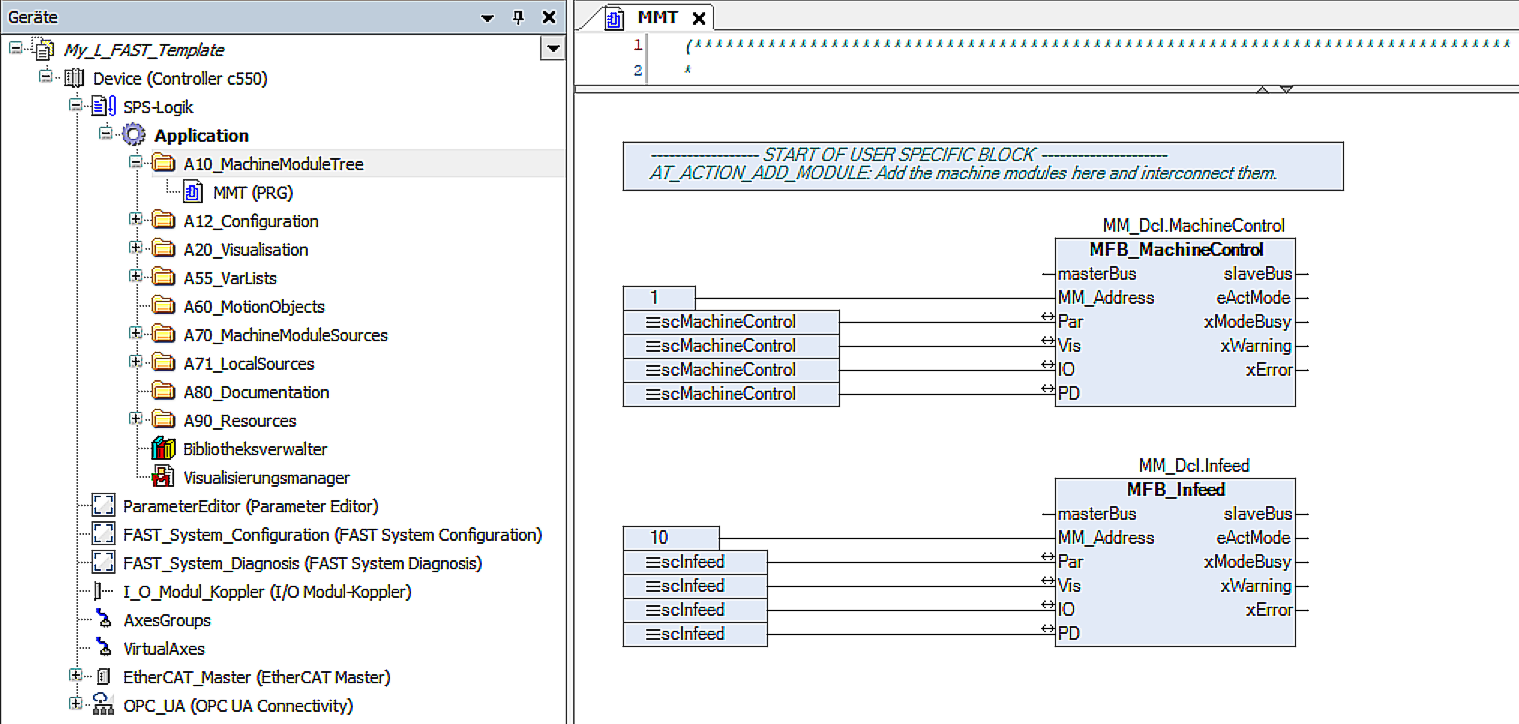
The associated structures MIO, MPar, MPD, MVis) are automatically connected to the inputs of the module.
The execution sequence is displayed in the top right-hand corner of the module. The sequence can be changed by right-clicking on the MMT screen and selecting the context menu command "Execution sequence" .
-
Draw a line between the slaveBus and masterBus bus connections to establish communication between the "MachineControl" master module and the "Infeed" machine module.
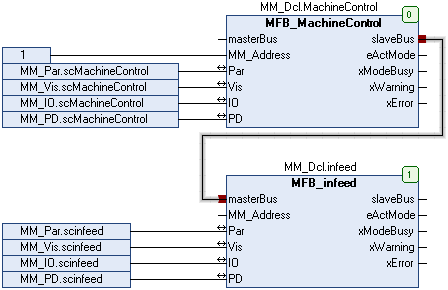
-
Specify the address of the slave via the MM_Address input.
-
Click on the line at the entrance.
-
Enter the desired address.
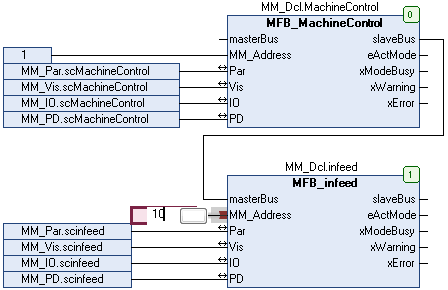
At this stage, the "Infeed" machine module already responds to operation mode commands from the "MachineControl" master module.
-