TextBlock
Display of a text.
|
Symbol |
|
|
Menu ribbon |
Start > Controls > Input/output > Text output > TextBlock |

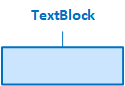
A language-switchable text is displayed via the "TextBlock" control element. In contrast to the label, the TextBlock has no variable connection and is therefore more performant.

TextBlock with the output of a text
Functionalities
The control element supports the following functionality:
-
Display of a language-switchable text in the control element
-
Connection to the user administration for blocking operability
-
Display of the background, the frame, the shadow, etc.
-
Color display of the background, frame, text, etc., also depending on the status of the control element
You can configure these functionalities via the properties in the Properties window when you select the control in the Designer or in the document outline.
Style
The control does not use a style by default. The "Messages" system style is available for the control in the " Style" property from the "General properties" category.
You can also create your own styles for the control element. These styles are available for selection in the "Style" property after creation.
Structure
The control element does not contain any sub-elements. It is often used as an element in other controls, such as in a label (as the "Text" element).
The TextBlock is a simple control element.
Related topics: