v4x0 Authentication
The component v4x0 has a user management that allows users to authenticate themselves.
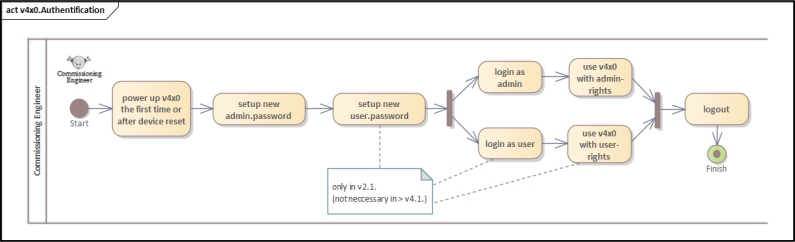
Activity Diagram
There are only the admin and (depending on the version) the user account. This is delivered with
-
admin name = admin,
-
admin password = admin,
-
user name = user (only available in version v2.1. and not in >= v4.1),
-
user password = user (only available in version v2.1. and not in >= v4.1).
and must be changed when starting for the first time.
These accounts can be used in different ways.
Login to the Panel
These accounts are needed when directly login at the web panel. There are two options:
-
Double tap on the screen during startup
Choose
System SettingsEnter Username and Password
-
Long-press the upper left corner for about three seconds.
Enter Username and Password
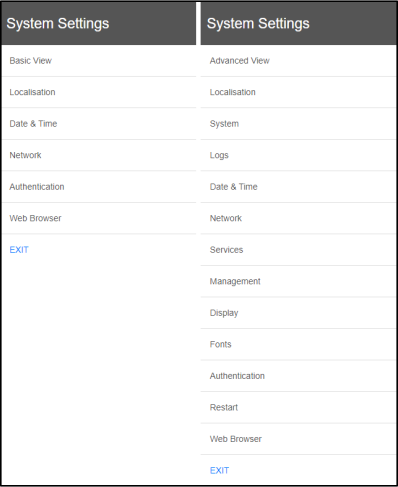
System Settings for user (Basic View) and admin (Advanced View)
Using a Web-Browser for Login
These accounts are also needed when connecting a device to the web panel via a web browser.
-
Open web browser
-
Connect to IP address of the web panel
-
Enter Username and Password
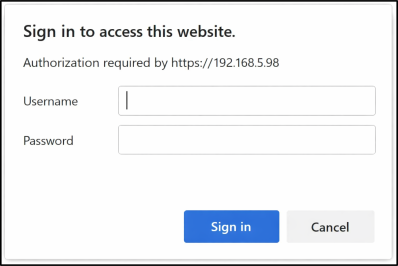
Authentification via Web-Brower
Using e.g. Postman for API-connection
These accounts are also needed when using the API via e.g. POSTMAN:
-
Start Postman
-
Create new collection
-
Choose "Type: Basic Auth"
-
Enter Username and Password
-
Using url
https://<ip>/rest/api/v1
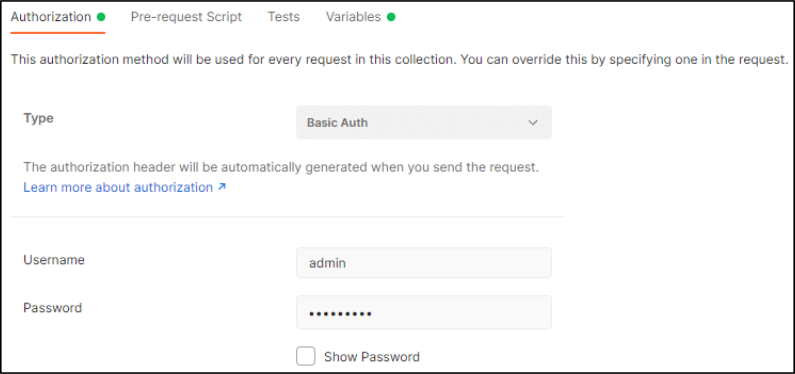
Authentification via postman
-
A GET request to the URL returns all the setting options. A GET request to the URL followed by a parameter returns the value of that parameter.
Handling Roles
This functionality is available from v4.1 and only visible if logged in as admin.
By default, an admin role is created in which the default admin user is located.
In System Settings > Authentication > Roles [Edit] the admin user is able to add new roles with the "+" button. After assigning a role-name, the role can be added via Add Role button. There is a limitation of 30 roles.
Once new roles have been created, they can be removed again (except for the admin role).
Handling Rights of the Roles
For more information, refer to chapter v4x0.Authorization.
Handling Users
This functionality is available in v2.1 but is extended in v4.1 and only visible if logged in as admin.
By default, an admin user is assigned in admin role with never expiration.
In System Settings > Authentication > Users [Edit] the admin user is able to add new Users with the "+" button. After filling the following information, the user can be added via Add User button. There is a limitation of 50 users.
| Object | Description |
|---|---|
| Username | Set a new username. |
| Role | Select one of the existing Roles. |
| New Password Confirm Password |
Choose and confirm a new password in the given password policy (refer to chapter v4x0.AccountManagementGuidelines). |
| Password validity (days) |
Select the validity time of the password. If the password should not be limited in time, delete the default number so that there is an empty field and Forever appears. This makes the password permanently valid. After the validation date, the user is required to change the password. |
The admin user is also able to enable or disable other users.
If a new added user log in the first time, the user has to change the initial password, giving from the admin.
Forgot password
In the event that all admin users have forgotten their password, access to the device configuraiton will be irrevocably lost. To restore functionality, a device reset must be performed, refer to chapter v4x0.FirmwareUpdate