v4x0.Certificate
In order to use certificates, they must be created in advance on the component.
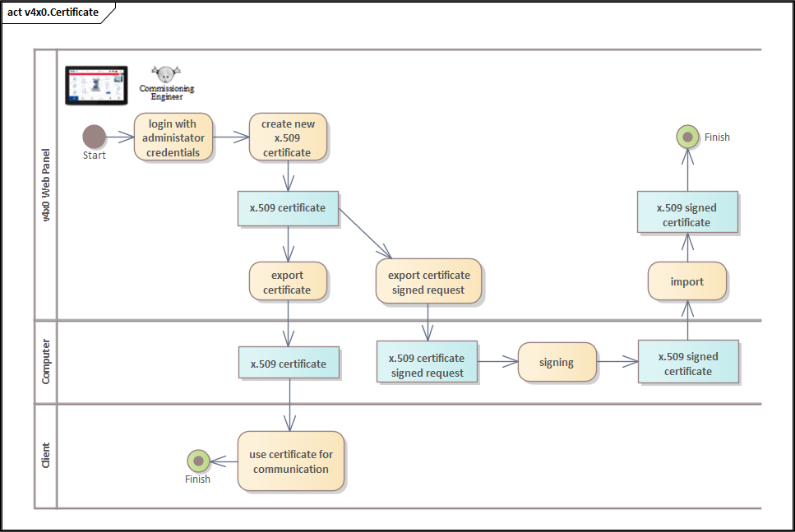
Activity Diagram
To do this, you must first create your own certificate on the component. This is done using the System Settings option in the Authentication menu under the x.509 Certificate heading. You will need to log in as admin to do this.
You can then define the data for the certificate, the validity period in days and the key length. Click Generate to create the certificate.
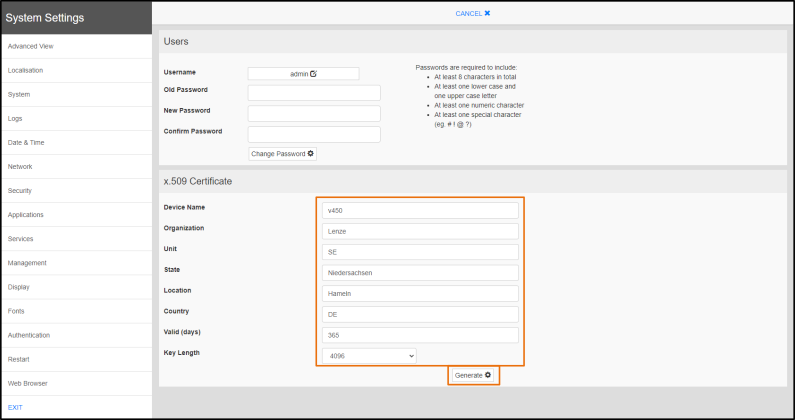
System Settings
Once the certificate has been generated, an Export and an Import button will be available.
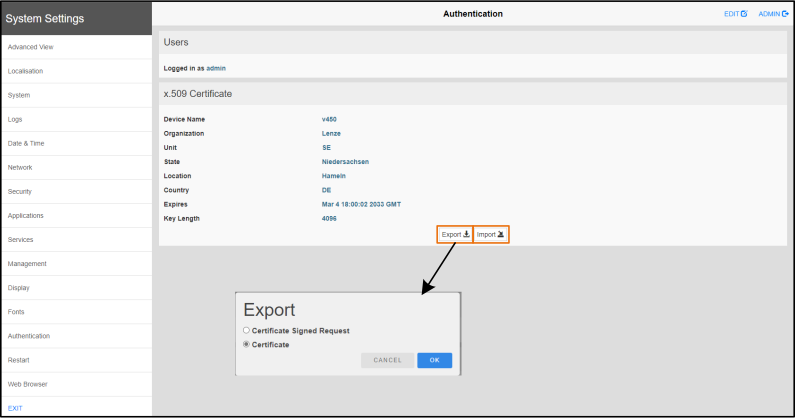
Export and Import of Certificates
At this point, there are two options. Firstly, the certificate can be exported to use it e.g. for encrypted communication. Secondly, the certificate can be exported with a signed request to sign it. The signed certificate can then be imported again.