Inverter with extension box
Inverters with extension box
For the product variants "B", "E" and "F", the control connection X3.1 serves as an interface to the control elements of the extension box. When configuring the inverter with the "EASY Starter", a suitable functionality of the control connections is automatically set for these versions.
The disconnect switch only interrupts the mains voltage to the device.
–
The disconnect switch does not interrupt the auxiliary power supply.
–
The disconnect switch does not interrupt the looping through of the supply voltage (for extension boxes with Han Q4/2).
The functions described below also apply to the "Type E combination motor controller" version.
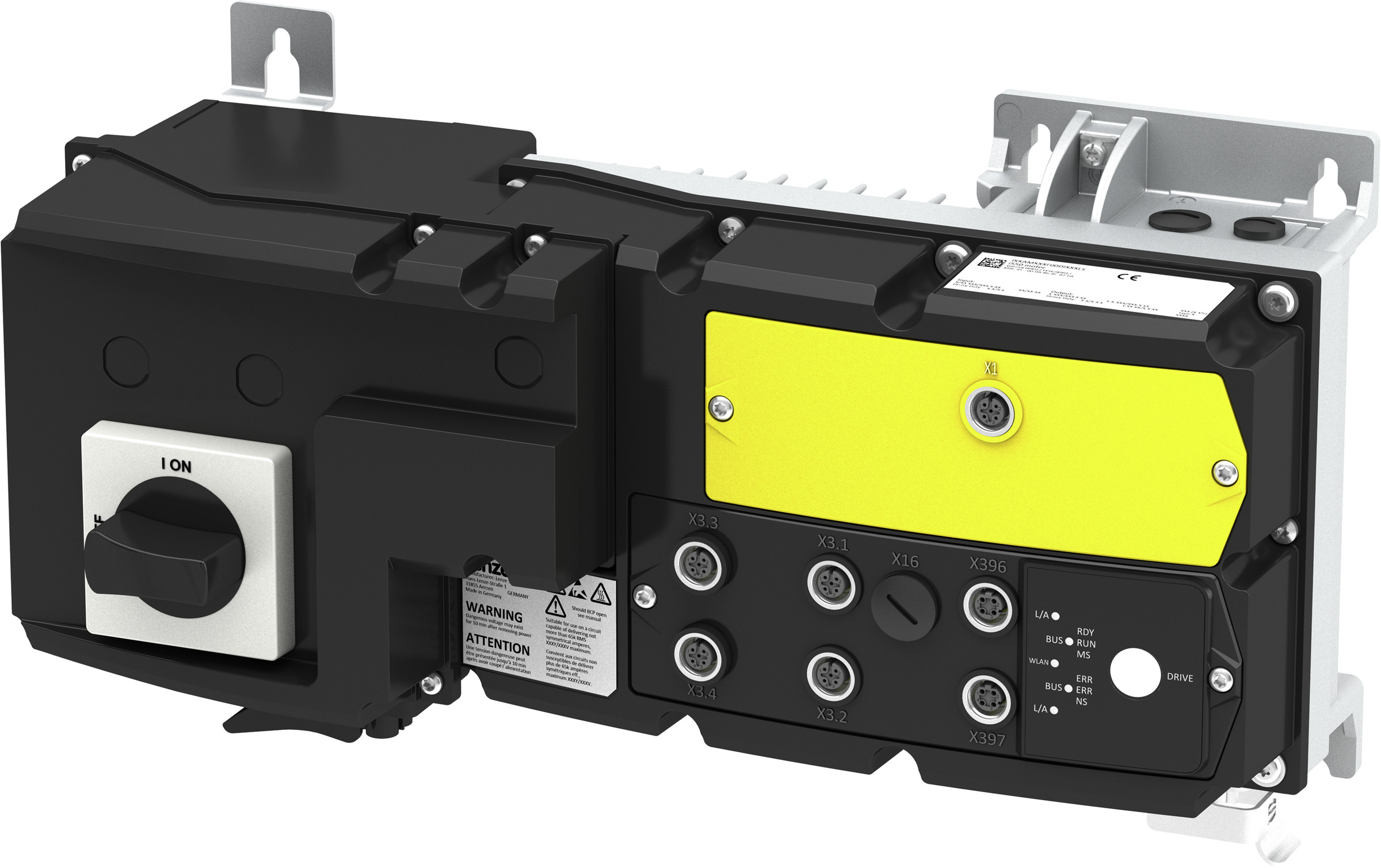
"Extension box with disconnect switch” option
Fig. 1: Example for i550 motec with "Extension Box with disconnect switch” option
|
Operating element
|
Function
|
Details
|
|
Disconnect switch
|
Mains voltage on/off
|
Position "I ON" = mains voltage On
Position "0 OFF" = mains voltage Off
|
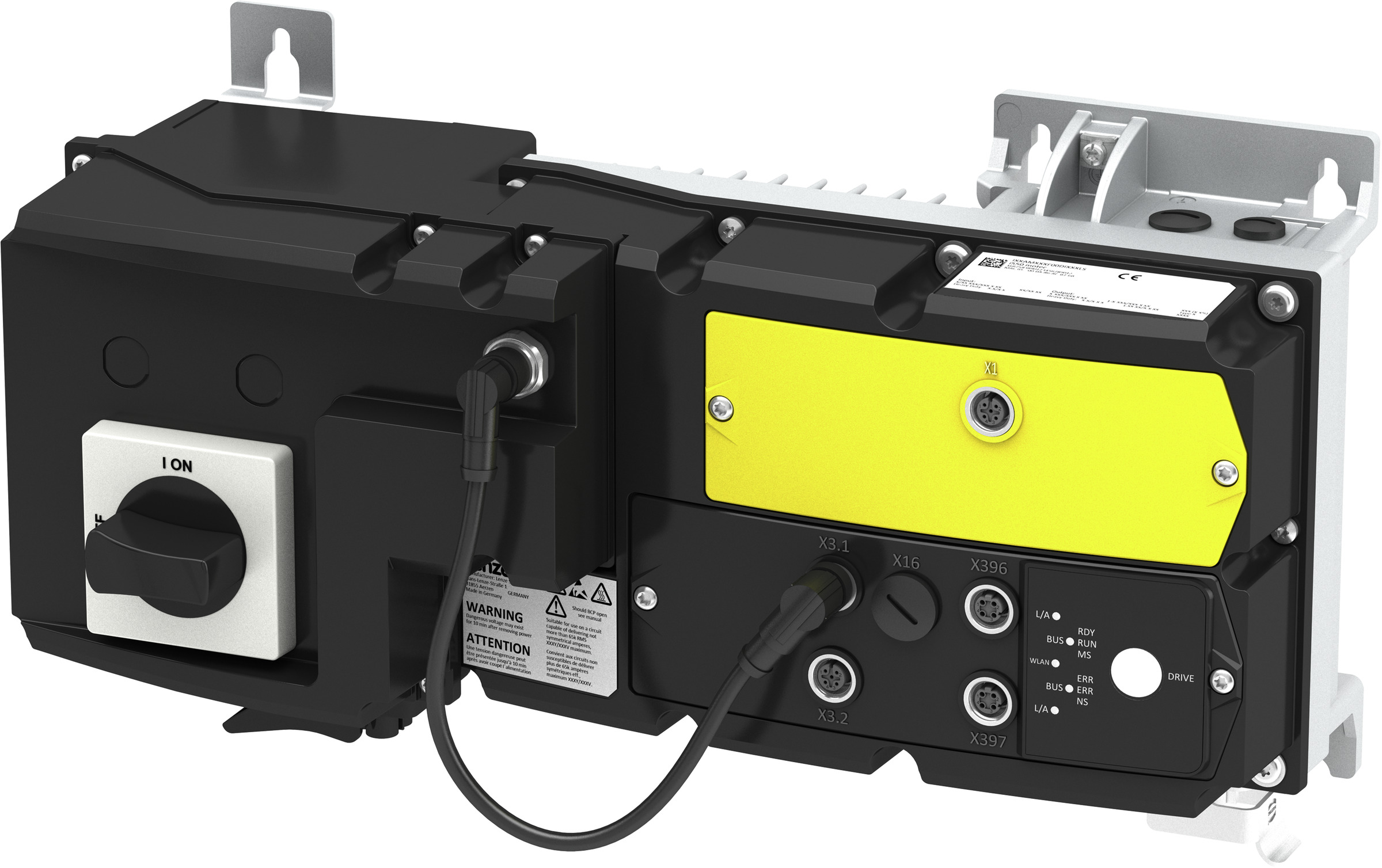
“Extension box with disconnect switch with status feedback” option
Communication with the extension box takes place via X3.1 (for Standard-I/O and Extended-I/O) or X3.3 (for Application-I/O).
Fig. 2: Example for i550 motec with "Extension box with disconnect switch with status feedback” option
|
Operating element
|
Function
|
Details
|
|
Disconnect switch
|
Mains voltage on/off
|
Position "I ON" = mains voltage On
Position "0 OFF" = mains voltage Off
Status feedback via DI2 (for Standard-I/O and Extended-I/O) or DI6 (for Application-I/O)
|
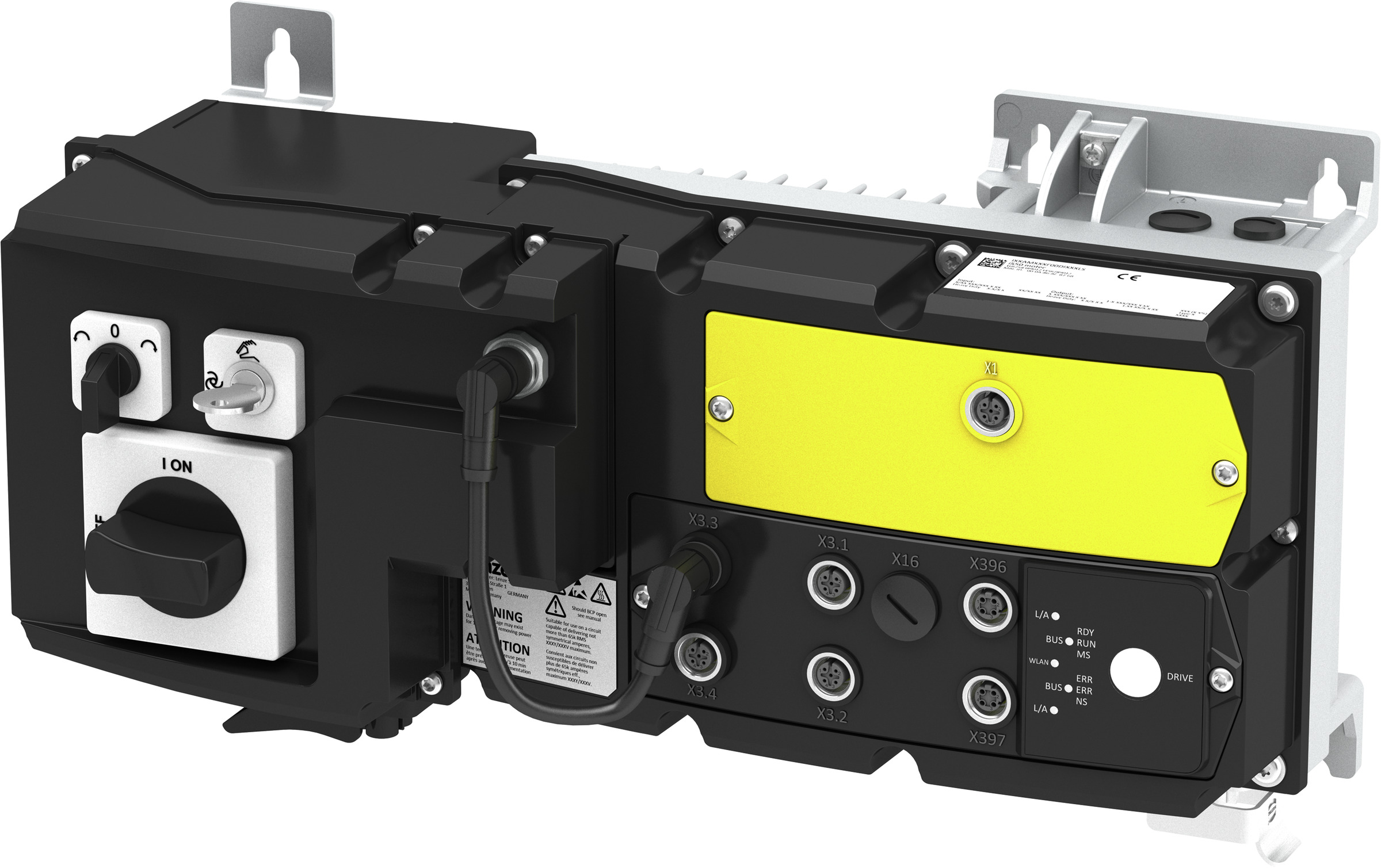
“Extension box with disconnect switch with status feedback and operating elements” option
Communication with the extension box takes place via X3.3 using IO-Link.
Fig. 3: Example for i550 motec with "Extension box with disconnect switch with status feedback and operating elements” option
|
Operating element
|
Function
|
Details
|
|
Disconnect switch
|
Mains voltage on/off
|
Position "I ON" = mains voltage On
Position "0 OFF" = mains voltage Off
Status feedback can be configured in the »EASY Starter«.
|
|
Operating element 1
|
Forward/Reverse/Stop
|
Right position = let motor rotate forward (CW) with frequency preset 1
Left position = let motor rotate reverse (CCW) with frequency preset 1
Position "0" = stop motor
Frequency preset 1 (default: 20 Hz) can be set in 0x2911:001 |
|
Operating element 2, lockable
|
Local control/network control
|
Right position = network control
Left position = local control via operating element 1
|
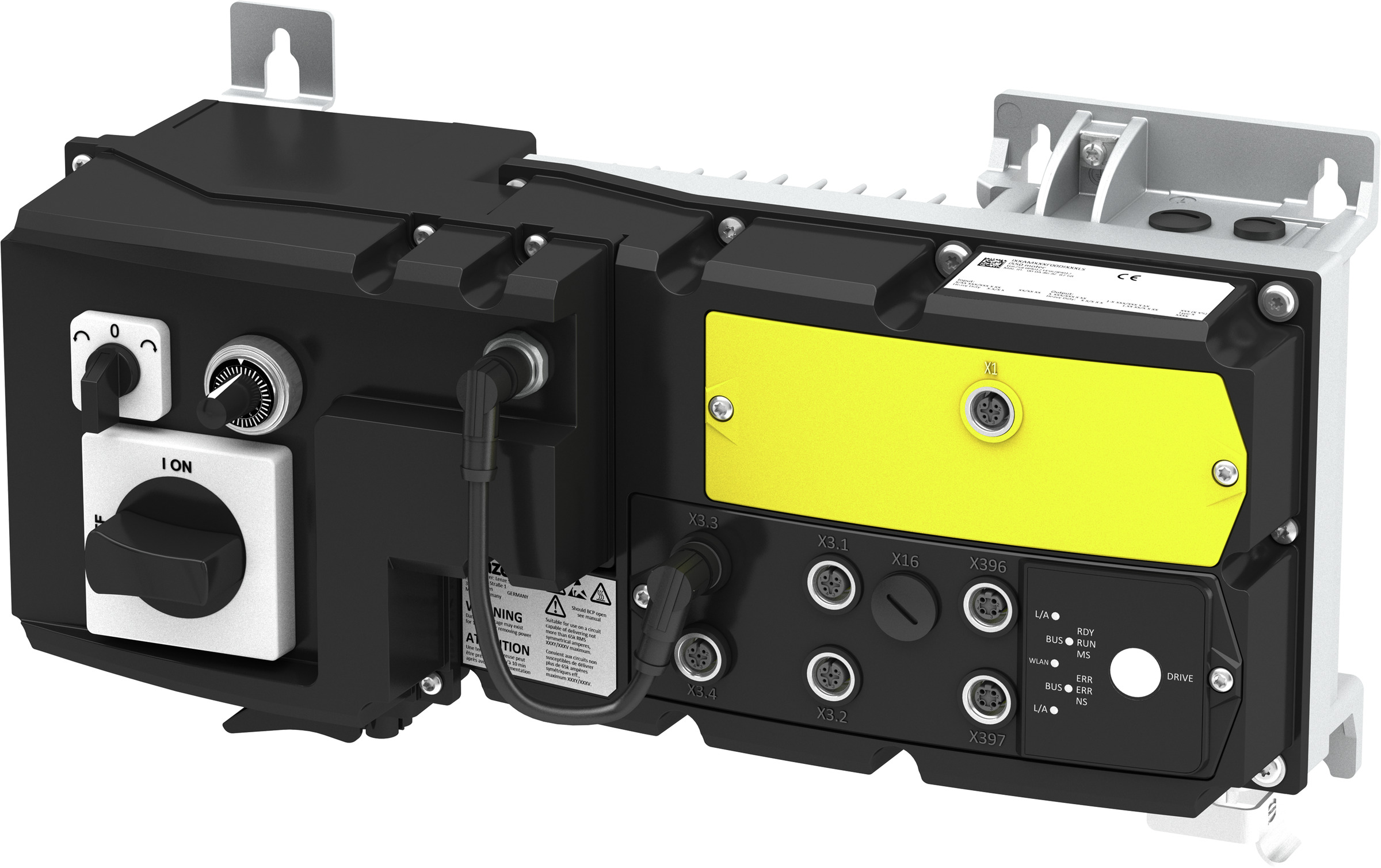
"Extension box with disconnect switch with status feedback, operating element and potentiometer” option
Communication with the extension box takes place via X3.3 using IO-Link.
Fig. 4: Example for i550 motec with "Extension box with disconnect switch with status feedback, operating element, and potentiometer” option
|
Operating element
|
Function
|
Details
|
|
Disconnect switch
|
Mains voltage on/off
|
Position "I ON" = mains voltage On
Position "0 OFF" = mains voltage Off
Status feedback can be configured in the »EASY Starter«.
|
|
Operating element 1
|
Forward/Reverse/Stop
|
Right position = let motor rotate forward (CW) with set setpoint frequency
Left position = let motor rotate reverse (CCW) with set setpoint frequency
Position "0" = stop motor
|
|
Potentiometer
|
Setpoint frequency
|
The potentiometer is mapped to analog input 1 via the analog input configuration for IO-Link port 3. The scaled analog value is set in 0x2860:001 as the default setpoint source for frequency control. |